
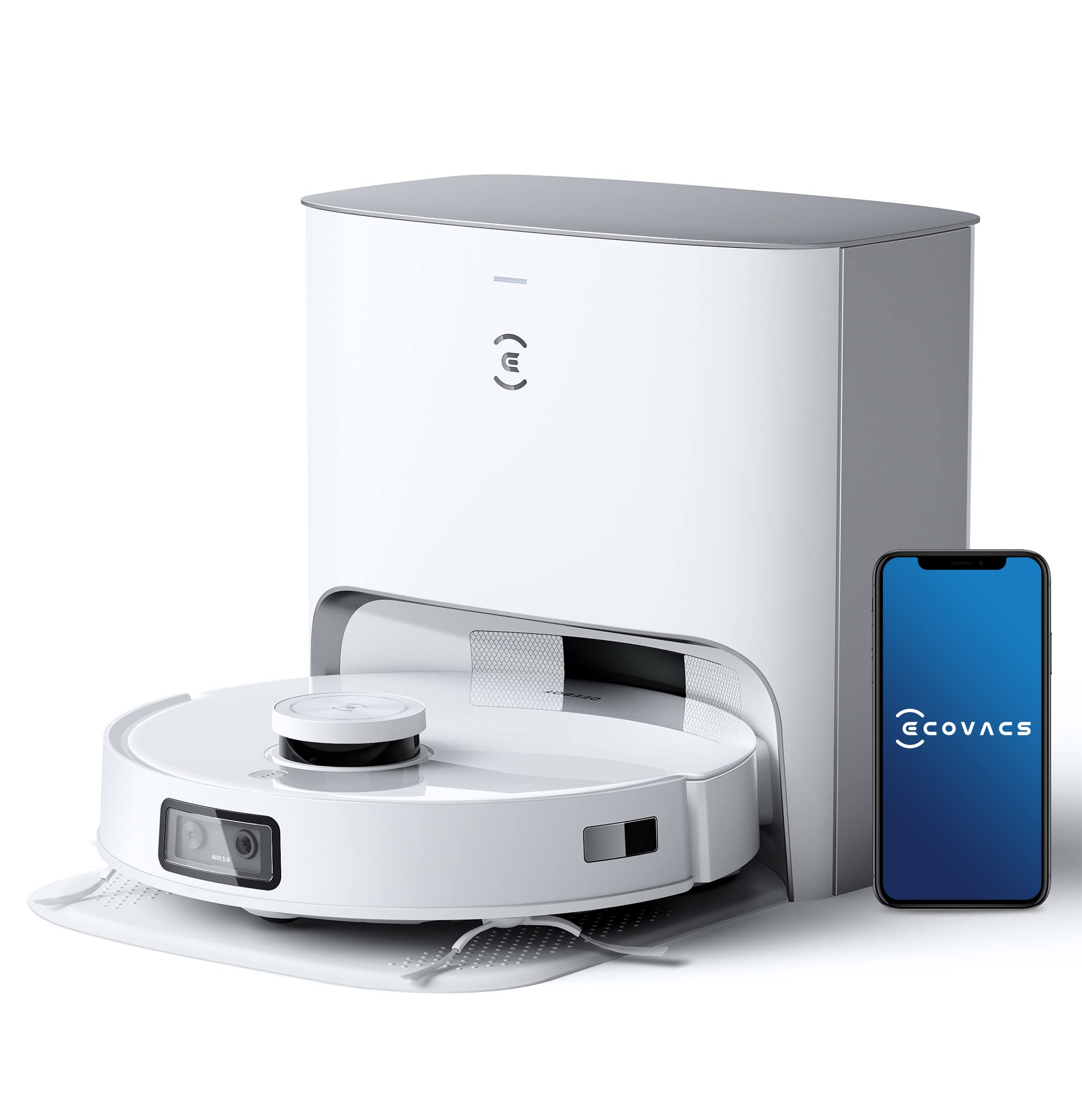
Ecovacs Deebot T10 Plus: A Comprehensive Review
As a tech enthusiast and blogger, I was excited to review the ECOVACS DEEBOT T10 PLUS, a high-end robot vacuum cleaner that promises to deliver exceptional cleaning performance and features. In this article, we’ll delve into the details of this product, its installation and configuration process, and my hands-on experience with it.
Unboxing And Initial Impression
The first thing I noticed when unboxing the ECOVACS DEEBOT T10 PLUS was its sleek and modern design. The robot itself is compact, measuring 353 x 353 x 103.3 Mm, making it easy to store in a corner or under a bed. The package includes the robot, a base station for automatic charging and dustbin emptying, a powder container, a scented capsule holder, two lateral brushes, a cleaning cloth, and a user manual.
Installation And Configuration
The installation process was surprisingly straightforward, requiring minimal effort on my part. I simply positioned the magnetic lid of the robot, attached the protections, and installed the lateral brushes. Next, I coupled the station of dustbin emptying to its base, connected it to the power source with the provided cable, and turned on the robot.
Configuring The App
Using my smartphone, I downloaded the ECOVACS app, which was available for both Android and iOS devices. The configuration process was a breeze, requiring me to select my region, language, and account type (new or existing). I then added the DEEBOT T10 PLUS robot to the app, granted necessary permissions, chose the Wi-Fi network for connection, and confirmed that the robot was turned on.
Initial Mapping
Once connected, the DEEBOT T10 PLUS began its initial mapping process. This feature uses advanced sensors and a built-in camera to create a 2D and 3D map of your home’s layout. I was impressed by how quickly and accurately it mapped my space, avoiding obstacles and creating a precise representation of my home.
Using The App
The ECOVACS app offers an intuitive interface for controlling the DEEBOT T10 PLUS. With just a few taps, I could schedule cleanings, adjust settings, and monitor the robot’s performance in real-time. The app also features a 3D map view, allowing me to plan cleaning routes and navigate through my home.
Cleaning Performance
The DEEBOT T10 PLUS performed admirably during its initial cleaning cycle, effortlessly navigating around furniture and avoiding obstacles. I was pleased with the level of detail it achieved in cleaning, including edges, corners, and crevices. The 3.000 Pa suction power proved effective in picking up debris, crumbs, and pet hair.
Advanced Features
The DEEBOT T10 PLUS boasts an impressive array of advanced features, including:
- Truemapping 2.0: A system that creates a precise 2D and 3D map of your home.
- Ancestors 3.0: An obstacle avoidance system using advanced sensors and a camera.
- Ozmo Pro 3.0: An innovative cleaning system featuring a water tank, mopping capabilities, and adjustable suction power.
- Yiko: A voice-controlled assistant for scheduling cleanings and adjusting settings.
Maintenance
Regular maintenance is essential to ensure the DEEBOT T10 PLUS continues to perform at its best. I found it simple to clean the robot’s dustbin, filters, and brushes according to the manufacturer’s guidelines.
Conclusion
In conclusion, the ECOVACS DEEBOT T10 PLUS is a high-end robot vacuum cleaner that delivers exceptional cleaning performance and features. Its compact design, advanced navigation system, and efficient cleaning capabilities make it an ideal choice for those seeking a top-of-the-line cleaning solution.
Frequently Asked Questions (FAQs)
Here are some additional questions you might have about the ECOVACS DEEBOT T10 PLUS:
-
What is The Price of The Deebot T10 Plus?
The DEEBOT T10 PLUS typically retails for around $899, with discounts available on Amazon and other online retailers.
-
How do I Schedule Cleanings Using The Ecovacs App?
To schedule cleanings, simply open the ECOVACS app, select the desired cleaning mode (e.G., Standard or personalized), choose the frequency and duration of cleanings, and set reminders for maintenance tasks.
-
Can I Use The Deebot T10 Plus on Carpets?
Yes, the DEEBOT T10 PLUS is designed to handle various floor types, including carpets. It features adjustable suction power and a water tank for effective cleaning.
-
How Often Should I Clean And Maintain my Deebot T10 Plus?
Regular maintenance is essential to ensure optimal performance. Clean the dustbin, filters, and brushes every week, and perform more thorough cleaning tasks (e.G., Replacing filters or brushes) according to the manufacturer’s guidelines.
-
What Are Some Common Issues With The Deebot T10 Plus?
Some users may encounter occasional connectivity issues or problems with the initial mapping process. However, these issues can often be resolved by restarting the robot or adjusting settings within the ECOVACS app.
-
Can I Connect my Deebot T10 Plus to Other Smart Devices (e.G., Amazon Alexa or Google Assistant)?
Yes, the ECOVACS DEEBOT T10 PLUS supports integration with popular smart home systems, allowing you to control and schedule cleanings using voice commands or through a dedicated app.
-
What Are Some Potential Drawbacks of The Deebot T10 Plus?
Some users may find the robot’s noise level (approximately 66-68 dBA) slightly higher than expected, although this is reportedly comparable to other high-end robot vacuum cleaners. Additionally, some users have reported minor issues with the initial mapping process or occasional connectivity problems.
-
Is The Deebot T10 Plus Suitable For Large Homes?
The DEEBOT T10 PLUS is designed to handle homes of various sizes, including larger spaces. However, it may require more frequent recharging and cleaning in larger environments.


