
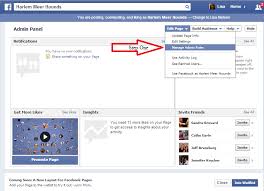
Transforming Your Facebook Profile Into a Business Page: A Step-by-step Guide
As a business owner or entrepreneur, having a strong online presence is crucial in today’s digital age. One of the most effective ways to establish your brand on social media is by creating a business page on Facebook. However, if you’ve already set up a personal profile and want to convert it into a business page, you may be wondering how to do so. In this article, we’ll guide you through the process of transforming your Facebook profile into a business page.
Understanding The Differences Between a Profile And a Page
Before we dive into the step-by-step guide, let’s first understand the differences between a personal profile and a business page on Facebook. A profile is designed for individuals to connect with friends and family, while a page is meant for businesses, organizations, or public figures to engage with their audience.
Why Create a Business Page?
Creating a business page on Facebook offers several benefits, including:
- Increased Visibility: A page can reach a larger audience than a profile.
- Better Branding: A page allows you to showcase your brand’s image and tone.
- Improved Engagement: A page enables you to engage with your audience through comments, likes, and shares.
Step 1: Download Your Facebook Profile Data
To transform your personal profile into a business page, you’ll need to download your data from Facebook. This includes all your posts, photos, and other information. To do this:
- Log in to your Facebook account on a computer or mobile device.
- Click on the three dots (⋯) next to “Settings” and select “Settings.”
- Scroll down to the “Your Information” section and click on “Download Your Information.”
- Choose the data you want to download, such as posts, photos, and videos.
- Select the format in which you’d like to receive your data (HTML or JSON).
- Click on “Create Archive” to begin the download process.
Step 2: Create a New Facebook Page
Now that you’ve downloaded your profile data, it’s time to create a new business page. To do this:
- Log in to your Facebook account on a computer or mobile device.
- Click on the “Pages” tab and select “Create New Page.”
- Choose the category that best describes your business or organization.
- Fill out the required information, such as your page name and description.
Step 3: Add Your Profile Data to The New Page
Once you’ve created a new page, it’s time to add your profile data. To do this:
- Click on the “Add Content” button on your page.
- Select the type of content you want to add (e.G., Posts, photos, videos).
- Choose the file you downloaded in Step 1 and upload it to your page.
Tips And Variations
Here are some additional tips and variations to keep in mind:
- Organize Your Content: Before adding your profile data to the new page, organize your content into folders or categories.
- Customize Your Page: Take advantage of Facebook’s page customization options to create a unique brand identity for your business.
- Engage With Your Audience: Once you’ve added your profile data, engage with your audience through comments, likes, and shares.
Conclusion
Transforming your Facebook profile into a business page requires some effort, but it’s worth it in the long run. By following these steps and tips, you can create a strong online presence for your business or organization.
Here are eight FAQs to help you better understand how to transform your Facebook profile into a business page:
- Q: Can I Transform my Personal Profile Into a Business Page?
A: Yes, but it requires some effort and technical know-how. - Q: What Are The Benefits of Creating a Business Page on Facebook?
A: Increased visibility, better branding, and improved engagement are just a few advantages. - Q: How do I Download my Profile Data From Facebook?
A: Log in to your account, click on “Settings,” and select “Download Your Information.” - Q: Can I Add my Profile Data Directly to The New Page?
A: Yes, but make sure to organize your content first. - Q: What if I Encounter Any Issues During The Transformation Process?
A: Reach out to Facebook’s support team for assistance. - Q: How do I Customize my Business Page on Facebook?
A: Take advantage of Facebook’s page customization options to create a unique brand identity. - Q: Can I Transform my Profile Into a Business Page Using a Mobile Device?
A: Yes, but the process may be slightly different than on a computer. - Q: What if I Don’t Have Any Technical Expertise?
A: Don’t worry, you can always seek help from friends or professionals who are familiar with Facebook’s features and settings.
By following these steps and tips, you’ll be well on your way to transforming your personal profile into a professional business page that showcases your brand and engages with your audience.


