
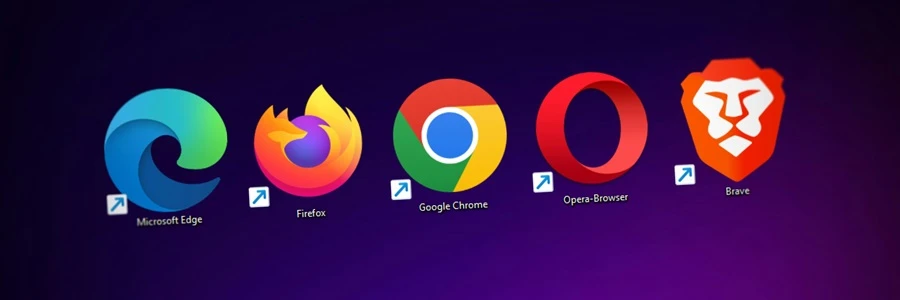
The Ultimate Guide to Choosing The Best Browser: A Comprehensive Review
Are you tired of wondering which browser is best suited for your needs? Look no further! In this comprehensive guide, we’ll delve into the world of browsers, exploring the top contenders in both PC and mobile categories.
Why Choose a Good Browser?
A good browser can make all the difference in your online experience. It’s not just about accessing websites; it’s about speed, security, and ease of use. A reliable browser ensures that you stay safe from malware and data breaches while enjoying seamless navigation.
The Best Browsers For PC And Mac
Let’s start with the best browsers for desktop devices:
Google Chrome (Windows/macOS/Linux)
Chrome is the undisputed champion of browsers, used by over 2 billion people worldwide. Its exceptional speed, seamless integration with Google services, and extensive library of extensions make it a must-have.
Key Features:
- Automatic updates
- Syncing across devices
- Customizable interface
- Extensions galore!
Microsoft Edge (Windows/macOS)
Edge is Microsoft’s answer to Chrome, boasting impressive speeds and efficient energy consumption. Its integration with Windows 10 and Bing engine makes it a solid choice.
Key Features:
- Fast loading times
- Energy-efficient design
- Seamless integration with Windows 10
Mozilla Firefox (Windows/macOS/Linux)
Firefox is the longest-running browser on this list, renowned for its commitment to user privacy. Its Quantum engine ensures lightning-fast speeds and robust security features.
Key Features:
- Private browsing mode
- Ad-blocking capabilities
- Customizable interface
Safari (macOS)
Safari is Apple’s built-in browser, optimized for Mac devices. Its sleek design and seamless integration with macOS make it a great choice for those invested in the Apple ecosystem.
Key Features:
- Fast loading times
- Energy-efficient design
- Seamless integration with macOS
Vivaldi (Windows/macOS/Linux)
Vivaldi is a relatively new browser, designed specifically for users who value privacy and security. Its customizability options and seamless integration with services like Google Drive make it an attractive choice.
Key Features:
- Private browsing mode
- Customizable interface
- Seamless integration with Google services
Brave (Windows/macOS/Linux)
Brave is another browser prioritizing user security, featuring a built-in ad-blocker and rewards system for creators. Its fast loading times and energy-efficient design make it a solid contender.
Key Features:
- Ad-blocking capabilities
- Rewards system for creators
- Fast loading times
The Best Browsers For Android, Iphone, And Ipad
Now that we’ve explored the top browsers for PC and Mac, let’s move on to mobile devices:
Google Chrome (Android/iOS/iPadOS)
Chrome is once again a leading contender on mobile devices, boasting seamless integration with Google services and fast loading times.
Key Features:
- Fast loading times
- Seamless integration with Google services
- Mobile-specific features like data compression
Mozilla Firefox (Android/iOS/iPadOS)
Firefox brings its private browsing mode and ad-blocking capabilities to mobile devices, ensuring a secure experience on-the-go.
Key Features:
- Private browsing mode
- Ad-blocking capabilities
- Fast loading times
Safari (iOS/iPadOS)
Safari is Apple’s built-in browser for mobile devices, optimized for iOS and iPadOS. Its fast loading times and energy-efficient design make it a great choice for those invested in the Apple ecosystem.
Key Features:
- Fast loading times
- Energy-efficient design
- Seamless integration with iOS and iPadOS
Microsoft Edge (Android/iOS/iPadOS)
Edge brings its impressive speeds and efficient energy consumption to mobile devices, ensuring a smooth experience on-the-go.
Key Features:
- Fast loading times
- Energy-efficient design
- Seamless integration with Windows 10
Other Noteworthy Browsers For Mobile Devices
There are several other browsers worth mentioning:
- Vivaldi (Android)
- Brave (Android/iOS/iPadOS)
Choosing The Best Browser For Your Needs
So, which browser should you choose? The answer lies in your specific needs and preferences. If you’re heavily invested in Google services, Chrome might be the best choice. For those prioritizing security, Vivaldi or Brave could be the way to go.
Tips And Tricks:
- Use a password manager to secure your passwords.
- Enable private browsing mode for added security.
- Customize your browser’s interface to suit your needs.
- Take advantage of built-in features like ad-blocking and rewards systems.
Conclusion
In conclusion, choosing the best browser is a personal decision that depends on your specific needs and preferences. This comprehensive guide has explored the top contenders in both PC and mobile categories, highlighting key features and benefits for each. By considering factors like speed, security, and customizability, you’ll be able to make an informed decision and enjoy a seamless online experience.
Frequently Asked Questions
Q: What is the best browser for Android devices?
A: Google Chrome, Mozilla Firefox, or Microsoft Edge are all great options.
Q: Which browser offers the most private browsing mode features?
A: Vivaldi, Brave, or Firefox have impressive private browsing capabilities.
Q: Can I use a password manager with my chosen browser?
A: Yes! Many browsers offer built-in password managers or integrate with popular password management services.
Q: Are there any rewards systems available for creators on mobile devices?
A: Yes! Brave’s rewards system is a great option, and Vivaldi also offers rewards features.
Q: Can I customize the interface of my chosen browser?
A: Yes! Most browsers offer extensive customization options to suit your needs.


