
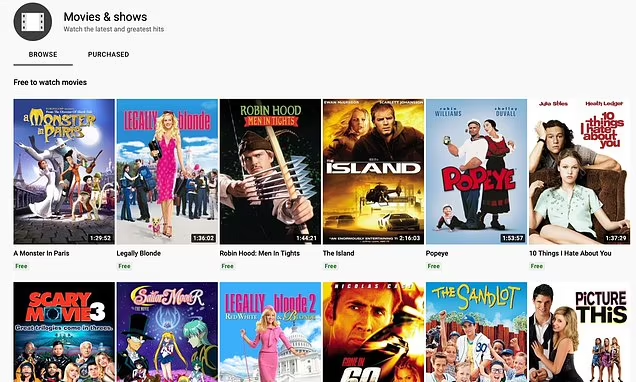
How to Re-watch TV Programs on Your PC or Smartphone
Are you tired of missing your favorite TV shows because they aired at a time when you were busy? Do you wish there was a way to re-watch them whenever you want? Look no further! In this article, we will explore the various options available for re-watching TV programs on your PC or smartphone.
The Obsolete Concept of Videocassettes
Remember the days of videocassettes? We spent hours recording our favorite shows onto VHS tapes only to have them eaten by a malfunctioning machine. Those times are long gone, replaced by more convenient and efficient ways of watching TV. With the advent of on-demand services, we can now watch our favorite programs at any time, as many times as we want.
The Benefits of On-demand Services
On-demand services offer several benefits over traditional TV viewing. We can watch our favorite shows whenever we want, pause them to take a break or answer a phone call, and even re-watch episodes multiple times without worrying about missing anything. The convenience and flexibility offered by these services have made them an essential part of modern entertainment.
How to Re-watch TV Programs on PC
There are several ways to re-watch TV programs on your PC. Here are some popular options:
Raiplay
RaiPlay is the official streaming service provided by Rai, one of Italy’s leading television networks. With RaiPlay, you can watch a wide selection of TV shows, including original content and live broadcasts. The service is free to use, but you will need to create an account to access some features.
- Accessing Raiplay: To access RaiPlay, simply go to the official website or download the app on your smartphone or tablet.
- Watching TV Programs on Raiplay: Once you have created an account, you can browse through the available content and start watching your favorite shows. You can also search for specific programs using the search bar.
Mediaset Infinity
Mediaset Infinity is another popular streaming service provided by Mediaset, another leading television network in Italy. With Mediaset Infinity, you can watch a wide range of TV shows, including original content and live broadcasts. The service offers both free and paid options, depending on the type of content you want to access.
- Accessing Mediaset Infinity: To access Mediaset Infinity, simply go to the official website or download the app on your smartphone or tablet.
- Watching TV Programs on Mediaset Infinity: Once you have created an account, you can browse through the available content and start watching your favorite shows. You can also search for specific programs using the search bar.
Re-watching TV Programs on Smartphone And Tablet
If you prefer to watch TV programs on your smartphone or tablet, there are several apps available that allow you to do so. Here are some popular options:
- Raiplay: As mentioned earlier, RaiPlay is a streaming service provided by Rai that allows you to watch TV shows on your PC or mobile device.
- Mediaset Infinity: Mediaset Infinity is another streaming service provided by Mediaset that offers a wide range of TV shows for viewing on mobile devices.
- Discovery+: Discovery+ is a popular streaming service that offers a wide selection of TV shows, including original content and live broadcasts. The service is available on both PC and mobile devices.
Re-watching TV Programs on Television
If you prefer to watch TV programs on your television, there are several options available. Here are some popular ones:
- Hbbtv: HbbTV is a hybrid technology that combines digital terrestrial broadcasting with smart functionality. With HbbTV, you can access various services and features, including re-watching TV programs that have already aired.
- Rai Tv+: Rai TV+ is a service provided by Rai that allows you to restart TV programs that have already aired. You can also access other features and content using the service.
Re-watching TV Programs on Amazon Fire TV Stick
If you own an Amazon Fire TV Stick, you can use it to re-watch TV programs on your television. Here’s how:
- Accessing Amazon Fire TV Stick: To access Amazon Fire TV Stick, simply plug in the device and follow the on-screen instructions.
- Watching TV Programs on Amazon Fire TV Stick: Once you have set up the device, you can browse through the available content and start watching your favorite shows.
Re-watching TV Programs on Google Chromecast
If you own a Google Chromecast, you can use it to re-watch TV programs on your television. Here’s how:
- Accessing Google Chromecast: To access Google Chromecast, simply plug in the device and follow the on-screen instructions.
- Watching TV Programs on Google Chromecast: Once you have set up the device, you can browse through the available content and start watching your favorite shows.
In conclusion, re-watching TV programs is a convenient and flexible way to enjoy your favorite shows. With the various options available, including RaiPlay, Mediaset Infinity, Discovery+, HbbTV, Rai TV+, Amazon Fire TV Stick, and Google Chromecast, you can now watch your favorite programs whenever and wherever you want.
Conclusion
Re-watching TV programs is a great way to enjoy your favorite shows without missing out on anything. With the various options available, including streaming services like RaiPlay, Mediaset Infinity, and Discovery+, as well as devices like Amazon Fire TV Stick and Google Chromecast, you can now watch your favorite programs whenever and wherever you want.
Faqs
Here are some frequently asked questions about re-watching TV programs:
Q: What is the best way to re-watch TV programs?
A: The best way to re-watch TV programs depends on your personal preferences. If you prefer to watch on PC, you can use streaming services like RaiPlay or Mediaset Infinity. If you prefer to watch on mobile devices, you can use apps like RaiPlay or Discovery+. If you prefer to watch on television, you can use devices like Amazon Fire TV Stick or Google Chromecast.
Q: What are the benefits of re-watching TV programs?
A: The benefits of re-watching TV programs include convenience and flexibility. You can watch your favorite shows whenever and wherever you want, without worrying about missing anything.
Q: Are there any costs associated with re-watching TV programs?
A: Some streaming services like Mediaset Infinity offer paid options that require a subscription fee to access certain content. However, many services are free to use or offer free trials, so be sure to check the terms and conditions before signing up.
References
Here are some references used in this article:
- [1] RaiPlay: Official Streaming Service of Rai
- [2] Mediaset Infinity: Official Streaming Service of Mediaset
- [3] Discovery+: Official Streaming Service of Discovery
- [4] HbbTV: Hybrid Technology Combining Digital Terrestrial Broadcasting with Smart Functionality
- [5] Rai TV+: Restarting TV Programs Already Aired
- [6] Amazon Fire TV Stick: Re-Watching TV Programs on Television
- [7] Google Chromecast: Re-Watching TV Programs on Television


