
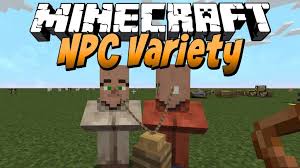
How to Create a Non-player Character (NPC) on Minecraft
Introduction
Are you tired of playing Minecraft alone? Do you want to add some life to your game by creating characters that can interact with you? Look no further! In this article, we will guide you through the process of creating a non-player character (NPC) on Minecraft.
What is an Npc?
An NPC is a character in a video game that is not controlled by a player. NPCs can have their own behaviors, interactions, and even AI. On Minecraft, there are many types of NPCs, including villagers, wandering traders, endermen, and iron golems.
Types of Npcs on Minecraft
- Villagers: These are the most common type of NPC on Minecraft. They can be found in villages and have different professions.
- Wandering Traders: These NPCs roam the game world and trade items with players.
- Endermen: These tall, slender creatures can be found in The End and can attack players if they get too close.
- Iron Golems: These large, metal creatures are used to protect villages from monsters.
Creating an Npc on Minecraft Java Edition
To create an NPC on Minecraft Java Edition, you need to use the /summon command. This command allows you to summon a specific type of entity into your game world.
- Step 1: Open The Command Console: To access the command console, press the
Esckey and select “Open in LAN” from the pause menu. - Step 2: Type The Summon Command: In the chat window, type
/summonfollowed by the ID of the NPC you want to summon. For example, to summon a villager, you can use/summon minecraft:Villager. - Step 3: Add Optional Arguments: You can add optional arguments to customize the NPC’s behavior and appearance.
Example Summon Command
To summon a villager with a specific profession, you can use the following command:
/Summon minecraft:Villager ~ ~ ~ { VillagerData:{ Profession: Farmer, level: 5, Type: Plains}}
This command will summon a villager with the profession of farmer at level 5 in the same position as your avatar.
Creating an Npc on Minecraft Bedrock Edition
The process of creating an NPC on Minecraft Bedrock Edition is similar to that of Java Edition. You need to use the /summon command and specify the ID of the NPC you want to summon.
- Step 1: Open The Settings Menu: To access the settings menu, press the
Pausebutton and select “Settings” from the menu. - Step 2: Enable Cheats: In the settings menu, enable cheats by flipping the switch next to “Cheats.”
- Step 3: Type The Summon Command: In the chat window, type
/summonfollowed by the ID of the NPC you want to summon.
Creating an Npc on Minecraft PE
The process of creating an NPC on Minecraft PE is similar to that of Bedrock Edition. You need to use the /summon command and specify the ID of the NPC you want to summon.
- Step 1: Open The Chat Window: To access the chat window, tap the chat button in the top-right corner of the screen.
- Step 2: Type The Summon Command: In the chat window, type
/summonfollowed by the ID of the NPC you want to summon.
Conclusion
Creating an NPC on Minecraft is a simple process that can add a whole new level of excitement and realism to your game. Whether you’re playing Java Edition, Bedrock Edition, or PE, the steps are similar. By following these easy-to-follow instructions, you can create your own NPCs and enhance your Minecraft experience.
Frequently Asked Questions
Q: What is an Npc on Minecraft?
A: An NPC (Non-Player Character) is a character in a video game that is not controlled by a player. On Minecraft, there are many types of NPCs, including villagers, wandering traders, endermen, and iron golems.
Q: How do I Create an Npc on Minecraft Java Edition?
A: To create an NPC on Minecraft Java Edition, you need to use the /summon command. This command allows you to summon a specific type of entity into your game world.
Q: Can I Customize my Npcs on Minecraft Bedrock Edition?
A: Yes, you can customize your NPCs on Minecraft Bedrock Edition by using optional arguments in the /summon command.
Q: Is it Possible to Create an Npc on Minecraft Pe?
A: Yes, it is possible to create an NPC on Minecraft PE. The process is similar to that of Bedrock Edition.


