
How to See Saved Passwords on Iphone: A Step-by-step Guide
As an iPhone user, you might have saved passwords for various websites and apps using the built-in password manager, iCloud Keychain. But did you know that you can also access these saved passwords directly from your iPhone? In this article, we’ll show you how to see saved passwords on your iPhone, as well as provide alternative methods for accessing them.
Why See Saved Passwords on Iphone?
There are several reasons why you might want to see saved passwords on your iPhone. For instance:
- Convenience: Having access to all your saved passwords in one place can save you time and effort when logging into multiple websites or apps.
- Security: By using a password manager like iCloud Keychain, you can ensure that all your passwords are stored securely and protected by strong encryption.
- Organization: Seeing saved passwords on your iPhone can help you keep track of which accounts have been accessed and what type of information is being stored.
How to See Saved Passwords on Iphone
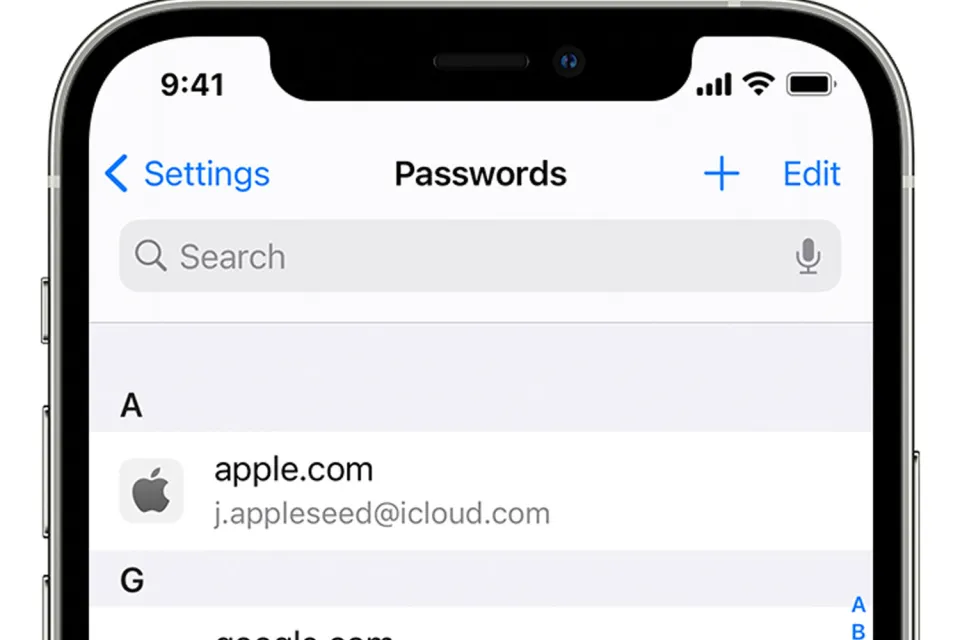
To see saved passwords on your iPhone, follow these steps:
- Open the Settings app on your iPhone.
- Tap on “Passwords” under the “Safari” section.
- Scroll down to find the list of saved websites and apps with their corresponding passwords.
Alternative Methods For Accessing Saved Passwords
If you’re unable to access saved passwords using the method above, don’t worry! There are alternative methods available:
- Icloud Keychain: If you have an iCloud account, you can access your saved passwords directly from your Mac or PC by logging into the iCloud website and navigating to the “Keychain” section.
- Password Manager Apps: There are several third-party password manager apps available for both iOS and Android devices that offer additional features and security measures beyond what’s offered by iCloud Keychain.
Using Password Manager Apps on Iphone
If you’re interested in using a password manager app on your iPhone, here are some popular options:
- 1Password: A well-regarded password manager app that offers advanced security features like two-factor authentication and zero-knowledge proof.
- Bitwarden: An open-source password manager app that allows users to store their passwords securely in the cloud or locally on their device.
Tips For Using Password Manager Apps
When using a password manager app, keep these tips in mind:
- Choose a Reputable App: Opt for an app with strong security features and good reviews from other users.
- Set up Two-factor Authentication: Add an extra layer of protection to your account by enabling two-factor authentication.
- Regularly Update Your Passwords: Periodically change your passwords to ensure that they remain secure.
Conclusion
In conclusion, seeing saved passwords on your iPhone can be a convenient and secure way to manage multiple accounts. By following the steps outlined above or using alternative methods like iCloud Keychain or password manager apps, you can enjoy peace of mind knowing that your sensitive information is protected.
Frequently Asked Questions (FAQs)
Here are some frequently asked questions about seeing saved passwords on iPhone:
- Q: Why do I Need to See Saved Passwords on my Iphone?
A: Seeing saved passwords on your iPhone can help you manage multiple accounts securely and efficiently. - Q: Can I Access Saved Passwords Directly From my Iphone?
A: Yes, you can access saved passwords directly from your iPhone by following the steps outlined above. - Q: What if I’m Unable to Access Saved Passwords Using The Method Above?
A: If you’re unable to access saved passwords using the method above, consider using alternative methods like iCloud Keychain or password manager apps. - Q: Are There Any Reputable Password Manager Apps Available For Ios Devices?
A: Yes, there are several reputable password manager apps available for iOS devices, including 1Password and Bitwarden.
I hope this article has provided you with the necessary information to see saved passwords on your iPhone.


