
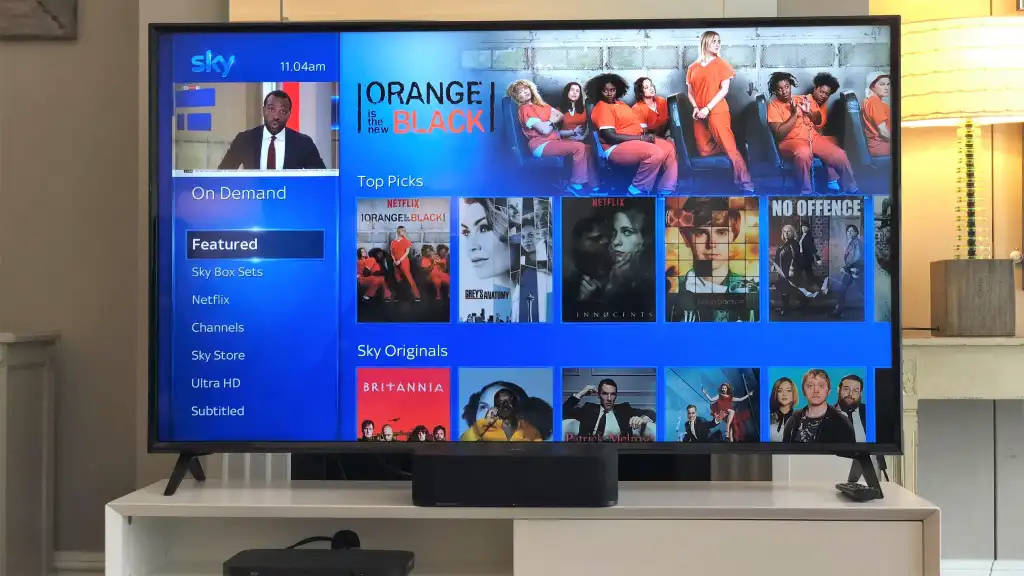
Unlocking The Secrets of Netflix on Sky: A Step-by-step Guide
Are you tired of missing out on your favorite TV shows and movies due to limited entertainment options? Look no further! With Sky’s new pack, subscribers can now access the complete Netflix catalogue at advantageous prices. In this article, we’ll guide you through the process of seeing Netflix on Sky, including requirements, costs, and step-by-step instructions.
Can I See Netflix on Sky?
Yes! As of October 9th, 2019, it’s possible to access Netflix on Sky Q, a service that allows subscribers to watch content from their decoder, smartphone, tablet, or computer. To do this, you’ll need to have activated a subscription to Sky Q and added the new pack called “Intrattenimento Plus.”
What Are The Costs of Netflix on Sky?
The prices for Netflix on Sky vary depending on your subscription plan:
- Sky Q Platinum subscribers can activate Intrattenimento Plus for €9.99/Month, which includes access to the premium version of Netflix (€17.99/Month).
- Sky Q Black or Fibre subscribers will pay €9.99/Month for access to the standard version of Netflix (€12.99/Month).
How Do I Activate Intrattenimento Plus?
To activate Intrattenimento Plus, follow these steps:
- Ensure that your subscription includes the pack “Sky Family.”
- Access the official Sky website or app and add a new pack to your subscription.
- Confirm the purchase using your PIN code.
How Do I See Netflix on Sky?
To access Netflix on Sky, follow these steps:
- Activate Intrattenimento Plus as described above.
- Launch the app on your Sky Q decoder or smartphone/tablet/computer.
- Associate your Netflix account with Intrattenimento Plus by following the prompts on-screen.
Can I See Netflix on Sky Without Activating Intrattenimento Plus?
Yes, it is possible to access Netflix on Sky without activating Intrattenimento Plus if you have already activated the pack “Sky Family.” However, this option may not be the most convenient or cost-effective for subscribers with Sky Q Platinum.
Sky Q Subscribers With Intrattenimento Plus And Netflix
If you’ve activated Intrattenimento Plus and have an existing Netflix account, follow these steps:
- Access the main menu of Sky Q.
- Select “App.”
- Navigate to the Netflix app using your remote control’s directional arrows.
- Press the central button to open the app.
- Press the #Start button and ensure that the email address displayed is the same one used for accessing your Netflix account.
Sky Q Subscribers With Intrattenimento Plus Without Netflix
If you’ve activated Intrattenimento Plus but don’t have a Netflix account, follow these steps:
- Access the main menu of Sky Q.
- Select “App.”
- Navigate to the Netflix app using your remote control’s directional arrows.
- Press the central button to open the app.
- Press the #Start button and ensure that the email address displayed is the same one used for accessing your Sky Q account.
Sky Q Subscribers With Netflix
If you already have a Netflix account, follow these steps:
- Access the main menu of Sky Q.
- Select “App.”
- Navigate to the Netflix app using your remote control’s directional arrows.
- Press the central button to open the app.
- Press the #Start button and ensure that the email address displayed is the same one used for accessing your Netflix account.
Can I See Netflix on Sky Go?
Unfortunately, no. While Sky Go offers access to some TV shows and movies, it does not include Netflix content.
What If I Encounter Problems or Have Doubts?
If you’re experiencing any issues or have doubts about activating Netflix on Sky Q, don’t hesitate to reach out to the official assistance section of the Sky website or contact an operator directly.


