
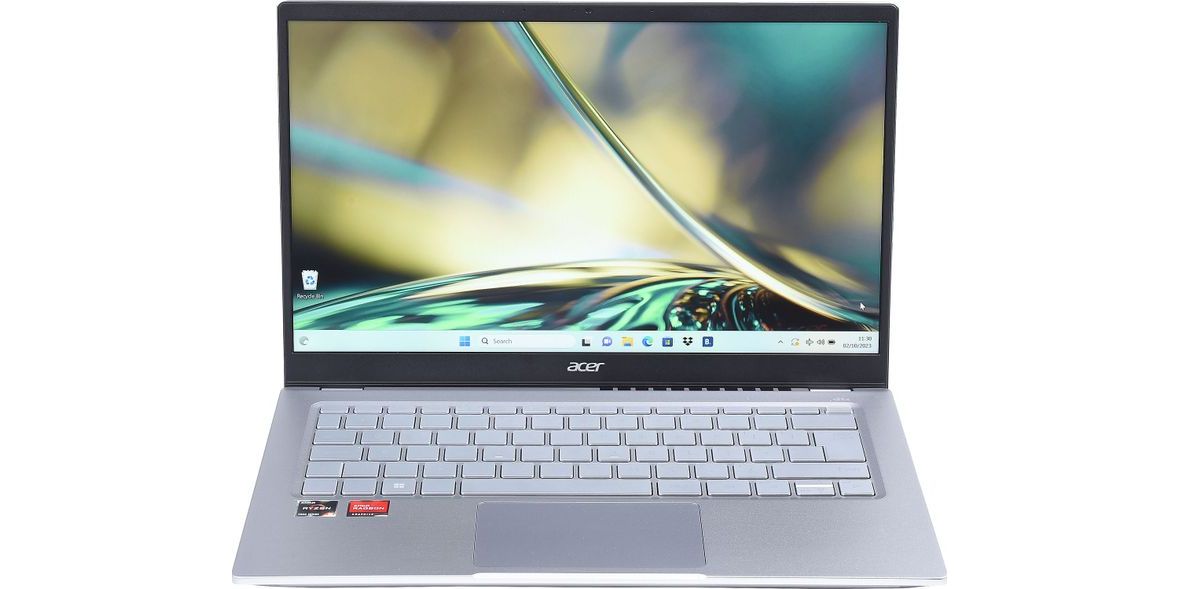
Choosing The Best Acer Notebook: A Guide
Are you in the market for a new notebook? Look no further than Acer, one of the leading producers of notebooks worldwide. With a vast range of products to choose from, it can be overwhelming to decide which one is right for you. In this guide, we’ll walk you through the different types of notebooks Acer offers, highlighting their key features and benefits.
Understanding Notebook Formats
Before choosing an Acer notebook, it’s essential to understand the various formats available:
- Classic Portable: These notebooks don’t have a touchscreen, feature a fixed keyboard, and often come with a wide range of ports.
- Ultrabook: Sleek, compact, and lightweight, ultrabooks are perfect for those who need a notebook for mobility without sacrificing performance.
- 2-In-1: Convertible devices that can transform into tablets, 2-in-1s offer versatility and ease of use.
- Convertible: Notebooks with touchscreens that can be folded back on themselves to become tablets.
Display Size Matters
When choosing an Acer notebook, consider the display size. Common sizes include:
- 10.1″ And 11.6″: Great for portability and easy reading, these small displays are perfect for basic tasks.
- 13.3″ And 14″: Ideal for productivity and everyday use, these mid-sized displays offer a great balance between portability and functionality.
- 15.6″: A popular choice for gaming and video streaming, this size offers an immersive experience without compromising portability.
- 17.3″: Perfect for those who want a desktop replacement notebook with a large display.
Processors: The Brain of Your Notebook
Acer notebooks come equipped with various processor options from Intel and AMD. Understanding the different types will help you choose the right one:
- Intel Core I3, I5, I7, And i9: High-performance processors perfect for demanding tasks.
- Amd Ryzen 5 And 7: Powerful processors ideal for gaming and multitasking.
- Intel Celeron, Pentium, And Amd Seria: Budget-friendly options suitable for basic tasks.
Gpu: The Graphics Powerhouse
Acer notebooks often feature integrated graphics or dedicated GPUs from NVIDIA and AMD. Consider the following:
- Integrated Gpu: Suitable for everyday tasks and casual gaming.
- Dedicated Gpu: Ideal for demanding games and graphics-intensive applications.
Ram: The Memory Powerhouse
Adequate RAM ensures smooth performance and multitasking. Aim for at least 8GB of RAM, but consider 16GB or more for demanding users.
Storage Options: Hard Disk, Ssd, Emmc
Choose the right storage option for your needs:
- Hard Disk: Traditional storage options with lower prices.
- Ssd (Solid-State Drive): Fast and efficient storage perfect for demanding tasks.
- Emmc: A budget-friendly option suitable for basic tasks.
Battery Life: How Long Will It Last?
When selecting an Acer notebook, consider the battery life:
- Capacity: Measured in milliampere-hours (mAh), higher capacities mean longer battery life.
- Type of Battery: Lithium-ion batteries offer better performance and durability.
Ports: Connectivity Matters
Acer notebooks come equipped with various ports for connectivity:
- Usb Full Size: Classic USB ports for connecting peripherals.
- Microusb, Miniusb: Compact USB ports often found on 2-in-1s.
- Usb Type-c: A modern and versatile port perfect for charging, data transfer, and display output.
Operating System: Windows or Chrome Os?
Acer notebooks run on either Windows or Chrome OS. Consider the following:
- Windows 10 Home And Pro: The most popular operating system with advanced features.
- Chrome OS: A lightweight option suitable for basic tasks and online usage.
In conclusion, choosing the best Acer notebook requires understanding your needs and preferences. By considering factors like display size, processor, GPU, RAM, storage options, battery life, ports, and operating systems, you’ll be able to find the perfect notebook for your requirements.
Frequently Asked Questions
- What is The Difference Between a Classic Portable And an Ultrabook?
A classic portable is a traditional notebook with a fixed keyboard, while an ultrabook is a sleek, compact device designed for mobility. - How do I Choose The Right Display Size?
Consider your needs: If you want a desktop replacement notebook, choose a larger display (17.3 Inches); for everyday use and gaming, opt for a mid-sized display (15.6 Inches). - What is The Difference Between an Integrated Gpu And a Dedicated Gpu?
An integrated GPU is built into the processor, while a dedicated GPU is a separate component designed specifically for graphics-intensive tasks. - How Much Ram do I Need?
Aim for at least 8GB of RAM, but consider 16GB or more for demanding users. - What Are The Benefits of Choosing an Ssd Over a Hard Disk?
SSDs offer faster performance, lower power consumption, and higher durability compared to traditional hard disks. - How Long Does The Battery Life Last on an Acer Notebook?
Battery life varies depending on usage: Look for notebooks with higher capacity batteries (mAh) for longer battery life.
I hope this guide has helped you make an informed decision when choosing an Acer notebook that meets your needs and preferences.


