
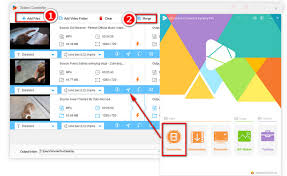
The Ultimate Guide to Joining Videos: A Step-by-step Tutorial
Are you tired of searching for the perfect video editing app, only to end up with a mediocre outcome? Look no further! In this comprehensive guide, we will explore the best apps and software to join videos on your smartphone, tablet, or computer.
Understanding Video Editing Apps
Before diving into the world of video editing, it’s essential to understand what an app or software can do. A video editing app allows you to combine multiple clips into a single file, adjust settings, add effects, and share your final product. With so many options available, choosing the right one can be overwhelming.
Free Video Editing Apps For Android And Ios
If you’re on a budget or want to try before committing to a paid version, consider these top-notch free video editing apps:
Vidtrim (Android)
VidTrim is an excellent choice for Android users. This app offers a range of features, including video joining, trimming, and effects application. Although it has a watermark in the free version, you can remove it by upgrading to the paid version (€3.69).
How to Use Vidtrim:
- Download and install VidTrim from the Play Store.
- Launch the app and select the first video to join.
- Tap on the “+” button to add more videos.
- Save your final outcome by tapping on the floppy disk icon.
Imovie (iOS/iPadOS)
IMovie is Apple’s go-to video editing app for iOS and iPadOS devices. This powerful tool allows you to edit videos directly from your device, without needing a computer. With iMovie, you can join multiple clips, add transitions, and export your final product in various formats.
How to Use Imovie:
- Launch iMovie on your iPhone or iPad.
- Choose the “Create Movie” option.
- Select the videos you want to join.
- Add effects, transitions, and music as desired.
- Export your final outcome by tapping on the share icon.
Other Free Video Editing Apps
If VidTrim and iMovie don’t meet your needs, consider these alternatives:
Kinemaster (Android/iOS)
KineMaster is a popular video editing app for Android and iOS devices. It offers advanced features like chroma keying, audio ducking, and more. Although it has a watermark in the free version, you can remove it by upgrading to the paid version (€6.99).
Magisto (Android/iOS)
Magisto is another great video editing app for Android and iOS devices. It offers a range of features, including video joining, trimming, and effects application. Although it has limitations in the free version, you can upgrade to the paid version (€1.09) For full access.
Splice (iOS/iPadOS)
Splice is a user-friendly video editing app specifically designed for iOS and iPadOS devices. It allows you to join multiple clips, add transitions, and export your final product in various formats. Although it has limitations in the free version, you can upgrade to the paid version (€2.99/Week) for full access.
Free Video Editing Software For Windows, Macos, And Linux
If you prefer a desktop experience or need more advanced features, consider these top-notch free video editing software:
Avidemux (Windows/macOS/Linux)
Avidemux is an open-source video editing software compatible with Windows, macOS, and Linux. It offers advanced features like video joining, trimming, and effects application. Although it has a steep learning curve, you can master its interface with practice.
How to Use Avidemux:
- Download and install Avidemux on your device.
- Launch the software and select the first video to join.
- Add more videos by selecting them from the “Rows” menu.
- Adjust settings, add effects, and export your final outcome by navigating through the menus.
Davinci Resolve (Windows/macOS/Linux)
DaVinci Resolve is a professional-grade video editing software compatible with Windows, macOS, and Linux. It offers advanced features like color grading, audio ducking, and more. Although it has a paid version, you can use its free version for basic tasks.
How to Use Davinci Resolve:
- Download and install DaVinci Resolve on your device.
- Launch the software and select the first video to join.
- Add more videos by dragging them onto the timeline.
- Adjust settings, add effects, and export your final outcome by navigating through the menus.
Online Video Joining Tools
If you don’t want to download or install any software, consider these online video joining tools:
Clideo
Clideo is a free online video editing tool that allows you to join multiple clips, add transitions, and export your final product in various formats. Although it has limitations in the free version, you can upgrade to the paid version ($9/month) for full access.
How to Use Clideo:
- Visit Clideo’s website.
- Upload your videos by dragging them onto the browser.
- Join multiple clips and add transitions as desired.
- Export your final outcome by clicking on the “Export” button.
Clipchamp
Clipchamp is another popular online video editing tool that allows you to join multiple clips, add effects, and export your final product in various formats. Although it has limitations in the free version, you can upgrade to the paid version ($11.99/Month) for full access.
How to Use Clipchamp:
- Visit Clipchamp’s website.
- Upload your videos by dragging them onto the browser.
- Join multiple clips and add effects as desired.
- Export your final outcome by clicking on the “Export” button.
Conclusion
Joining videos can be a daunting task, but with the right tools and guidance, you can achieve professional-quality results. Whether you’re using an app or software, online video joining tool, or desktop software, we’ve got you covered. Choose the best option for your needs and start creating stunning videos today!
Frequently Asked Questions
- What is The Best Free Video Editing App?
- The answer depends on your device and operating system. For Android users, VidTrim is an excellent choice. For iOS/iPadOS users, iMovie is a great option.
- Can I Join Multiple Videos at Once?
- Yes! Most video editing apps and software allow you to join multiple clips into one file.
- How do I Remove The Watermark in Free Versions of Video Editing Apps?
- Check the app’s settings or upgrade to the paid version to remove the watermark.
- What is The Best Online Video Joining Tool?
- Clideo and Clipchamp are both excellent options for joining videos online.
- Can I Use my Smartphone to Join Videos?
- Yes! Many apps, including VidTrim and iMovie, allow you to edit and join videos directly from your smartphone.
- How do I Export my Final Video?
- Check the app’s or software’s settings for export options. You can usually find this feature in the “Share” or “Export” menu.
We hope this comprehensive guide has helped you understand the world of video editing and join videos like a pro! If you have any further questions, feel free to ask.


