
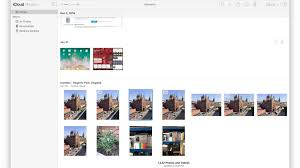
Icloud: The Ultimate Guide to Cloud Storage
Are you tired of dealing with cluttered devices and lost files? Look no further than iCloud, Apple’s innovative cloud storage solution. In this article, we’ll take a comprehensive look at what iCloud has to offer, from creating an account to configuring it on your Mac, iPhone, or iPad.
What is Icloud?
ICloud is a service provided by Apple that allows users to store and sync their data across all their devices. With iCloud, you can access your files, photos, and other data from anywhere, at any time, as long as you have an internet connection.
Creating an Account
To get started with iCloud, you’ll need to create an account. This is a straightforward process that involves providing some basic information, such as your name, email address, and password. Once you’ve created your account, you can access iCloud from any device with an internet connection.
Downloading Icloud on PC
If you’re using a Windows PC, you can download the iCloud client to access your data and sync it with your Apple devices. To do this, follow these steps:
- Open the Microsoft Store on your Windows 10 or 11 computer.
- Search for “iCloud” in the store.
- Click on the result to open the app page.
- Click the “Get” button to download and install the client.
Configuring Icloud on Mac
If you’re using a Mac, you can configure iCloud directly from your device settings. To do this:
- Open System Preferences on your Mac.
- Select Internet Accounts.
- Click the “+” button to add a new account.
- Select “iCloud” and follow the prompts to set up your account.
Configuring Icloud on Iphone or Ipad
If you’re using an iPhone or iPad, you can configure iCloud directly from your device settings. To do this:
- Open Settings on your device.
- Tap on [your name] at the top of the screen.
- Tap on “iCloud”.
- Follow the prompts to set up your account.
Benefits of Using Icloud
So, why should you use iCloud? Here are just a few benefits:
- Convenience: With iCloud, you can access your files and data from anywhere, at any time.
- Security: ICloud provides an additional layer of security for your data, with encryption and two-factor authentication.
- Syncing: ICloud allows you to sync your data across all your devices, so you can pick up where you left off on any device.
Icloud Storage Plans
ICloud offers a range of storage plans to suit different needs. Here are the options:
- 5 GB Free: With this plan, you get 5 GB of free storage.
- 50 GB For $0.99/Month: This plan costs just $0.99 Per month and provides 50 GB of storage.
- 200 GB For $2.99/Month: This plan costs $2.99 Per month and provides 200 GB of storage.
- 1 TB For $9.99/Month: This plan costs $9.99 Per month and provides 1 TB of storage.
Conclusion
ICloud is a powerful cloud storage solution that offers a range of benefits, from convenience to security. Whether you’re using an iPhone, iPad, Mac, or PC, iCloud can help you stay organized and access your data from anywhere. With its range of storage plans, there’s something for everyone.
Faqs
- What is The Difference Between Icloud And Other Cloud Storage Services?
ICloud is specifically designed to work with Apple devices, providing a seamless experience across all your devices. - How do I Create an Account on Icloud?
To create an account on iCloud, simply go to icloud.Com and follow the prompts to set up your account. - Can I Use Icloud on my Android Device?
Unfortunately, no. ICloud is specifically designed for Apple devices only. - What Happens if I Forget my Icloud Password?
If you forget your iCloud password, simply click on “Forgot Password” on the icloud.Com login page to reset it. - How do I Delete my Icloud Account?
To delete your iCloud account, go to Settings on your device and select [your name] > iCloud > Delete Account. - Can I Use Icloud With Multiple Apple Devices?
Yes! With iCloud, you can access your data and files across all your Apple devices. - Is Icloud Safe And Secure?
Yes! iCloud uses encryption and two-factor authentication to keep your data secure.
Frequently Asked Questions (FAQs)
- What is the purpose of creating an account on iCloud?
- To access iCloud’s cloud storage services and sync your data across all devices.
- How do I download iCloud on my PC?
- Go to the Microsoft Store and search for “iCloud” to download and install the client.
- Can I use iCloud with multiple Apple devices?
- Yes! With iCloud, you can access your data and files across all your Apple devices.
- What happens if I forget my iCloud password?
- Click on “Forgot Password” on the icloud.Com login page to reset it.
- How do I delete my iCloud account?
- Go to Settings on your device and select [your name] > iCloud > Delete Account.
Table 1: Icloud Storage Plans
| Plan | Storage Capacity | Cost |
|---|---|---|
| Free | 5 GB | $0.00/Month |
| 50 GB | 50 GB | $0.99/Month |
| 200 GB | 200 GB | $2.99/Month |
| 1 TB | 1 TB | $9.99/Month |
Table 2: Benefits of Using Icloud
| Benefit | Description |
|---|---|
| Convenience | Access your files and data from anywhere, at any time. |
| Security | Encryption and two-factor authentication keep your data secure. |
| Syncing | Sync your data across all devices, so you can pick up where you left off. |
Table 3: Icloud Device Support
| Device | Icloud Compatibility |
|---|---|
| IPhone/iPad | Yes! |
| Mac/PC | Yes! (via client download) |
| Android | No |


