
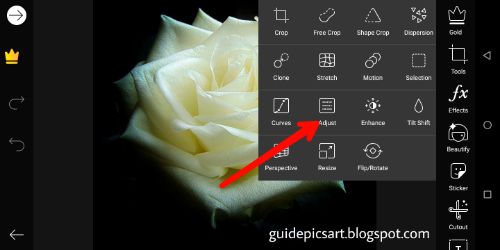
Picsart: A Comprehensive Guide to Editing Photos And Videos
Are you looking for a user-friendly photo editing app that can help you create stunning visuals? Look no further than PicsArt! With its extensive range of features, intuitive interface, and seamless integration across various platforms, PicsArt is the perfect tool for photographers, artists, and social media enthusiasts alike.
What is Picsart?
PicsArt is a powerful photo editing app that allows users to edit, enhance, and transform their photos and videos with ease. Available on both Android and iOS devices, as well as a web version, PicsArt offers a wide range of features, including filters, effects, and instruments for retouching, collaging, and more.
Getting Started With Picsart
To get started with PicsArt, follow these simple steps:
- Download And Install: Download the PicsArt app from the Google Play Store or Apple App Store.
- Create an Account: Tap on the “Create a new account” button to sign up for a free account using your email address or social media credentials.
- Access Your Photos: Grant permission to access your device’s photos and albums.
Using Picsart on Android
To use PicsArt on your Android device:
- Install The App: Download and install the PicsArt app from the Google Play Store.
- Create an Account: Tap on the “Create a new account” button to sign up for a free account using your email address or social media credentials.
- Access Your Photos: Grant permission to access your device’s photos and albums.
Using Picsart on Iphone
To use PicsArt on your iPhone:
- Install The App: Download and install the PicsArt app from the Apple App Store.
- Create an Account: Tap on the “Create a new account” button to sign up for a free account using your email address or social media credentials.
- Access Your Photos: Grant permission to access your device’s photos and albums.
Using Picsart on Computer
To use PicsArt on your computer:
- Visit The Website: Go to the PicsArt website and click on the “Get Started” button.
- Create an Account: Sign up for a free account using your email address or social media credentials.
- Access Your Photos: Grant permission to access your device’s photos and albums.
Editing Photos With Picsart
To edit a photo with PicsArt:
- Select The Photo: Choose the photo you want to edit from your device’s gallery or albums.
- Apply Filters And Effects: Browse through the various filters and effects available, such as brightness, contrast, saturation, and more.
- Use Instruments For Retouching: Utilize the retouching instruments, including automatic and manual correction tools, to enhance the photo.
Editing Videos With Picsart
To edit a video with PicsArt:
- Select The Video: Choose the video you want to edit from your device’s gallery or albums.
- Apply Filters And Effects: Browse through the various filters and effects available, such as brightness, contrast, saturation, and more.
- Use Instruments For Editing: Utilize the editing instruments, including trimming, cutting, and adjusting audio levels.
Collage And Collage Templates
To create a collage with PicsArt:
- Select Photos: Choose multiple photos to include in your collage.
- Apply Filters And Effects: Browse through the various filters and effects available to enhance the collage.
- Use Template Options: Access the pre-made template options to give your collage a professional touch.
Collage Templates
To access the collage templates:
- Tap on The Collage Tab: Select the Collage tab from the main menu.
- Browse Through Templates: Browse through the various template options available.
- Apply Filters And Effects: Apply filters and effects to customize your collage.
Tips And Tricks For Using Picsart
- Use the undo feature frequently to avoid losing any changes made to your photo or video.
- Experiment with different filter and effect combinations to achieve unique results.
- Save your work regularly by tapping on the “Save” button.
- Explore the various tools available in the toolbar, such as the drawing tool and font options.
Conclusion
PicsArt is a powerful and user-friendly editing app that can help you transform your photos and videos into stunning visuals. With its extensive range of features, intuitive interface, and seamless integration across various platforms, PicsArt is the perfect tool for photographers, artists, and social media enthusiasts alike.
Frequently Asked Questions
Q: What are the system requirements for using PicsArt on my computer?
A: PicsArt can be used on Windows 10 and subsequent versions, as well as macOS and Linux operating systems.
Q: Can I use PicsArt to edit videos?
A: Yes! PicsArt offers a range of video editing features, including trimming, cutting, and adjusting audio levels.
Q: How do I access the collage templates in PicsArt?
A: To access the collage templates, select the Collage tab from the main menu, browse through the template options, and apply filters and effects to customize your collage.
Q: Can I use PicsArt on my tablet or smartphone?
A: Yes! PicsArt is available on both Android and iOS devices, as well as a web version for desktop computers.


