
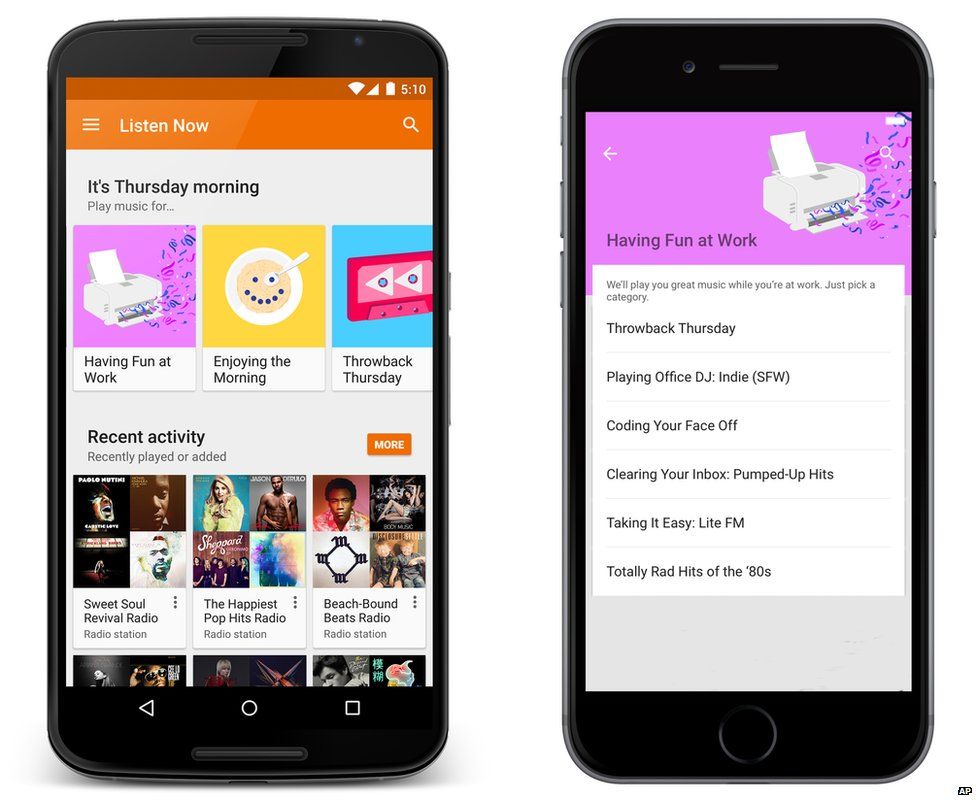
Google Play Music: A Comprehensive Guide
Are you looking for a music streaming service that suits your needs? Look no further than Google Play Music, now rebranded as YouTube Music. In this article, we will explore the features, prices, and benefits of YouTube Music, as well as how to use it on various devices.
What is Youtube Music?
YouTube Music is a music streaming service provided by Google that offers a vast library of songs, albums, and playlists. It allows users to stream their favorite tracks without any ads, create personalized playlists, and discover new music based on their preferences.
Key Features of Youtube Music
- Large Music Library: With over 100 million tracks available, YouTube Music has one of the largest music libraries in the world.
- Personalized Playlists: The service uses AI to create personalized playlists based on users’ listening history and preferences.
- Radio Stations: Users can create custom radio stations based on their favorite artists or genres.
- Offline Listening: With a YouTube Music Premium subscription, users can download songs and listen offline without any ads.
How to Use Youtube Music
Using YouTube Music is relatively simple. Here are the steps:
On Smartphone And Tablet
- Open the YouTube Music app on your device.
- Tap on the Home tab to access frequently played tracks, trending music, or suggested content.
- Search for a specific song, album, or playlist by tapping on the search icon and typing in the name of the content.
On Computer
- Open the YouTube Music website using your preferred browser.
- Sign in with your Google account to access personalized features like playlists and radio stations.
- Use the search bar to find specific songs, albums, or playlists.
Benefits of Using Youtube Music
- Ad-free Experience: With a YouTube Music Premium subscription, users can enjoy ad-free listening on both mobile devices and computers.
- Offline Listening: Users can download songs and listen offline without any ads, making it perfect for long commutes or workout sessions.
- Large Music Library: The service has one of the largest music libraries in the world, ensuring that users will always find something new to enjoy.
Prices And Plans
YouTube Music offers three plans:
- Free Plan: This plan allows users to access a limited selection of songs and albums with ads.
- Premium Individual Plan: This plan costs $9.99 Per month and offers ad-free listening, offline playback, and personalized playlists.
- Family Plan: This plan costs $14.99 Per month and allows up to six family members to share the same subscription.
How to Cancel Subscription
If you want to cancel your YouTube Music Premium subscription, follow these steps:
- Open the YouTube Music app on your device or access the website using your preferred browser.
- Sign in with your Google account.
- Tap or click on the menu icon and select “Subscriptions.”
- Select the plan you want to cancel and confirm.
Conclusion
YouTube Music is a music streaming service that offers a vast library of songs, albums, and playlists, as well as personalized features like playlists and radio stations. With its ad-free experience, offline listening capabilities, and large music library, it’s an excellent choice for anyone looking for a reliable music streaming service.
Frequently Asked Questions
Here are some frequently asked questions about YouTube Music:
- What is The Difference Between Google Play Music And Youtube Music?
- Google Play Music was rebranded as YouTube Music in October 2020.
- How do I Use Youtube Music on my Smartphone or Tablet?
- Open the YouTube Music app, tap on the Home tab to access frequently played tracks, trending music, or suggested content.
- Can I Use Youtube Music on my Computer?
- Yes, you can use YouTube Music on your computer by accessing the website using your preferred browser.
- How do I Cancel my Youtube Music Subscription?
- Open the YouTube Music app, sign in with your Google account, tap or click on the menu icon, and select “Subscriptions” to cancel.
What’s Next
Stay tuned for more articles about technology, computer science, and internet-related topics. If you have any questions or suggestions, please don’t hesitate to reach out.


