
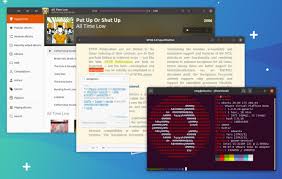
Programs For Ubuntu: Boosting Productivity And Entertainment
As a Linux user, you’re likely aware that there are countless programs available to suit your needs. In this article, we’ll explore the top programs for Ubuntu, categorized by function.
Internet Programs For Ubuntu
In today’s digital age, having reliable internet programs is essential. Here are some of the best programs for Ubuntu:
- Mozilla Firefox: The default browser for Ubuntu, offering a seamless browsing experience.
- Chromium: A fast and secure browser that shares code with Google Chrome.
- Google Chrome: A popular browser that’s widely used across devices.
- Opera: A feature-rich browser with a built-in VPN and ad-blocker.
- Vivaldi: A private browser that prioritizes user privacy.
Productivity Programs For Ubuntu
Staying productive on Linux is easier than ever. Here are some top programs to boost your productivity:
- Libreoffice: The default office suite, offering a range of applications like Writer, Calc, and Impress.
- Openoffice: An alternative office suite that’s still widely used.
- Atom: A customizable text editor perfect for coding.
- Bluefish: Another flexible text editor ideal for programmers and web developers.
- Scribus: A powerful desktop publishing software for creating graphics.
Image Editing Programs For Ubuntu
For image editing, these programs are top-notch:
- Gimp: The GNU Image Manipulation Program, a free alternative to Adobe Photoshop.
- Digikam: A photo organizer and editor with robust features.
- Rawtherapee: A powerful RAW image editor perfect for photographers.
- Darktable: A virtual darkroom for organizing and editing images.
Video Editing Programs For Ubuntu
For video editing, these programs are the best:
- Winff: A transcoder for converting video formats.
- Openshot: A non-linear video editor with a user-friendly interface.
- Pitivi: Another non-linear video editor ideal for beginners and pros alike.
- Lives: A simple yet powerful video editor for editing footage.
Music Download Programs For Ubuntu
For downloading music, these programs are the way to go:
- Transmission: A program for downloading music with a built-in BitTorrent client.
- Qbittorrent: Another popular torrent client for downloading files.
- Amule: A peer-to-peer file sharing program perfect for downloading music.
- Jdownloader: A tool for downloading and converting videos.
Cd/dvd Burning Programs For Ubuntu
For burning CDs and DVDs, these programs are the best:
- Brasero: The default CD burner for Ubuntu, now available as a separate package.
- K3b: Another powerful CD/DVD burning software with robust features.
- Xfburn: A simple yet effective CD/DVD burning tool.
- Wodim: A command-line program for burning CDs and DVDs.
Partition Management Programs For Ubuntu
For partition management, these programs are the top choices:
- Disks (GNOME Disk): The default disk management program for Ubuntu.
- Gparted: A powerful partition manager with a user-friendly interface.
- Fdisk/cfdisk: Two command-line programs for managing disks and partitions.
Conclusion
Ubuntu offers an extensive range of programs to suit various needs. From internet and productivity tools to image, video, music, and CD/DVD burning software, there’s something for everyone. With this guide, you’re well-equipped to navigate the vast world of Ubuntu programs and find what works best for you.


