
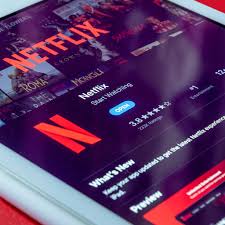
How to Download Movies on Ipad: A Comprehensive Guide
Are you tired of searching for movies on your iPad, only to find that they’re not available or require an internet connection? Look no further! In this article, we’ll show you how to download movies on your iPad using various apps and services. From Netflix to Apple TV+, we’ve got you covered.
Introduction
With the rise of streaming services, it’s become increasingly difficult to find a reliable way to watch movies offline. However, there are several apps and services that allow you to download movies directly onto your iPad. In this article, we’ll explore these options and provide step-by-step instructions on how to use them.
Netflix
One of the most popular streaming services is Netflix. Not only can you stream movies online, but you can also download them for offline viewing. Here’s how:
- Download The Netflix App: First, make sure you have the Netflix app installed on your iPad.
- Sign up or Sign in: Open the app and sign up or sign in with your existing account details.
- Choose a Plan: Select a subscription plan that suits your needs. You can choose from various plans, including a free trial.
- Browse For Movies: Once you’re signed in, browse through the vast library of movies available on Netflix.
- Download a Movie: Choose a movie you’d like to download and press the “Download” button.
Amazon Prime Video
Another popular streaming service is Amazon Prime Video. Not only can you stream movies online, but you can also download them for offline viewing. Here’s how:
- Download The Amazon Prime Video App: First, make sure you have the Amazon Prime Video app installed on your iPad.
- Sign up or Sign in: Open the app and sign up or sign in with your existing account details.
- Choose a Plan: Select a subscription plan that suits your needs. You can choose from various plans, including a free trial.
- Browse For Movies: Once you’re signed in, browse through the vast library of movies available on Amazon Prime Video.
- Download a Movie: Choose a movie you’d like to download and press the “Download” button.
Apple Tv+
If you have an Apple device, you can also use Apple TV+ to download movies directly onto your iPad. Here’s how:
- Download The Apple Tv+ App: First, make sure you have the Apple TV+ app installed on your iPad.
- Sign up or Sign in: Open the app and sign up or sign in with your existing account details.
- Browse For Movies: Once you’re signed in, browse through the vast library of movies available on Apple TV+.
- Download a Movie: Choose a movie you’d like to download and press the “Download” button.
Other Apps
There are several other apps that allow you to download movies directly onto your iPad. Some of these include:
- Raiplay: A free app that allows you to watch movies online or download them for offline viewing.
- Now: A streaming service that offers a range of movies and TV shows, including original content.
- Kilos: An app that allows you to stream movies online or download them for offline viewing.
- Disney+: A popular streaming service that offers a range of Disney, Pixar, Marvel, and Star Wars content.
How to Contact Movies on Ipad
If your goal is not to download movies directly onto your iPad, but rather to transfer movies from another device, you can use various methods. Some options include:
- Itunes: A media player that allows you to import and manage your digital media collection.
- Icloud: A cloud storage service that allows you to store and access your files from anywhere.
- Google Drive: A cloud storage service that allows you to store and access your files from anywhere.
Conclusion
In conclusion, downloading movies on iPad is a breeze. With the various apps and services mentioned in this article, you can enjoy your favorite movies offline without worrying about internet connectivity. From Netflix to Apple TV+, we’ve got you covered.
Faqs
- Q: Can I Download Movies From Other Streaming Services?
A: Yes, many streaming services allow you to download movies directly onto your iPad. - Q: How do I Transfer Movies From Another Device to my Ipad?
A: You can use various methods, including iTunes, iCloud, and Google Drive. - Q: Are There Any Free Apps That Allow me to Download Movies?
A: Yes, some apps are available for free and offer a range of movie content. - Q: Can I Download Movies Without an Internet Connection?
A: Yes, many streaming services allow you to download movies directly onto your iPad, even without an internet connection. - Q: How do I Access my Downloaded Movies?
A: You can access your downloaded movies by opening the app and selecting the “Downloaded” section. - Q: Can I Share my Downloaded Movies With Others?
A: Yes, you can share your downloaded movies with others using various methods, including iCloud and Google Drive. - Q: How do I Update my Streaming Apps to Ensure I Have Access to The Latest Content?
A: You can update your streaming apps by going to the App Store and selecting “Updates” from the menu. - Q: Can I Use Multiple Apps to Download Movies?
A: Yes, you can use multiple apps to download movies, but be aware that some services may not work together seamlessly.
We hope this article has been informative and helpful in your quest for downloading movies on iPad!


