
The Ultimate Guide to Shopping on Ebay: A Step-by-step Tutorial
Are you ready to dive into the world of online shopping? Look no further than eBay, one of the most popular e-commerce platforms in the world! In this comprehensive guide, we’ll walk you through the process of shopping on eBay like a pro.
Why Shop on Ebay?
Before we dive into the nitty-gritty, let’s talk about why shopping on eBay is an excellent idea. With millions of listings from thousands of sellers, you’re sure to find what you’re looking for at unbeatable prices. Plus, with features like buyer protection and a secure payment system, you can shop with confidence.
Getting Started
To start shopping on eBay, follow these simple steps:
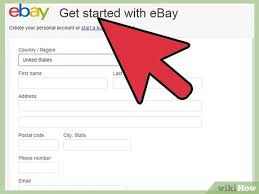
- Create an Account: Head over to ebay.Com and sign up for an account. It’s free, easy, and takes just a minute.
- Familiarize Yourself With The Site: Take some time to explore the website, learn about its features, and get comfortable with how it works.
Payment Options on Ebay
Now that you’re all set up, let’s talk about payment options. EBay offers a range of secure payment methods to ensure your transactions are safe and hassle-free.
- Paypal: One of the most popular payment options on eBay is PayPal. It’s fast, secure, and free to use.
- Credit/debit Cards: You can also pay using your credit or debit card directly through the website.
- Postepay: Another option is Postepay, a prepaid credit card that’s perfect for online shopping.
- Klarna: For those who want to split their payments over time, Klarna is an excellent choice.
Shopping on Ebay: A Step-by-step Guide
Now that we’ve covered payment options, let’s get into the nitty-gritty of shopping on eBay. Here’s a step-by-step guide:
- Search For Your Item: Type in what you’re looking for and search through eBay’s vast inventory.
- Check The Seller: Before buying from a seller, make sure to check their ratings and reviews to ensure they’re trustworthy.
- Read The Listing Carefully: Pay attention to the product description, price, shipping costs, and any other details provided by the seller.
- Add The Item to Your Cart: Once you’ve found what you want, add it to your cart for a quick and easy checkout process.
- Pay Using Your Preferred Method: Choose from one of the payment options mentioned earlier to complete your purchase.
Additional Tips
Here are some extra tips to keep in mind when shopping on eBay:
- Keep an Eye Out For Promotions: EBay often runs promotions, so be sure to check for discounts and deals.
- Use Coupons: If you have a coupon code, use it to get even more savings.
- Consider Purchasing From a Store: Some sellers offer shipping from stores, which can save on shipping costs.
Conclusion
Shopping on eBay is an exciting experience that’s easy, fun, and rewarding. With this guide, you’re now ready to take the plunge and start shopping like a pro! Remember to stay safe, be aware of your surroundings (i.E., Scammers), and always shop with confidence.
Faqs: Shopping on Ebay
Q: What are the benefits of shopping on eBay?
A: With millions of listings from thousands of sellers, you’re sure to find what you’re looking for at unbeatable prices. Plus, with features like buyer protection and a secure payment system, you can shop with confidence.
Q: How do I create an account on eBay?
A: Head over to ebay.Com and sign up for an account. It’s free, easy, and takes just a minute.
Q: What payment options are available on eBay?
A: PayPal, credit/debit cards, Postepay, Klarna, and more!
Q: How do I use coupons on eBay?
A: Simply add the coupon code in your cart before checkout.
Q: Can I purchase from multiple sellers at once?
A: Yes! With eBay’s “Add to Cart” feature, you can easily shop from multiple sellers without having to navigate through different websites.
Q: What happens if something goes wrong with my order?
A: Don’t worry! eBay’s buyer protection policy has got you covered. If there’s an issue with your order, contact the seller and work out a solution.
[The End]
And that’s it for our ultimate guide to shopping on eBay!


