
How to Connect Your Mouse And Keyboard to a Ps4: A Step-by-step Guide
Are you tired of using the controller on your PlayStation 4? Do you want to experience gaming in a whole new way? Look no further! In this article, we’ll show you how to connect your mouse and keyboard to your PS4, making it easy to play games, browse the internet, and more.
The Benefits of Using a Mouse And Keyboard on Your Ps4
Using a mouse and keyboard on your PS4 can be a game-changer. Not only do you get to experience gaming in a new way, but you also get to enjoy improved accuracy, faster navigation, and more comfort while playing. Whether you’re a gamer or just want to browse the internet with ease, using a mouse and keyboard is the way to go.
Limitations of Using a Mouse And Keyboard on Your Ps4
While using a mouse and keyboard on your PS4 can be beneficial, there are some limitations to consider. Not all keyboards and mice are compatible with the PS4, so make sure you check compatibility before making a purchase. Additionally, some games may not support mouse and keyboard input, so it’s essential to check game compatibility before starting to play.
How to Connect Your Mouse And Keyboard to Your Ps4 Using Usb
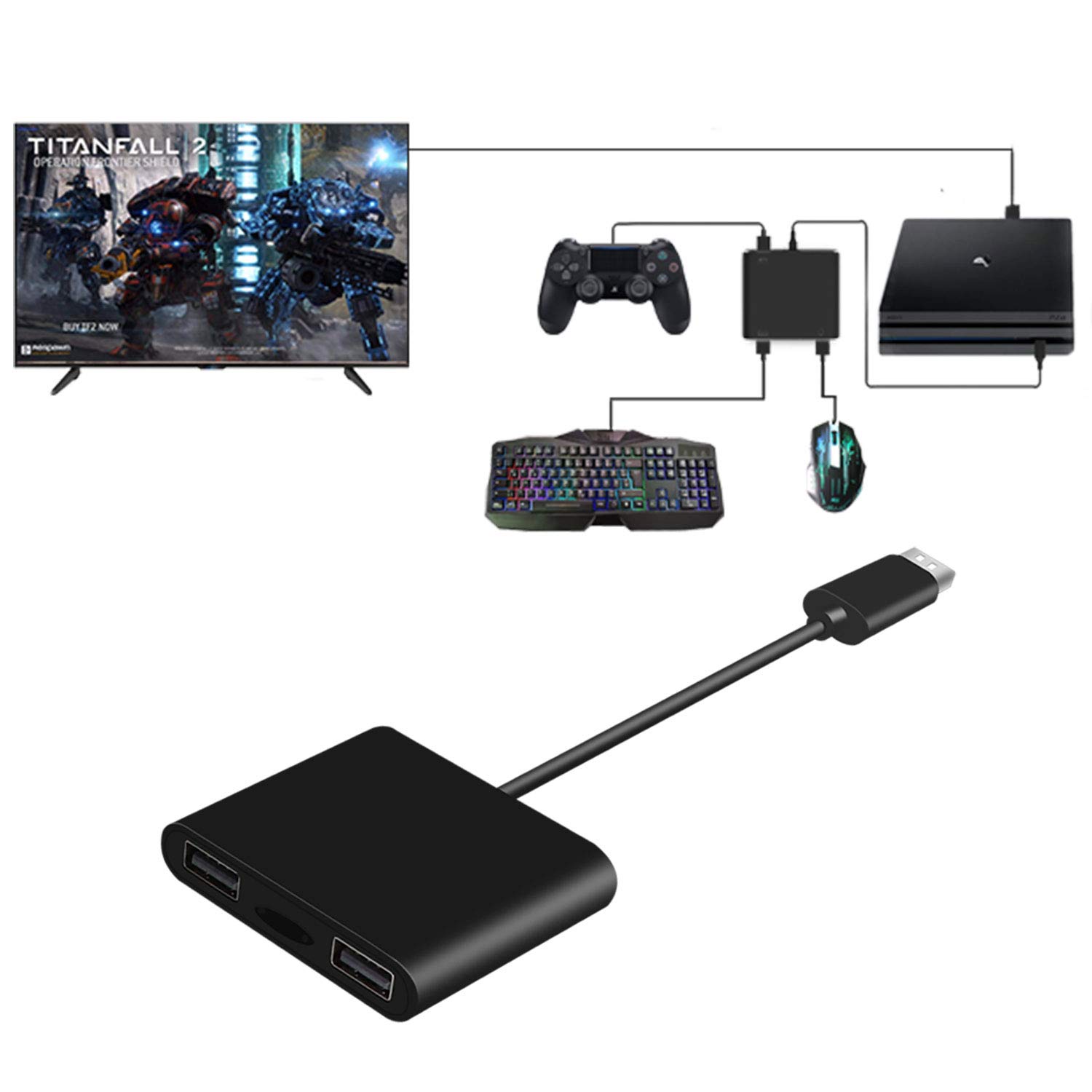
Connecting your mouse and keyboard to your PS4 using USB is easy. Here are the steps:
- Plug in Your Mouse And Keyboard: Insert the USB cable into one of the two available ports on the front of the PS4.
- Configure Your Peripherals: Go to Settings > Devices and select External Keyboard and Mouse. From here, you can configure your mouse and keyboard settings, including speed and other options.
How to Connect Your Mouse And Keyboard to Your Ps4 Using Bluetooth
Connecting your mouse and keyboard to your PS4 using Bluetooth is also easy. Here are the steps:
- Enable Bluetooth on Your Ps4: Go to Settings > Devices and select Bluetooth.
- Pair Your Device: Activate the pairing mode on your device and wait for it to connect to your PS4. You may be prompted to enter a code, so make sure you have it handy.
Troubleshooting Tips
If you’re experiencing issues connecting your mouse and keyboard to your PS4, don’t worry! There are some troubleshooting tips that can help:
- Make sure your peripherals are compatible with the PS4.
- Check for any software updates on your PS4.
- Try restarting your console or peripherals.
Conclusion
Connecting your mouse and keyboard to your PS4 is a simple process that can enhance your gaming experience. With this guide, you should be able to easily connect your peripherals using USB or Bluetooth. Remember to check compatibility before making a purchase, and happy gaming!
Frequently Asked Questions (FAQs)
-
Q: What Are The Benefits of Using a Mouse And Keyboard on my Ps4?
A: Using a mouse and keyboard on your PS4 can improve accuracy, speed up navigation, and provide more comfort while playing. -
Q: Which Peripherals Are Compatible With The Ps4?
A: Not all keyboards and mice are compatible with the PS4, so make sure you check compatibility before making a purchase. -
Q: Can I Use my Mouse And Keyboard to Play Games on my Ps4?
A: Yes, but some games may not support mouse and keyboard input, so it’s essential to check game compatibility before starting to play. -
Q: How do I Connect my Peripherals Using Bluetooth?
A: Enable Bluetooth on your PS4, activate the pairing mode on your device, and wait for it to connect to your console. -
Q: What Should I do if I’m Experiencing Issues Connecting my Peripherals?
A: Check compatibility, software updates, or try restarting your console or peripherals. -
Q: Can I Use a Mouse And Keyboard on my Ps4 to Browse The Internet?
A: Yes, using a mouse and keyboard can make browsing the internet much easier and more comfortable. -
Q: Do I Need Any Special Equipment to Connect my Peripherals?
A: No, you’ll only need your mouse and keyboard, which should come with USB or Bluetooth capabilities. -
Q: Can I Use my Ps4’s Built-in Chat Feature With a Mouse And Keyboard?
A: Yes, using a mouse and keyboard can make chatting with friends much easier and more enjoyable. -
Q: Will Using a Mouse And Keyboard Affect The Performance of my Ps4?
A: No, using a mouse and keyboard should not affect the performance of your console. -
Q: Can I Use a Mouse And Keyboard on my Ps4 to Play Online Multiplayer Games?
A: Yes, but some games may require special settings or configurations to work properly with mouse and keyboard input.


