
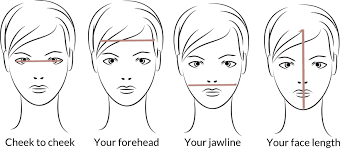
Unlocking Your Facial Form: A Guide to Understanding And Modifying Your Face Shape
Are you curious about the shape of your face? Do you wonder if it’s elongated, oval, or square? In today’s digital age, understanding your facial form can be a fun and interactive experience. With various apps available for smartphones and tablets, you can now discover the perfect symmetry of your face and even modify its shape to suit your preferences.
App To Understand The Form of The Face
The first app we’ll explore is Hiface, available on both Android and iOS devices. This innovative app uses facial recognition technology to detect the contours of your face and provide suggestions for styling your hair, glasses, or makeup.
To use Hiface, follow these simple steps:
- Download the app from the Play Store or App Store.
- Create an account by tapping the icon X and following the instructions.
- Ensure you’re in a well-lit environment with minimal distractions.
- Take a selfie by pressing the Face Shape Detector button.
- Wait for the processing to complete, and then get advice on styling your hair, glasses, or makeup based on your face shape.
Test of Symmetry of The Face
Another app that can help you understand your facial symmetry is Test of Symmetry of the Face, available on Android, iOS, and iPadOS devices. This fun app challenges you to find the perfect symmetry between your left and right sides by comparing a digital mask with your actual face.
To use this app:
- Download it from the Play Store or App Store.
- Grant the necessary permissions for access to your camera and gallery.
- Take a selfie or choose one from your gallery.
- Compare the symmetric mask with your face, adjusting as needed.
- Confirm your results and explore other features.
Armocromia
This app, developed by a team of image professionals, offers personalized advice on shopping based on your skin tone, body shape, and facial structure. To use Armocromia:
- Download the app from the Play Store or App Store.
- Answer questions about your face shape, body type, and preferred products.
- Explore various masks to find the best match for your features.
App To Modify The Form of The Face
If you’re looking for an app to modify the form of your face, consider Pixl, available on Android, iOS, and iPadOS devices. This user-friendly app offers filters and effects to enhance your facial appearance.
To use Pixl:
- Download the app from the Play Store or App Store.
- Grant necessary permissions for access to your gallery and camera.
- Select a selfie or choose one from your gallery.
- Apply various filters and effects, adjusting as needed.
- Save your modified image or share it with friends.
Prettyup
Another popular app is PrettyUp, which allows you to edit and modify the form of your face, body, and overall appearance. To use this app:
- Download it from the Play Store or App Store.
- Grant necessary permissions for access to your gallery and camera.
- Select a photo or video, or take one with your device’s camera.
- Use icons to apply filters, effects, and modifications to your face and body.
Youcam Makeup
The final app we’ll discuss is YouCam Makeup, available on Android, iOS, and iPadOS devices. This comprehensive app offers various makeup effects and features to enhance your facial appearance.
To use YouCam Makeup:
- Download the app from the Play Store or App Store.
- Grant necessary permissions for access to your gallery and camera.
- Take a selfie or choose one from your gallery.
- Use the menu to select where you’d like to modify (face, left eye, right eye, lips).
- Drag and drop points on the image to adjust the position and form.
Conclusion
In today’s digital world, understanding and modifying the form of your face can be a fun and interactive experience. These apps provide valuable insights into facial symmetry, shape, and beauty standards. While they’re not meant for serious self-improvement or professional use, they can serve as entertaining tools to explore different aspects of your appearance.
Frequently Asked Questions (FAQs)
- What is The Purpose of These Face-modifying Apps?
These apps are designed for entertainment purposes only, allowing users to explore and modify their facial features in a virtual environment.
- Are These Apps Safe And Secure?
While these apps are generally safe and secure, it’s essential to download them from trusted sources (e.G., The Play Store or App Store) and review user permissions before granting access.
- Can I Use These Apps For Professional Purposes?
No, these apps are not intended for serious self-improvement or professional use. They’re meant for entertainment purposes only.
- How Accurate Are These Face-modifying Apps?
The accuracy of these apps depends on the quality of your selfie and the app’s facial recognition technology. Results may vary, but they can still provide a fun and engaging experience.
- Can I Share my Modified Images With Others?
Yes, you can share your modified images with friends or social media platforms. Be sure to review user permissions before sharing content.
- Are There Any Risks Associated With Using These Apps?
As with any digital activity, be aware of potential risks such as data breaches, cyberbullying, or online harassment. Exercise caution and follow guidelines for responsible app use.
- Can I Modify my Facial Features in Real Life?
While some cosmetic procedures can alter facial features, they should only be considered under the guidance of a qualified medical professional.
- What Are Some Tips For Using These Face-modifying Apps Effectively?
Use good lighting, high-quality images, and adjust settings according to your preferences. Be patient and experiment with different options to achieve desired results.


