
How to Open Odt Files: A Step-by-step Guide
Are you struggling to open ODT files on your computer or mobile device? Look no further! This guide will walk you through the simplest ways to open, view, and edit ODT files using various software and online tools.
What is an Odt File?
Before we dive into the solutions, let’s quickly explain what an ODT file is. An ODT (OpenDocument Text) file is a type of document file that is widely used for text editing. It’s an open format, which means it can be opened and edited with various software applications without any restrictions.
Solutions to Open Odt Files
Here are the top solutions to open ODT files on your computer or mobile device:
Opening Odt Files on Computer
Libreoffice
The first solution is to use LibreOffice, a free and open-source office suite that supports opening, editing, and saving ODT files. To do this:
- Download and install LibreOffice from the official website.
- Launch LibreOffice and click on the “Open” button.
- Select the ODT file you want to open and click on it.
Microsoft Word
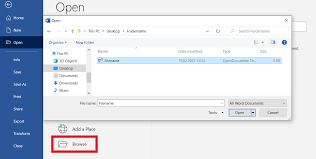
You can also use Microsoft Word to open ODT files. Here’s how:
- Make sure you have Microsoft Word installed on your computer.
- Open Microsoft Word and click on the “File” menu.
- Click on “Open” and select the ODT file you want to open.
Textedit
If you’re using a Mac, you can use TextEdit to open ODT files. Here’s how:
- Launch TextEdit from the Applications folder.
- Click on the “File” menu and select “Open.”
- Select the ODT file you want to open.
Opening Odt Files Online
If you don’t have any software installed or prefer to use online tools, here are some solutions:
Google Docs
You can use Google Docs to open, edit, and save ODT files online. Here’s how:
- Go to the Google Docs website.
- Click on the “Open” button.
- Select the ODT file you want to open.
Word Online
Microsoft Word has a web-based version called Word Online that allows you to open, edit, and save ODT files online. Here’s how:
- Go to the Microsoft Word website.
- Click on the “Open” button.
- Select the ODT file you want to open.
Opening Odt Files on Mobile Devices
If you’re using a mobile device, here are some solutions:
Word App (iOS And Android)
The Word app from Microsoft allows you to open, edit, and save ODT files on your mobile device. Here’s how:
- Download the Word app from the App Store (for iOS devices) or Google Play Store (for Android devices).
- Launch the Word app.
- Click on the “Open” button.
- Select the ODT file you want to open.
Other Solutions
There are other online tools and apps that allow you to open, edit, and save ODT files, such as GroupDocs Viewer, Zoho Writer, and AndrOpen Office. These solutions may have limitations or require a subscription, so be sure to check their features before using them.
Conclusion
Opening ODT files is easier than ever with these simple solutions. Whether you’re using a computer or mobile device, you can now open, edit, and save ODT files with ease. Remember to always check the compatibility of your software or online tool before opening an ODT file.
Faqs
Here are some frequently asked questions about ODT files:
Q: What is an ODT file?
A: An ODT file is a type of document file that is widely used for text editing.
Q: Can I open ODT files on my computer?
A: Yes, you can use software like LibreOffice or Microsoft Word to open and edit ODT files.
Q: How do I open an ODT file online?
A: You can use Google Docs or Word Online to open and edit ODT files online.
Q: Can I open ODT files on my mobile device?
A: Yes, you can use the Word app from Microsoft or other online tools to open and edit ODT files on your mobile device.


