
Unlocking The Power of Facebook Marketplace: A Step-by-step Guide
Are you curious about the growing trend of buying and selling second-hand items on social media platforms? Have you ever wondered how to navigate the world of online marketplace transactions? Look no further! In this comprehensive guide, we’ll take you through the ins and outs of using Facebook Marketplace, a feature that has been gaining popularity among users worldwide.
What is Facebook Marketplace?
Facebook Marketplace is a virtual marketplace where users can buy and sell new or used goods with people in their area. It’s a platform that connects buyers with sellers, allowing them to exchange items quickly and easily. With over 2 billion monthly active users, Facebook has become an ideal place for individuals to find deals on everything from furniture to electronics.
How to Access Facebook Marketplace
To access Facebook Marketplace, you’ll need to have a Facebook account. If you don’t already have one, sign up for free! Once you’re logged in, follow these steps:
- Open the Facebook app or navigate to the website.
- Tap on the three horizontal lines (⋮) at the top right corner of the screen.
- Scroll down and select “Marketplace” from the menu.
Using Facebook Marketplace on Mobile
If you prefer using your smartphone, here’s how to access and use Facebook Marketplace:
- Download and install the Facebook app for Android or iOS.
- Open the app and navigate to the main page.
- Tap on the three horizontal lines (⋮) at the top right corner of the screen.
- Scroll down and select “Marketplace” from the menu.
Tips And Tricks
- To see what’s available in your area, tap on the “Marketplace” tab and filter by location.
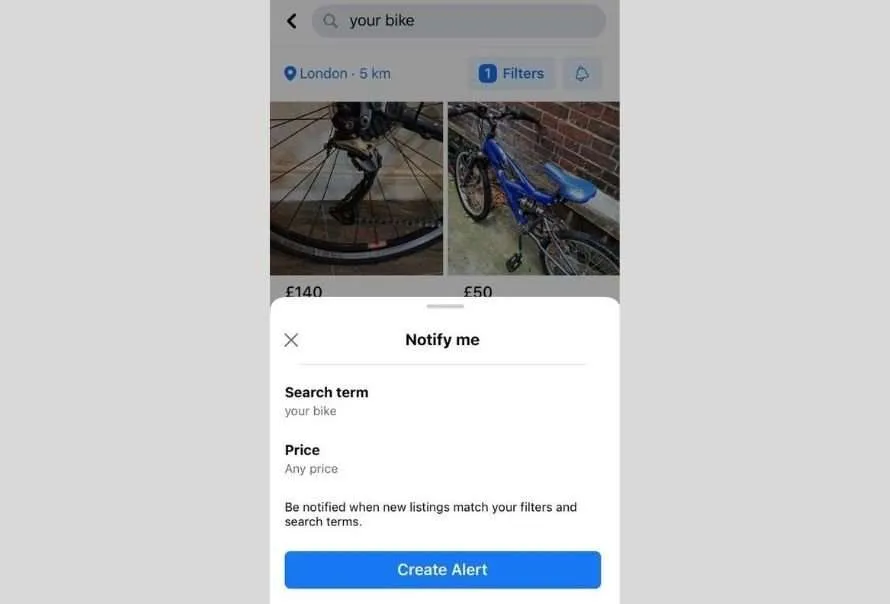
- Use the search bar to find specific items or categories.
- Browse through the different sections, such as “For Sale,” “Free,” or “Trade.”
- If you’re interested in buying something, send a message to the seller directly from the app.
Using Facebook Marketplace on Desktop
If you prefer using your computer, here’s how to access and use Facebook Marketplace:
- Log in to your Facebook account on desktop.
- Click on the “Marketplace” tab at the top left corner of the screen.
- Browse through the different sections, such as “For Sale,” “Free,” or “Trade.”
- Use the search bar to find specific items or categories.
Safety Precautions
As with any online transaction, it’s essential to exercise caution when using Facebook Marketplace. Here are some tips to keep in mind:
- Never send money directly to someone you’ve just met.
- Be wary of deals that seem too good (or bad) to be true.
- Verify the seller’s identity and location before making a purchase.
Benefits of Using Facebook Marketplace
Using Facebook Marketplace has numerous benefits, including:
- Convenience: Browse through items from the comfort of your own home or on-the-go.
- Community-driven: Connect with people in your area who share similar interests.
- Cost-effective: Find deals on everything from electronics to furniture at affordable prices.
Conclusion
Facebook Marketplace is an exciting platform that has revolutionized the way we buy and sell second-hand items online. By following this guide, you’ll be able to navigate the world of online marketplace transactions with confidence. Remember to exercise caution when making purchases and always prioritize your safety and security.
Frequently Asked Questions (FAQs)
- What is Facebook Marketplace?
Facebook Marketplace is a virtual marketplace where users can buy and sell new or used goods with people in their area.
- How do I Access Facebook Marketplace?
To access Facebook Marketplace, log in to your Facebook account on mobile or desktop and navigate to the “Marketplace” tab.
- What Are Some Safety Precautions to Take When Using Facebook Marketplace?
Never send money directly to someone you’ve just met, be wary of deals that seem too good (or bad) to be true, and verify the seller’s identity and location before making a purchase.
- How do I Find Items on Facebook Marketplace?
Use the search bar to find specific items or categories, browse through different sections such as “For Sale,” “Free,” or “Trade,” and filter by location to see what’s available in your area.
- Can I Sell an Item on Facebook Marketplace?
Yes! To initiate the process of publication of the announcement, tap on the “Sell” button disposed in the leading page of *Marketplace, select the category of announcement any more pertinent, compile the form proposed with all the required information, and finalize the publication by tapping on the “Public” button.
- How do I Pay For an Item on Facebook Marketplace?
When making a purchase, communicate directly with the seller to arrange payment terms that are comfortable for both parties.
- What if I Encounter Any Issues or Concerns While Using Facebook Marketplace?
If you experience any problems or have questions about using Facebook Marketplace, contact Facebook support or reach out to the community forum for assistance.
By following this guide and taking necessary precautions, you’ll be able to enjoy a safe and rewarding experience on Facebook Marketplace!


