
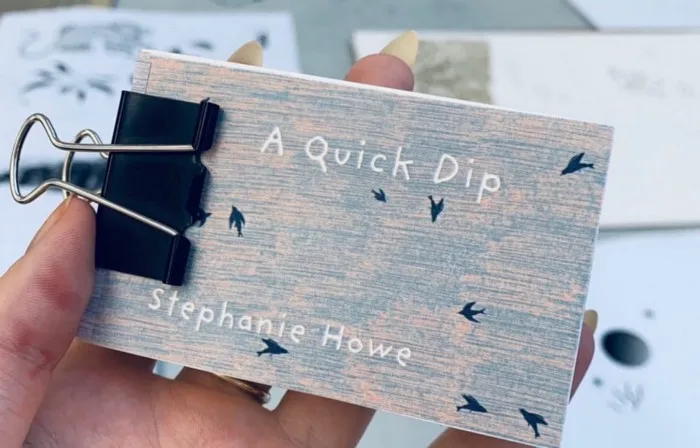
Unlocking The Power of Interactive Digital Content: A Guide to Creating Flipbooks
As a digital content creator, you’re likely no stranger to the challenges of engaging your audience. With so many distractions competing for attention online, it can be tough to stand out from the crowd. But what if you could create interactive, immersive experiences that would draw your viewers in and keep them captivated? Enter FlipBooks – a game-changing format that’s taking digital content by storm.
In this article, we’ll delve into the world of FlipBooks, exploring their benefits, uses, and how to create them using various online tools. By the end of this guide, you’ll be equipped with the knowledge and skills to unlock the full potential of interactive digital content.
What is a Flipbook?
A FlipBook is an interactive digital book that combines the best elements of traditional publishing with cutting-edge technology. It’s essentially a virtual flipbook that allows readers to browse through its pages like they would a physical book, but with added animations and multimedia features. This innovative format makes it perfect for presentations, portfolios, marketing materials, and more.
Benefits of Using Flipbooks
So, why should you consider using FlipBooks in your digital content strategy? Here are just a few compelling reasons:
- Increased Engagement: FlipBooks offer an immersive experience that captures viewers’ attention and encourages interaction.
- Improved Brand Awareness: By creating visually stunning FlipBooks, you can showcase your brand’s personality and values in a unique and memorable way.
- Enhanced Presentation Capabilities: FlipBooks are ideal for presentations, making it easy to convey complex information in a clear and concise manner.
Tools For Creating Flipbooks
Now that we’ve explored the benefits of FlipBooks, let’s take a look at some popular online tools for creating these interactive digital content experiences:
- Flipsnack: A professional service that allows you to create high-quality FlipBooks without any prior experience.
- Yumpu: A user-friendly platform that enables you to design and publish FlipBooks in minutes.
- Flipbook Pdf: A free online tool that converts your PDF files into interactive FlipBooks.
Step-by-step Guide to Creating a Flipbook
Ready to get started? Here’s a step-by-step guide to creating a FlipBook using one of the tools mentioned above:
- Choose Your Tool: Select the online tool you’d like to use, such as FlipSnack or Yumpu.
- Design Your FlipBook: Upload your PDF file or create a new document from scratch. Customize the layout, add images and multimedia elements, and enhance the overall design.
- Add Animations and Interactivity: Use the tool’s built-in features to add animations, links, and other interactive elements that will engage your viewers.
- Preview and Edit: Review your FlipBook in real-time and make any necessary adjustments before publishing.
Tips And Best Practices
To get the most out of your FlipBooks, keep these tips and best practices in mind:
- Keep it Concise: Make sure your FlipBook is easy to navigate and doesn’t overwhelm your viewers with too much information.
- Use High-quality Images: Incorporate visually appealing images that complement your content and enhance the overall experience.
- Test And Iterate: Preview your FlipBook regularly to ensure it meets your expectations and make adjustments as needed.
Conclusion
FlipBooks are an innovative way to engage your audience, showcase your brand’s personality, and present complex information in a clear and concise manner. By following this guide and experimenting with different online tools, you’ll be well on your way to unlocking the full potential of interactive digital content.
Frequently Asked Questions (FAQs)
Here are some additional questions and answers that might help clarify things:
- Q: What is The Difference Between a Flipbook And an E-book?
A: A FlipBook is an interactive digital book that combines text, images, and multimedia elements, whereas an e-book is typically a linear, downloadable file. - Q: Can I Create a Flipbook From Scratch or do I Need to Upload a Pdf File?
A: Both options are available! You can either upload a pre-existing PDF file or start from scratch using the online tool’s built-in design features. - Q: Are Flipbooks Compatible With All Devices And Browsers?
A: Yes, most modern web browsers and devices should be able to view FlipBooks without any issues. However, it’s always a good idea to test your FlipBook on different platforms to ensure compatibility. - Q: Can I Share my Flipbook on Social Media or Embed it on my Website?
A: Absolutely! Most online tools allow you to easily share and embed your FlipBook on various platforms, including social media sites and websites. - Q: Do I Need to Have Any Prior Experience to Create a Flipbook?
A: Not at all! The online tools we’ve discussed are designed to be user-friendly and accessible, even for those with no prior experience in digital content creation.
I hope this article has provided you with the knowledge and inspiration to start exploring the world of interactive digital content. If you have any further questions or would like to share your own experiences with FlipBooks, please don’t hesitate to reach out!


