
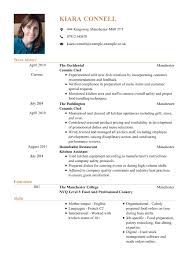
Curriculum Vitae European: A Comprehensive Guide
Are you looking to create a curriculum vitae (CV) that meets the European standards? Look no further! In this article, we will guide you through the process of creating a curriculum vitae European in PDF format, using various tools and software.
What is a Curriculum Vitae European?
A curriculum vitae European, also known as an Europass CV, is a standardized document that showcases your skills, qualifications, and experiences. It’s designed to facilitate communication between employers and job seekers across Europe.
Why Do You Need a Curriculum Vitae European?
In today’s globalized job market, having a curriculum vitae European can give you a competitive edge when applying for jobs in Europe or working with international companies. It demonstrates your ability to communicate effectively and showcase your skills in a standardized format.
How to Create a Curriculum Vitae European Online
Creating a curriculum vitae European online is a straightforward process. Here’s how:
- Visit The Europass Website: Go to the Europass website (www.Europass.It) and click on “Create your Europass” in the top-right corner.
- Register For an Account: Register for an account by providing your name, email address, and password.
- Fill Out Your Profile: Fill out your profile with accurate information, including your contact details, education, work experience, and skills.
- Download or Print Your CV: Once you’ve completed your profile, you can download or print your Europass CV in PDF format.
How to Create a Curriculum Vitae European in Word
If you prefer to create your Europass CV in Microsoft Word, here’s how:
- Visit The Microsoft 365 Website: Go to the Microsoft 365 website and search for “Europass CV template”.
- Download The Template: Download the Europass CV template in DOCX format.
- Fill Out Your Details: Fill out your details using the template, making sure to use the correct formatting.
How to Create a Curriculum Vitae European in Pdf
To create a curriculum vitae European in PDF format, you can follow these steps:
- Use Europass Website: Use the Europass website to create and download your CV in PDF format.
- Use Microsoft Word or Libreoffice: Use Microsoft Word or LibreOffice to create your CV using a template, and then export it as a PDF.
Tools For Creating a Curriculum Vitae European
There are several tools available that can help you create a curriculum vitae European. Some popular options include:
- Europass Website: The official Europass website offers a range of features and templates to help you create your CV.
- Microsoft 365: Microsoft 365 offers a range of templates and tools to help you create your CV in Word format.
- Libreoffice: LibreOffice is a free office suite that allows you to create and edit documents, including your CV.
Tips For Creating an Effective Curriculum Vitae European
When creating your curriculum vitae European, keep the following tips in mind:
- Use Clear And Concise Language: Use clear and concise language when describing your skills and experiences.
- Emphasize Your Achievements: Emphasize your achievements rather than just listing your responsibilities.
- Use Keywords: Use keywords from the Europass CV template to help recruiters find you.
Conclusion
Creating a curriculum vitae European is an essential step in today’s globalized job market. By following these steps and using the right tools, you can create a document that showcases your skills, qualifications, and experiences in a standardized format. Remember to tailor your CV to the specific job you’re applying for, and don’t hesitate to ask for help if needed.
Frequently Asked Questions (FAQs)
Here are some frequently asked questions about creating a curriculum vitae European:
- What is The Difference Between a Europass CV And a Standard Cv?
A Europass CV is a standardized document that meets specific requirements, while a standard CV can be tailored to individual needs. - How do I Create a Europass CV Online?
You can create a Europass CV online by visiting the official Europass website and following the steps outlined above. - Can I Use Microsoft Word or Libreoffice to Create my Europass Cv?
Yes, you can use Microsoft Word or LibreOffice to create your Europass CV using a template, and then export it as a PDF. - What Are Some Tips For Creating an Effective Europass Cv?
Some tips include using clear and concise language, emphasizing achievements rather than responsibilities, and using keywords from the Europass CV template. - How Can I Ensure That my Europass CV is Up-to-date And Relevant to my Industry?
You can ensure that your Europass CV is up-to-date and relevant by regularly reviewing and updating your profile, using keywords and phrases from your industry, and tailoring your CV to specific job requirements.
Additional Resources
For more information on creating a curriculum vitae European, visit the following resources:
- Europass Website: Www.Europass.It
- Microsoft 365: Www.Microsoft.Com/365
- Libreoffice: Www.Libreoffice.Org


