
How to Record on D-flight: A Step-by-step Guide
Are you an avid drone enthusiast looking to take your flying skills to new heights? Look no further than D-Flight, the official portal for remote pilot operators in Italy. In this article, we’ll guide you through the process of recording on D-Flight, from creating an account to associating a drone.
What is D-flight And Why Do I Need to Record?
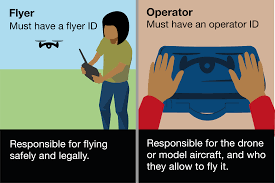
D-Flight is the official platform for remote pilots in Italy, mandated by the National Entity for Civil Aviation (ENAC). The regulation UAS-IT issued on January 4, 2021, requires operators of unmanned aerial vehicles (UAVs) to record their activities and affix a unique QR code identifier on their drone. This is mandatory for anyone operating a drone with a camera or weighing 250 grams or more.
Creating an Account on D-flight
To start using D-Flight, you need to create an account. Here’s how:
- Access The Official D-flight Website: Go to www.D-flight.It and click on the “Services” button in the top right corner.
- Select Your Language: Choose Italian from the dropdown menu.
- Click on “Create Your Account”: Fill out the form with your personal data, including username, email, name, surname, nationality, region, province, place of birth, and fiscal code.
- Choose Your Account Type: Select either “Private User” or “Company.”
- Accept The Terms of Service: Read and agree to the terms of service by clicking on “Create.”
Recording Your Drone on D-flight
While recording is mandatory for operators only, you can also record your drone if you want to access additional services on D-Flight.
- Log in to Your Account: Access your email inbox and find the confirmation email from D-Flight. Click on the link to activate your account.
- Access The Store: Go to the “Store” section and choose either Subscription Base or Subscription Pro, depending on your needs.
- Pay For Your Subscription: Choose a payment method (PayPal, banking transfer, credit card, or MyBank) and complete the payment process.
- Select The Services You Want to Use: Choose the services you’d like to access with your subscription.
Associating Your Drone on D-flight
To associate your drone on D-Flight:
- Log in to Your Account: Access your account and click on “Associate a Drone.”
- Fill Out The Drone’s Information: Enter the drone’s name, producing company, model, state, MTOM, flight controller, GCS, and APR.
- Add Insurance Details (optional): If you have insurance for your drone, enter the relevant information.
- Save Your Changes: Click on “Save” to associate your drone with your account.
Conclusion
Recording on D-Flight is a straightforward process that requires some basic information about yourself and your drone. By following these steps, you’ll be able to create an account, record your drone (if required), and access additional services on the platform. Don’t forget to print and apply the QR code identifier on your drone to comply with regulations.
Faqs
- Is Recording on D-flight Mandatory?
Yes, operators of drones with a camera or weighing 250 grams or more are required to record their activities on D-Flight. - Can I Record my Drone if I’m Not an Operator?
No, only operators are required to record their drone on D-Flight. - What Are The Costs of Recording on D-flight?
The cost of creating a free account is zero. Subscription Base costs 6 euros/year, while Subscription Pro costs 24 euros/year. - How do I Create an Account on D-flight?
To create an account on D-Flight, go to www.D-flight.It and follow the instructions outlined in this guide. - What is The QR Code Identifier For?
The QR code identifier must be printed and applied on your drone to comply with regulations. - Can I Use my Drone Without Recording it on D-flight?
Yes, you can still fly your drone without recording it on D-Flight, but you won’t have access to additional services. - What Happens if I Don’t Record my Drone on D-flight?
If you fail to record your drone on D-Flight, you may be subject to fines or penalties.


