
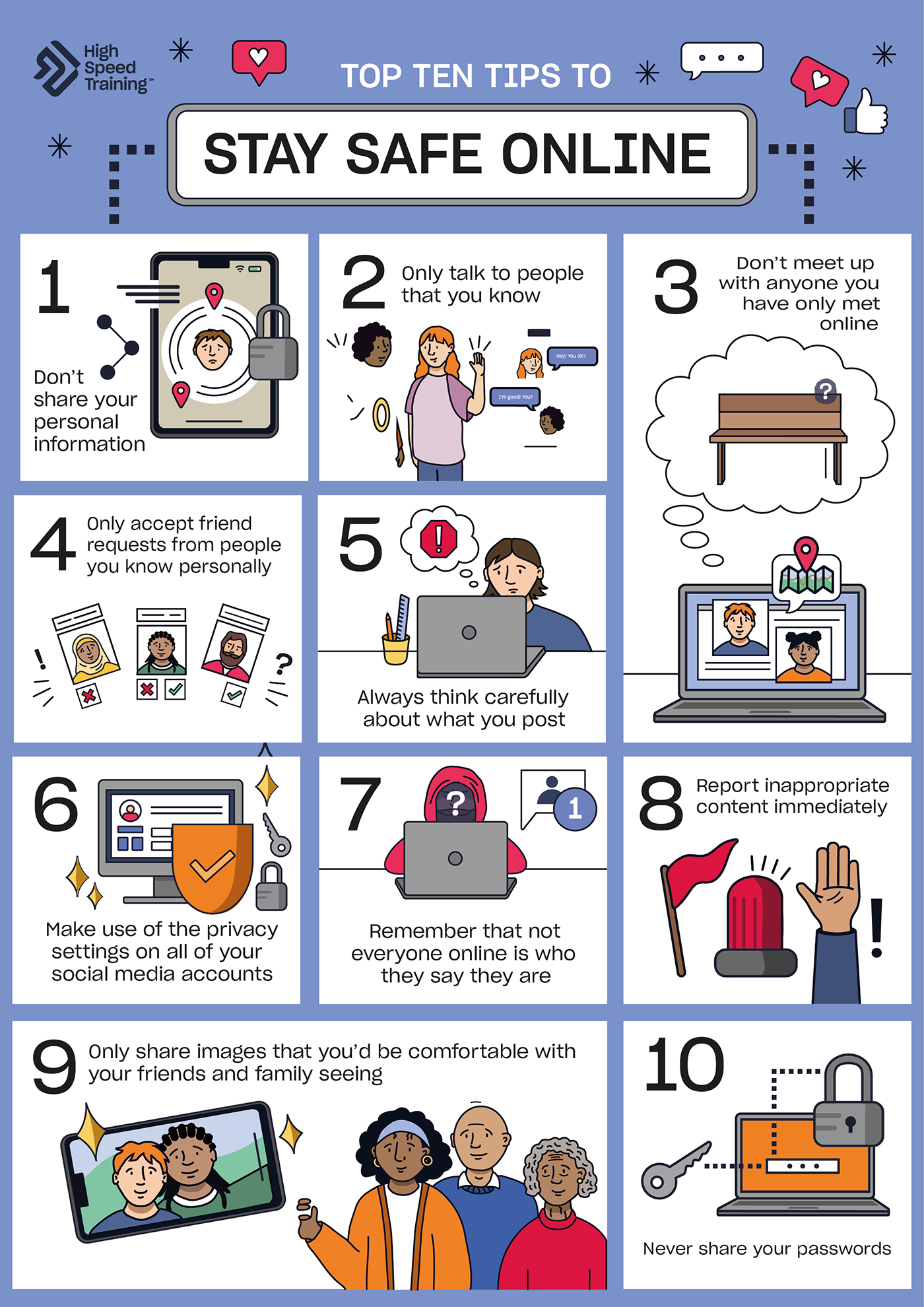
The Art of Hiding Your Online Presence: A Guide
Are you tired of being bombarded by notifications and messages from social media platforms? Do you want to take a break from the digital world without completely disconnecting? Look no further! In this article, we’ll explore the various ways to hide your online presence on popular social media platforms like WhatsApp, Instagram, Facebook, Messenger, and Telegram.
Why Hide Your Online Presence?
In today’s digital age, it’s easy to get sucked into the vortex of social media. Constant notifications from friends, family, and even strangers can be overwhelming. By hiding your online presence, you can:
- Take a break from the digital world without completely disconnecting
- Reduce stress and anxiety caused by excessive notifications
- Improve productivity and focus on important tasks
- Enhance mental health and well-being
Hiding Your Online Presence on Whatsapp
WhatsApp is one of the most popular messaging apps worldwide. To hide your online presence on WhatsApp:
- Android Devices: Go to Settings > Account > Last Seen Privacy > Nobody.
- Iphone Devices: Go to Settings > Account > Last Seen Privacy > Nobody.
- Desktop Version (WhatsApp Web): Click on the three dots in the top right corner and select “Settings” > “Privacy” > “Last Seen.” Select “Nobody.”
Hiding Your Online Presence on Instagram
Instagram is a visually-driven platform where users can share photos, videos, and stories. To hide your online presence on Instagram:
- Smartphones And Tablets: Tap on the three horizontal lines (⋯) in the top right corner of the screen and select “Settings” > “Privacy” > “State.” Select “Nobody.”
- Desktop Version: Click on the three dots in the top right corner and select “Settings” > “Account” > “Security and Login” > “Show activity status.” Uncheck the box next to “Show your online status.”
Hiding Your Online Presence on Facebook
Facebook is one of the most widely-used social media platforms globally. To hide your online presence on Facebook:
- Smartphones And Tablets: Tap on the three horizontal lines (⋯) in the top right corner of the screen and select “Settings” > “Account Settings” > “Security and Login” > “Show when you’re active.” Uncheck the box next to “Show your online status.”
- Desktop Version: Click on the three dots in the top right corner and select “Settings” > “Security and Login” > “Show when you’re active.” Uncheck the box next to “Show your online status.”
Hiding Your Online Presence on Messenger
Messenger is a messaging app integrated into Facebook. To hide your online presence on Messenger:
- Smartphones And Tablets: Tap on the three horizontal lines (⋯) in the top right corner of the screen and select “Settings” > “Account Settings” > “Privacy” > “Last Seen.” Select “Nobody.”
- Desktop Version: Click on the three dots in the top right corner and select “Settings” > “Account” > “Security and Login” > “Show activity status.” Uncheck the box next to “Show your online status.”
Hiding Your Online Presence on Telegram
Telegram is a messaging app known for its encryption and security features. To hide your online presence on Telegram:
- Smartphones And Tablets: Tap on the three horizontal lines (⋯) in the top right corner of the screen and select “Settings” > “Privacy and Safety” > “Last Seen.” Select “Nobody.”
- Desktop Version: Click on the three dots in the top right corner and select “Settings” > “Account” > “Security and Login” > “Show activity status.” Uncheck the box next to “Show your online status.”
Conclusion
Hiding your online presence can be beneficial for mental health, productivity, and reducing stress. By following these simple steps on popular social media platforms like WhatsApp, Instagram, Facebook, Messenger, and Telegram, you can take a break from the digital world without completely disconnecting.
Frequently Asked Questions (FAQs)
- Q: Will Hiding my Online Presence Affect my Relationships With Friends And Family?
A: No, hiding your online presence will not affect your relationships with friends and family. They will still be able to contact you through other means. - Q: Can I Hide my Online Presence on Multiple Platforms at The Same Time?
A: Yes, you can hide your online presence on multiple platforms simultaneously. - Q: Will Hiding my Online Presence Affect my Ability to Use Certain Features on Social Media Platforms?
A: No, hiding your online presence will not affect your ability to use certain features on social media platforms. - Q: Can I Change my Online Status Back to Public at Any Time?
A: Yes, you can change your online status back to public at any time by following the same steps as before. - Q: Is Hiding my Online Presence The Same as Disconnecting From Social Media Entirely?
A: No, hiding your online presence is not the same as disconnecting from social media entirely. You will still be able to access and use social media platforms, but others will not be able to see when you’re online. - Q: Can I Hide my Online Presence on Other Social Media Platforms Besides Whatsapp, Instagram, Facebook, Messenger, And Telegram?
A: Yes, you can hide your online presence on other social media platforms as well. Check the specific settings for each platform to learn more. - Q: Will Hiding my Online Presence Affect my Ability to Receive Notifications From Social Media Platforms?
A: No, hiding your online presence will not affect your ability to receive notifications from social media platforms. - Q: Can I Hide my Online Presence on a Desktop Computer or Laptop?
A: Yes, you can hide your online presence on a desktop computer or laptop by following the same steps as before.
Sources
- Messenger
- Telegram


