
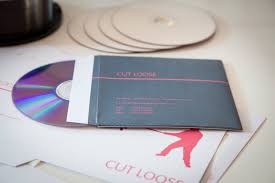
Creating Custom CD Covers: A Step-by-step Guide
Are you tired of searching for your favorite music CDs, only to find that the cover art is nowhere to be found? Do you wish you could create custom covers for your own CDs or DVDs? Look no further! In this article, we’ll show you how to use various software programs to design and print your own custom CD covers.
The Problem With Standard CD Covers
Let’s face it: Standard CD covers can be a real pain to find. With so many different albums and artists out there, it’s easy to get lost in the sea of identical-looking covers. And if you’re like us, you probably have a vast collection of CDs that are just begging for some personalized flair.
Solutions For Creating Custom CD Covers
Fortunately, there are several software programs available that can help you create custom CD covers with ease. From user-friendly interfaces to advanced design tools, these programs are perfect for beginners and experienced designers alike.
1. Ronyasoft CD Dvd Label Maker (Windows)
One of the most popular CD cover makers on the market is Ronyasoft’s CD DVD Label Maker. This program is available for Windows users and offers a wide range of features and tools to help you create professional-looking covers.
Features:
- Over 1,000 customizable templates
- Support for multiple image formats (JPG, PNG, GIF)
- Ability to add text, shapes, and other elements
- Integration with Microsoft Office
How to Use Ronyasoft CD Dvd Label Maker:
To get started with Ronyasoft’s CD DVD Label Maker, simply download the software from their website. Once installed, follow these steps:
- Choose a template or create your own design.
- Add images and text as desired.
- Adjust layout and formatting to suit your needs.
- Print your custom cover on standard CD/DVD paper.
2. Undercover10 (Windows)
Another popular option for creating custom CD covers is UnderCover10. This program offers a user-friendly interface and an array of features that make it perfect for beginners and experienced designers alike.
Features:
- Over 100 customizable templates
- Support for multiple image formats (JPG, PNG, GIF)
- Ability to add text, shapes, and other elements
- Integration with Windows Media Player
How to Use Undercover10:
To use UnderCover10, follow these steps:
- Download the software from their website.
- Choose a template or create your own design.
- Add images and text as desired.
- Adjust layout and formatting to suit your needs.
- Print your custom cover on standard CD/DVD paper.
3. Disclabel (macOS)
For macOS users, DiscLabel is an excellent option for creating custom CD covers. This professional-grade software offers a wide range of features and tools that make it perfect for designers and non-designers alike.
Features:
- Over 1,000 customizable templates
- Support for multiple image formats (JPG, PNG, GIF)
- Ability to add text, shapes, and other elements
- Integration with Adobe Creative Cloud
How to Use Disclabel:
To use DiscLabel, follow these steps:
- Download the software from their website.
- Choose a template or create your own design.
- Add images and text as desired.
- Adjust layout and formatting to suit your needs.
- Print your custom cover on standard CD/DVD paper.
Online Alternatives:
If you’re looking for an online solution, Artwork Creator is an excellent option. This web-based tool allows you to create custom CD covers with ease, without the need for software installation or extensive design knowledge.
Features:
- Over 100 customizable templates
- Support for multiple image formats (JPG, PNG, GIF)
- Ability to add text, shapes, and other elements
- Integration with Adobe Creative Cloud
How to Use Artwork Creator:
To use Artwork Creator, follow these steps:
- Access the website using your browser.
- Choose a template or create your own design.
- Add images and text as desired.
- Adjust layout and formatting to suit your needs.
- Download your custom cover in ZIP format.
Conclusion:
Creating custom CD covers is easier than ever, thanks to the wide range of software programs available on the market. Whether you’re a beginner or an experienced designer, there’s something for everyone. With these tips and tricks, you’ll be well on your way to creating professional-looking covers that showcase your music collection in style.
Frequently Asked Questions:
-
What is The Best Software For Creating Custom CD Covers?
A: The best software for creating custom CD covers depends on your specific needs and preferences. However, popular options include Ronyasoft’s CD DVD Label Maker (Windows), UnderCover10 (Windows), DiscLabel (macOS), and Artwork Creator (online). -
Do I Need Design Experience to Use These Programs?
A: No! These software programs are designed for users of all skill levels, from beginners to experienced designers. -
Can I Print my Custom Covers on Standard Cd/dvd Paper?
A: Yes! All the software programs mentioned above allow you to print your custom covers on standard CD/DVD paper. -
Do These Programs Integrate With Other Design Tools?
A: Yes! Many of these software programs integrate with popular design tools like Microsoft Office, Adobe Creative Cloud, and more. -
Are There Any Free Versions or Trials Available?
A: Yes! Most of the software programs mentioned above offer free versions or trials that you can try before committing to a purchase. -
Can I Use These Programs on my Mobile Device?
A: No… Not yet! While some of these software programs have mobile apps, they are not currently optimized for touchscreen use. -
How do I Get Started With Creating Custom CD Covers?
A: To get started, simply download the software program of your choice and follow the instructions provided in this article.


