
How to Identify Online Scams: A Comprehensive Guide
Are you tired of falling victim to online scams? Do you want to protect yourself from the numerous swindles that are lurking on the internet? Look no further! In this article, we will provide you with a comprehensive guide on how to identify online scams and stay safe while shopping online.
Understanding Online Scams
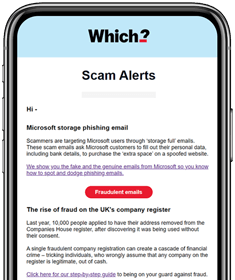
Online scams are becoming increasingly common, with many people falling victim to them every year. These scams can take many forms, including fake websites, phishing emails, and social media scams. They often promise unrealistic deals or benefits, but ultimately lead to financial loss or identity theft.
The Signs of an Online Scam
So, how do you know if a website or email is legitimate? Here are some common signs of online scams:
- Too Good to Be True: If a deal seems too good to be true, it probably is. Be wary of websites or emails that promise unrealistic discounts or benefits.
- Poor Grammar And Spelling: Legitimate businesses usually have professional-looking websites with proper grammar and spelling. Scams often have poor grammar and spelling errors.
- No Physical Address: Legitimate businesses usually have a physical address, not just a PO box. Be wary of websites that don’t provide a physical address.
- No Contact Information: Legitimate businesses usually provide contact information, such as a phone number or email address. Scams often don’t provide any contact information.
How to Check The Reliability of a Website
To check the reliability of a website, follow these steps:
- Check The Url: Make sure the URL starts with “https” and not just “http”. The “s” stands for secure, which means that your data will be encrypted.
- Check The Reviews: Look up reviews of the website on trusted review sites, such as Trustpilot or Google Reviews.
- Contact Customer Support: Contact customer support to ask questions about the product or service. Legitimate businesses usually have a responsive customer support team.
- Verify The Website’s Physical Address: Verify that the website has a physical address and not just a PO box.
How to Protect Yourself From Online Scams
To protect yourself from online scams, follow these tips:
- Use a Good Antivirus Program: Use a good antivirus program to protect your computer from malware and viruses.
- Be Cautious With Emails And Links: Be cautious when opening emails or clicking on links. Legitimate businesses usually don’t ask you to click on links or download attachments.
- Verify The Website’s Authenticity: Verify that the website is authentic by checking its URL, reviews, and contact information.
- Keep Your Personal Information Secure: Keep your personal information secure by using a strong password and not sharing it with anyone.
Conclusion
Online scams are becoming increasingly common, but there are steps you can take to protect yourself from them. By following these tips and being aware of the signs of online scams, you can stay safe while shopping online.
Faqs
Here are some frequently asked questions about online scams:
- Q: What is an Online Scam?
A: An online scam is a type of fraud that takes place on the internet. Scams can take many forms, including fake websites, phishing emails, and social media scams. - Q: How do I Know if a Website or Email is Legitimate?
A: To check the reliability of a website, follow these steps: Check the URL, check the reviews, contact customer support, and verify the website’s physical address. - Q: What Are Some Common Signs of Online Scams?
A: Some common signs of online scams include poor grammar and spelling, no physical address, no contact information, and too-good-to-be-true deals. - Q: How Can I Protect Myself From Online Scams?
A: To protect yourself from online scams, use a good antivirus program, be cautious with emails and links, verify the website’s authenticity, and keep your personal information secure.
References
- “Online Scams.” Federal Trade Commission.
- “How to Avoid Online Scams.” Consumer Reports.


