
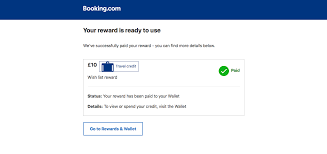
How to Pay on Booking: A Step-by-step Guide
Are you planning a vacation and looking for a convenient way to pay for your hotel stay? Look no further than Booking.Com! In this article, we will guide you through the various payment methods available on Booking.Com, including credit cards, digital payments, local payments, and more.
What Payment Methods Are Supported by Booking.Com?
Before we dive into the details of each payment method, let’s take a look at what options are supported by Booking.Com:
- Cards: Debit/credit/prepaid cards from Visa, Mastercard, American Express, China UnionPay, JCB, Diners, and Discover
- Digital payments: PayPal, Google Pay, Apple Pay, and Alipay
- Local payments: WeChat (China), iDeal (Netherlands), and Sofort (Germany)
- Payment plans: Klarna and PayPal Credit
How to Pay on Booking.Com With a Credit Card
To pay on Booking.Com using a credit card, follow these steps:
- Access your Booking.Com account or sign up for one.
- Search for your desired hotel and select it.
- Review the booking details and click “Reserve.”
- In the payment section, select your preferred credit card.
- Enter your card details and confirm the payment.
How to Pay on Booking.Com Without a Credit Card
If you don’t have a credit card or prefer not to use one, there are alternative payment methods available:
- PayPal: You can pay using your PayPal account.
- Digital payments: Google Pay, Apple Pay, or Alipay can be used for payment.
- Local payments: WeChat (China) or iDeal (Netherlands) can be used in their respective countries.
How to Pay on Booking.Com After Making a Reservation
If you’ve already made a reservation and want to pay, follow these steps:
- Access your booking details.
- Click “Pay” or “Reserve now.”
- Select your preferred payment method.
- Enter the required details and confirm the payment.
How to Pay on Booking.Com With Klarna
Booking.Com also supports payment plans through Klarna. If you want to pay using Klarna, follow these steps:
- Access your booking details.
- Click “Pay” or “Reserve now.”
- Select Klarna as your payment method.
- Review the terms and conditions and confirm the payment.
Tips For Paying on Booking.Com
To make the most of your booking experience, consider the following tips:
- Create a profile: Registering an account will give you access to exclusive discounts and increased levels in your user profile.
- Use filters: Apply filters to find options that fit within your budget or offer discounts.
- Reserve during low season: Prices tend to be lower for stays during off-peak seasons.
- Use a VPN: In some cases, using a virtual private network (VPN) can help you access cheaper rates by making it appear as though you’re booking from another country.
Conclusion
Booking.Com offers a wide range of payment methods to make paying for your hotel stay convenient and flexible. By following the steps outlined in this article, you’ll be able to choose the best option for your needs. Remember to create an account, use filters, reserve during low season, and consider using a VPN to get the most out of your booking experience.
Frequently Asked Questions
Q: What payment methods are supported by Booking.Com?
A: Cards (debit/credit/prepaid), digital payments (PayPal, Google Pay, Apple Pay, Alipay), local payments (WeChat, iDeal, Sofort), and payment plans (Klarna).
Q: How do I pay on Booking.Com with a credit card?
A: Access your account, search for the hotel, select it, review details, click “Reserve,” and choose your preferred credit card.
Q: Can I pay on Booking.Com without a credit card?
A: Yes, you can use PayPal, digital payments (Google Pay, Apple Pay), or local payments (WeChat, iDeal) as alternative options.
Q: How do I pay on Booking.Com after making a reservation?
A: Access your booking details, click “Pay” or “Reserve now,” select your preferred payment method, and confirm the payment.
Q: Is Klarna available as a payment option on Booking.Com?
A: Yes, Booking.Com supports payment plans through Klarna. Follow the steps outlined in this article to use Klarna for payment.
Q: What are some tips for paying on Booking.Com?
A: Create an account, use filters, reserve during low season, and consider using a VPN to get the best rates.


