
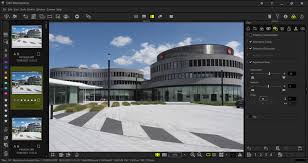
Free Photo Editing Programs: A Complete Guide
If you are looking for programs to edit photos for free, you have found the right place! in this article, I will show you the best software and apps to edit your images without spending a penny. Yes, you got it right! There are many free options to improve the quality of your photos.
Index
Introduction
During your summer holidays, you probably took many souvenir photos of the places you visited. Back home, you may have noticed that some of these photos weren’t as good as they seemed. Instead of throwing away your favorite photos, you can try to improve them using free photo editing programs!
Programs to Edit Photos For Free on The Computer
Photoworks (windows)
Photoworks is a free photo editing software for windows that offers access to a number of advanced tools. Even though it’s not exactly a free photo editing program, I highly recommend you try it.
-
Main Features:
-
Automatic filters to correct portrait imperfections
-
Face shaping function to change the proportions of various parts of the face
-
Background change function to cut out subjects and change the background of photos
-
Cost: 14, 21 Or 27.30 Euros (depending on the version)
Photo (windows 10 And Later)
If you are using Windows 10 and later, I recommend using the default application to manage and edit images. You can find it in the microsoft store section.
-
Main Features:
-
Edit photos using tools like color correction, brightness and contrast
-
Application of filters to give a new look to images
-
Photo rotation and cropping
Other Programs to Edit Photos For Free on Your Computer
-
Gimp (windows/macos/linux): A free and open source software that offers advanced photo editing tools.
-
Paint.Net (windows): A free software specific for Windows that allows you to easily adjust colors, brightness and contrast of photos as well as correct red eyes and various other defects.
Programs to Edit Photos Online For Free
Photopea
If you are looking for a program to edit photos for free without downloading anything, photopea is the ideal choice. It is a free online service that has an interface very similar to that of “classic” photo editing software.
-
Main Features:
-
Access to tools and functions for editing photos
-
Ability to upload and edit images directly from the browser
Other Programs to Edit Free Photos Online
-
Pixlr: A web service that provides users with a practical photo editor complete with the main functions.
-
Ipiccy: An excellent online service at no cost that allows you to carry out photo retouching and editing operations rather quickly and painlessly.
Programs to Edit Photos For Free on Android And Iphone
Snapseed (android/ios/ipados)
Snapseed is an app developed by Google that allows you to retouch photos easily. It has a well-organized interface that integrates tons of photo editing tools.
-
Main Features:
-
Access to tools and functions for editing photos
-
Ability to upload and edit images directly from the device
Other Programs to Edit Photos For Free on Android And Iphone
-
Google Photos (android/ios/ipados): The application for managing and archiving images made available by Google.
-
Photos (ios/ipados): The default and pre-installed app on iPhone and iPad for storing and managing photos.
Conclusions
Bottom line, there are many free options for editing your photos. The programs listed above offer advanced photo editing tools, so you can choose the one that best suits your needs. Don’t forget to read the information relating to the cost and main features of the software before downloading or using it.
Faq
-
What is The Best Program to Edit Photos For Free?
-
The best free photo editing program depends on your specific needs. If you are looking for something easy to use, photopea could be the ideal choice. Other programs like gimp or paint.Net offer advanced tools for photo editing.
-
Can I Edit Photos For Free on Android And Iphone?
-
Yes! There are many free image editing apps available on the Play Store for Android and the App Store for iOS, such as SnapSeed or Photos.
-
Am I Sure Free Programs Have no Limits?
-
Most free programs have few limits or restrictions. Some may have advertisements while others may require registration to access advanced features. However, most of the programs listed above are completely free and without any limits.
-
Can I Use The Free Programs For Commercial Work?
-
If you try to use free programs for commercial purposes, you should check whether they are powerful enough to meet your needs. Some software, such as PhotoWorks or Gimp, offer advanced features that may also be usable for commercial work, but be sure to read the license and copyright information carefully before using them.
-
What is The Difference Between Free And Paid Programs?
-
Free programs are often less powerful than their paid counterparts, but can still be useful for limited purposes or for users who do not require advanced features. Commercial photo editing software often offers more advanced tools and greater customization.
-
Can I Use Free Programs Together With Others?
-
Yes! you can use free programs in combination with others to get a better result. For example, you can use photopea as your main editor and then upload your edited image to gimp or paint.Net to further adjust it.
I hope this information was helpful to you! If you have any other questions or are looking for more help, don’t hesitate to ask.


