
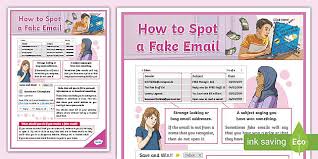
How to Identify And Avoid Phishing Emails: A Comprehensive Guide
As we navigate the digital world, it’s becoming increasingly important to be aware of the threats that lurk in every corner of our online lives. One such threat is phishing emails, which can lead to devastating consequences if not recognized and avoided. In this article, we’ll delve into the world of phishing emails, explore their characteristics, and provide you with a comprehensive guide on how to identify and avoid them.
What Are Phishing Emails?
Phishing emails are malicious messages designed to trick unsuspecting individuals into revealing sensitive information, such as passwords, credit card numbers, or personal data. These emails often appear to be from legitimate sources, making it difficult for the recipient to distinguish between a genuine message and a phishing attempt.
Characteristics of Phishing Emails
To identify a phishing email, look out for the following characteristics:
- Urgency: Phishing emails often create a sense of urgency, urging you to take immediate action. This can be done by threatening to suspend or cancel your account if you don’t respond within a certain time frame.
- Suspicious Links: Be wary of links that seem suspicious or don’t match the tone and style of the email. Hover over the link with your mouse cursor to see where it redirects, and never click on unfamiliar links.
- Spelling And Grammar Errors: Legitimate organizations rarely make spelling and grammar mistakes in their communications. If an email contains errors, it’s likely a phishing attempt.
- Generic Salutations: Phishing emails often use generic salutations like “Dear Customer” or “Hello User.” Legitimate messages usually address you by name.
How to Identify a Phishing Email
Here are some steps to take when evaluating the authenticity of an email:
- Check The Sender’s Email Address: Verify that the sender’s email address matches the company’s official domain.
- Look For Red Flags: Be on the lookout for suspicious links, attachments, or requests for sensitive information.
- Check The Content: Evaluate the content of the email to see if it seems legitimate and relevant to your account or services.
- Be Cautious With Attachments: Avoid opening attachments from unknown sources, as they can contain malware.
What to Do If You’re a Victim of Phishing
If you’ve fallen victim to phishing, here are some steps to take:
- Change Your Passwords: Immediately change your passwords for all affected accounts.
- Contact The Affected Institution: Reach out to the institution or company that was compromised and report the incident.
- Monitor Your Accounts: Keep a close eye on your account activity and report any suspicious transactions.
How to Avoid Phishing Emails
To avoid falling victim to phishing emails, follow these best practices:
- Use Strong Passwords: Use unique and complex passwords for all accounts.
- Enable Two-factor Authentication: Activate two-factor authentication whenever possible to add an extra layer of security.
- Be Cautious With Links And Attachments: Avoid clicking on suspicious links or opening attachments from unknown sources.
- Keep Your Software Up-to-date: Ensure that your operating system, browser, and antivirus software are updated with the latest patches.
Consequences of Phishing
Phishing can have severe consequences, including:
- Identity theft
- Financial losses
- Reputation damage
Conclusion
Phishing emails are a growing concern in today’s digital landscape. By understanding their characteristics and following the best practices outlined in this article, you can significantly reduce your risk of falling victim to these malicious attempts. Remember, prevention is key, so stay vigilant, be cautious, and always prioritize your online security.
Frequently Asked Questions (FAQs)
- What is Phishing?
Phishing is a type of cyberattack where an attacker sends emails that appear to be from legitimate sources but are designed to trick victims into revealing sensitive information. - How do I Identify a Phishing Email?
Look for suspicious links, attachments, or requests for sensitive information, and verify the sender’s email address matches the company’s official domain. - What Should I do if I’m a Victim of Phishing?
Change your passwords, contact the affected institution, and monitor your accounts for any suspicious activity. - How Can I Avoid Falling Victim to Phishing Emails?
Use strong passwords, enable two-factor authentication, be cautious with links and attachments, and keep your software up-to-date. - What Are The Consequences of Phishing?
Phishing can lead to identity theft, financial losses, and reputation damage. - Can I Use a Vpn to Protect Myself From Phishing?
While a VPN can add an extra layer of security, it’s not a foolproof solution for protecting yourself from phishing attacks. - How Often Should I Change my Passwords?
Change your passwords regularly, especially if you’ve fallen victim to a phishing attack or suspect that your account has been compromised. - What Are Some Other Tips For Protecting Myself Online?
Recommended Reading:
- “Phishing Attacks: A Comprehensive Guide”
- “The Anatomy of Phishing Emails”
- “Protecting Yourself from Identity Theft”
- “Understanding Two-Factor Authentication”
Remember, online security is everyone’s responsibility! Stay informed, stay vigilant, and always prioritize your digital safety.


