
How to Compile a Pdf: A Step-by-step Guide
Are you tired of printing out forms and filling them in by hand? Do you wish there was an easier way to compile your PDFs directly on your computer, smartphone, or tablet? Look no further! In this article, we will explore the various ways to compile a PDF, from using software programs like LibreOffice and Adobe Acrobat Reader DC to online services like DocHub.
Why Compile a Pdf in The First Place?
Before we dive into the nitty-gritty of compiling a PDF, let’s talk about why it’s useful in the first place. Compiling a PDF allows you to create a digital version of your document that can be easily shared and filled out by others. This is especially useful for forms, surveys, and other types of documents where data needs to be collected.
Method 1: Using Libreoffice
LibreOffice is a free and open-source productivity suite that includes a word processor, spreadsheet, and presentation program. It’s available for Windows, macOS, and Linux.
To compile a PDF using LibreOffice:
- Open LibreOffice on your computer and select the “Writer” application.
- Create a new document or open an existing one.
- Select the text tool from the toolbar and click in the document where you want to add text.
- Type your desired text into the document.
- Save your document as a PDF by selecting “File” > “Export As” > “PDF.”
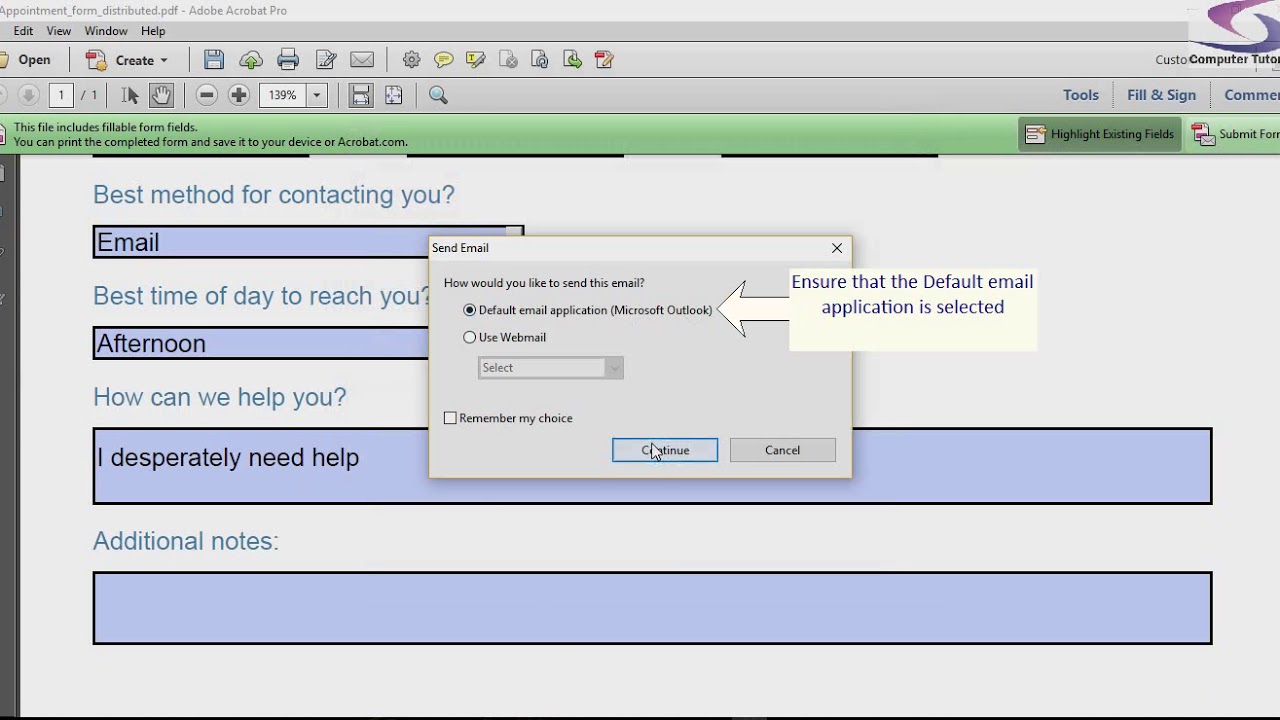
Method 2: Using Adobe Acrobat Reader DC
Adobe Acrobat Reader DC is a free program that allows you to view, edit, and create PDFs.
To compile a PDF using Adobe Acrobat Reader DC:
- Download and install Adobe Acrobat Reader DC on your computer.
- Open the program and select “File” > “Open” to open your document.
- Select the “Fill & Sign” tool from the toolbar.
- Type your desired text into the document.
- Save your document as a PDF by selecting “File” > “Save As” > “PDF.”
Method 3: Using Online Services
If you don’t want to download software or have limited space on your device, there are online services that can help you compile a PDF.
To compile a PDF using DocHub:
- Visit the DocHub website and sign up for an account.
- Select “New Document” from the dashboard.
- Upload your document or create a new one from scratch.
- Use the text tool to add text to the document.
- Save your document as a PDF by selecting “File” > “Export As” > “PDF.”
Method 4: Using Mobile Apps
If you’re using an Android, iPhone, or iPad, there are mobile apps that can help you compile a PDF.
To compile a PDF using Xodo:
- Download and install the Xodo app on your device.
- Open the app and select the “Files” tab.
- Select the document you want to edit from your files list.
- Use the text tool to add text to the document.
- Save your document as a PDF by selecting the “Share” button.
Conclusion
Compiling a PDF is easier than ever with the various software programs and online services available. Whether you’re using LibreOffice, Adobe Acrobat Reader DC, or online services like DocHub, there’s an option for everyone. By following these step-by-step guides, you can compile your PDFs quickly and efficiently.
Frequently Asked Questions
Q: What is the difference between compiling a PDF and editing a PDF?
A: Compiling a PDF refers to creating a new PDF document from scratch or editing an existing one by adding text, images, or other elements. Editing a PDF, on the other hand, refers to making changes to an existing PDF document.
Q: Can I use these methods to edit existing PDFs?
A: Yes, you can use most of the methods mentioned above to edit existing PDFs. However, some online services may have limitations when it comes to editing existing PDFs.
Q: Are there any security concerns with compiling a PDF using online services?
A: Most online services that allow you to compile a PDF are secure and protect your data. However, as with any online service, there is always a risk of data breaches or hacking.
Q: Can I use these methods on my smartphone or tablet?
A: Yes, most of the software programs and online services mentioned above can be used on smartphones and tablets using mobile apps.
Q: Do I need to have specialized knowledge to compile a PDF?
A: No, you don’t need to have specialized knowledge to compile a PDF. Most software programs and online services are user-friendly and easy to use.
Q: Can I export my compiled PDF as other file formats besides PDF?
A: Yes, most software programs and online services allow you to export your compiled PDF in various file formats such as Word documents or JPEG images.
Keywords: Compiling a PDF, LibreOffice, Adobe Acrobat Reader DC, DocHub, Xodo, online services, mobile apps.


