
The Ultimate Guide to Video Converters: Finding The Best Tool For Your Needs
Are you tired of dealing with video files that don’t quite fit on your device or platform? Do you wish there was a simple way to convert them into a format that’s compatible with your needs? Look no further! In this article, we’ll explore the world of video converters and show you how to find the best tool for your requirements.
What is a Video Converter?
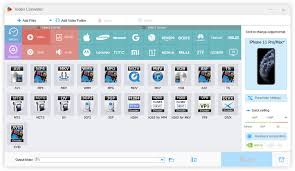
A video converter is a software or online service that allows you to transform video files from one format to another. This can be useful when you want to watch videos on different devices, share them with friends and family, or simply because you need a specific file type for editing purposes.
Choosing The Right Video Converter
With so many options available, it’s essential to choose a video converter that meets your needs. Here are some factors to consider:
- Format Support: Look for a converter that supports the input and output formats you need.
- Ease of Use: Choose a converter with an intuitive interface that makes the conversion process easy and hassle-free.
- Speed And Quality: Opt for a converter that can deliver fast and high-quality conversions.
Top Video Converters
Now, let’s take a look at some of the best video converters available:
Handbrake (Windows/macOS/Linux)
HandBrake is a popular and free video converter that supports a wide range of formats. It’s easy to use and can handle complex tasks like editing audio and subtitles.
- Key Features: Supports MP4, MKV, AVI, and more; Easy-to-use interface; Handles audio and subtitle editing
- Availability: Windows, macOS, Linux
Adapter (Windows/macOS)
Adapter is another excellent video converter that supports a variety of formats. It’s known for its simplicity and ease of use.
- Key Features: Supports MP4, AVI, MKV, and more; Simple and intuitive interface; Handles audio editing
- Availability: Windows, macOS
Mobile Media Converter (Windows/macOS/Linux)
Mobile Media Converter is a versatile video converter that supports multiple formats. It’s easy to use and can handle large files.
- Key Features: Supports MP4, AVI, MKV, and more; Easy-to-use interface; Handles large file sizes
- Availability: Windows, macOS, Linux
Smart Converter (macOS)
Smart Converter is a dedicated video converter for macOS users. It’s known for its simplicity and ease of use.
- Key Features: Supports MP4, AVI, MKV, and more; Simple and intuitive interface
- Availability: MacOS
Online Video Converters
If you don’t want to download software or prefer the convenience of online tools, here are some excellent options:
123Apps Converter
123Apps Converter is a user-friendly online video converter that supports multiple formats. It’s easy to use and can handle large files.
- Key Features: Supports MP4, AVI, MKV, and more; Easy-to-use interface; Handles large file sizes
- Availability: Online
Convertio
Convertio is another excellent online video converter that supports multiple formats. It’s known for its ease of use and fast conversion times.
- Key Features: Supports MP4, AVI, MKV, and more; Easy-to-use interface; Handles large file sizes
- Availability: Online
Cloudconvert
CloudConvert is a versatile online video converter that supports multiple formats. It’s known for its ease of use and fast conversion times.
- Key Features: Supports MP4, AVI, MKV, and more; Easy-to-use interface; Handles large file sizes
- Availability: Online
Media.io
Media.Io is a user-friendly online video converter that supports multiple formats. It’s easy to use and can handle large files.
- Key Features: Supports MP4, AVI, MKV, and more; Easy-to-use interface; Handles large file sizes
- Availability: Online
Iphone And Ipad Video Converters
If you’re looking for video converters specifically designed for iPhone and iPad users, here are some excellent options:
The Converter Video (iOS)
The Converter Video is a user-friendly iOS app that converts videos into various formats. It’s easy to use and can handle large files.
- Key Features: Supports MP4, AVI, MKV, and more; Easy-to-use interface; Handles large file sizes
- Availability: IOS
Best Practices For Video Conversion
To ensure successful video conversions, follow these best practices:
- Choose The Right Format: Select a format that’s compatible with your device or platform.
- Use High-quality Settings: Opt for high-quality settings to maintain video and audio quality.
- Avoid Unnecessary Editing: Only edit what’s necessary to avoid losing valuable content.
Conclusion
Finding the best video converter for your needs can be overwhelming, but with this guide, you’re well-equipped to make an informed decision. Remember to choose a converter that supports your required formats, is easy to use, and delivers fast and high-quality conversions. Happy converting!


