
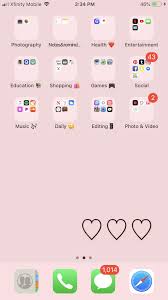
Organizing Your Smartphone: A Guide to a More Efficient Home Screen
Are you tired of searching for that one app among the hundreds on your smartphone’s home screen? Do you wish there was a way to make navigation easier and more efficient? Look no further! In this article, we’ll explore various methods to organize your phone in a way that makes sense to you.
The Problem With a Cluttered Home Screen
We’ve all been there – scrolling through our home screens, trying to find the app we need, only to end up opening apps we don’t even use. This can lead to frustration and wasted time. But what if there was a way to make your phone’s home screen more organized and user-friendly?
Method 1: Organize Apps in Alphabetical Order
One simple yet effective method is to organize your apps in alphabetical order. This might seem like a no-brainer, but it can actually be quite useful. By arranging your apps alphabetically, you’ll find it easier to locate specific apps when you need them.
How to Do It on Android:
- Long-press on an app icon
- Drag it to the desired location on the home screen
- Release the icon
How to Do It on Iphone:
- Go to Settings > General > Reset > Reset Home Screen Layout
- The icons will be rearranged in alphabetical order
Method 2: Organize Apps by Color
If you have a good visual memory, organizing your apps by color can be a great way to keep them organized. This method works well if you have a small number of apps that are easily recognizable by their color.
How to Do It on Android:
- Long-press on an app icon
- Drag it to the desired location on the home screen, based on its color
How to Do It on Iphone:
- Long-press on an app icon
- Select “Modify Home Screen” from the menu
- Rearrange the icons by color
Method 3: Organize Apps by Category
Organizing your apps by category can be a great way to keep them organized and easy to find. This method works well if you have a large number of apps that fit into specific categories.
Example Categories:
- Messaging apps (e.G. WhatsApp, Telegram)
- Social media apps (e.G. Facebook, Instagram)
- Navigation apps (e.G. Google Maps, Waze)
- Video and music streaming apps (e.G. YouTube, Spotify)
How to Do It on Android:
- Long-press on an app icon
- Drag it to the desired category on the home screen
How to Do It on Iphone:
- Go to Settings > General > Reset > Reset Home Screen Layout
- Rearrange the icons into categories
Method 4: Organize Apps in Folders
Organizing your apps in folders can be a great way to keep them organized and easy to find. This method works well if you have a large number of apps that fit into specific categories.
How to Do It on Android:
- Long-press on an app icon
- Drag it to the desired folder on the home screen
How to Do It on Iphone:
- Long-press on an app icon
- Select “Modify Home Screen” from the menu
- Rearrange the icons into folders
Method 5: Organize Apps by Usage Frequency
Finally, organizing your apps by usage frequency can be a great way to keep them organized and easy to find. This method works well if you have a large number of apps that you use regularly.
How to Do It on Android:
- Long-press on an app icon
- Drag it to the desired location on the home screen, based on its usage frequency
How to Do It on Iphone:
- Go to Settings > General > Reset > Reset Home Screen Layout
- Rearrange the icons by usage frequency
Conclusion
Organizing your phone’s home screen can seem like a daunting task, but with these methods, you’ll be able to find what you need in no time. Whether you prefer alphabetical order, color-based organization, or categorization, there’s a method out there for everyone. By taking the time to organize your apps, you’ll save yourself time and frustration in the long run.


