
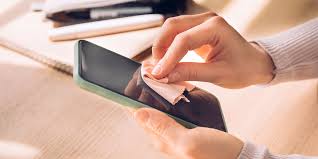
How to Clean The Monitor of Your Smartphone
As a smartphone user, you’re likely no stranger to the feeling of frustration when your phone’s screen becomes dirty and difficult to use. A dirty monitor can be caused by a variety of factors, including dust, dirt, and other debris that accumulates on the screen over time.
Why Cleaning The Monitor is Important
Cleaning the monitor of your smartphone is an essential part of maintaining its overall health and longevity. A clean monitor ensures that you have a clear view of your phone’s display, which is critical for navigation, gaming, and other activities.
Materials Needed
To clean the monitor of your smartphone, you’ll need a few simple materials:
- A soft, dry cloth (microfiber cloth recommended)
- A cleaning solution specifically designed for screens (optional)
Step-by-step Instructions
Here’s a step-by-step guide on how to clean the monitor of your smartphone:
- Turn Off Your Phone: Before you start cleaning, make sure your phone is turned off.
- Remove Any Accessories: Take off any cases, covers, or other attachments that may be interfering with the cleaning process.
- Inspect The Screen: Look for any stubborn stains or debris that may require a more thorough cleaning.
- Dampen The Cloth: If you’re using a microfiber cloth, dampen it with distilled water to avoid any potential damage to your phone’s display.
- Gently Wipe The Screen: Starting from the top of the screen and working your way down, gently wipe away any dirt, dust, or other debris.
- Repeat if Necessary: If there are still stubborn stains or areas that require more attention, repeat the process until the screen is clean.
Tips And Precautions
Here are a few additional tips to keep in mind when cleaning the monitor of your smartphone:
- Avoid using harsh chemicals or abrasive materials that could damage the screen.
- Don’t use household cleaners like bleach or ammonia, as they can harm the display.
- If you’re unsure about how to clean your phone’s screen, consult the manufacturer’s instructions for guidance.
Disinfecting Your Phone
In addition to cleaning the monitor of your smartphone, it’s also a good idea to disinfect the device itself. Here are some tips on how to do so:
- Use a disinfectant wipe specifically designed for electronic devices.
- Spray the wipe onto the phone’s surface and let it sit for a few minutes before wiping clean.
- Make sure to cover all surfaces, including buttons, ports, and charging contacts.
Protecting Your Phone
To protect your phone from future damage, consider applying a screen protector or a tempered glass shield. These can help prevent scratches, cracks, and other forms of damage.
Conclusion
Cleaning the monitor of your smartphone is a simple process that can be completed with just a few basic materials. By following these steps and tips, you can ensure that your phone’s display remains clean and clear for years to come.
Faqs
Here are some additional frequently asked questions about cleaning the monitor of your smartphone:
- Q: How Often Should I Clean my Phone’s Screen?
A: You should clean your phone’s screen every 1-2 weeks, depending on how often you use it. - Q: Can I Use Household Cleaners to Clean my Phone’s Screen?
A: No, it’s not recommended to use household cleaners like bleach or ammonia to clean your phone’s screen. Instead, use a gentle cleaning solution specifically designed for screens. - Q: How do I Disinfect my Phone?
A: To disinfect your phone, use a disinfectant wipe specifically designed for electronic devices and follow the manufacturer’s instructions.
Conclusion
In conclusion, cleaning the monitor of your smartphone is a simple process that requires just a few basic materials. By following these steps and tips, you can ensure that your phone’s display remains clean and clear for years to come.


