
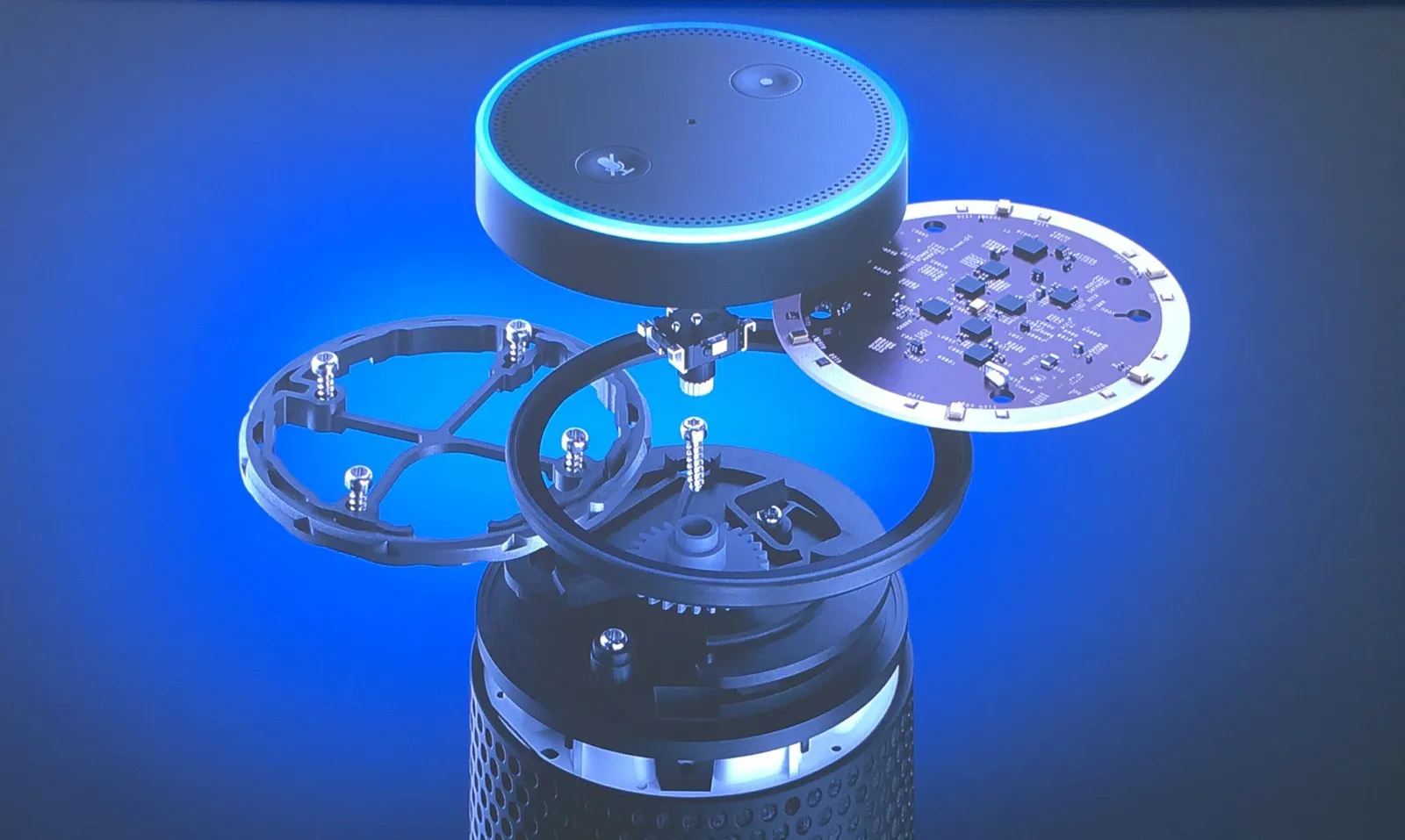
Amazon Echo: What It Is And How It Functions
In this tutorial, we’ll delve into the world of Amazon’s Echo devices, exploring what they are, how they function, and their various features. If you’re curious about these smart speakers, read on to discover everything you need to know.
What Is an Amazon Echo?
Amazon Echo is a range of smart speakers that use artificial intelligence (AI) to perform various tasks, from playing music to controlling your home’s lights and thermostats. These devices are equipped with Alexa, a virtual assistant that can understand voice commands and respond accordingly.
How Does an Amazon Echo Function?
An Amazon Echo is essentially a speaker connected to the internet via Wi-Fi or Bluetooth. When you give a voice command, such as “Alexa, play some music,” the device will connect to your favorite music streaming service (e.G., Spotify, Apple Music) and start playing the requested song.
Types of Amazon Echo Devices
There are several types of Amazon Echo devices available:
- Echo Pop: The smallest and most affordable option, ideal for small spaces.
- Echo Dot: A compact speaker with Alexa built-in, perfect for small rooms or as a secondary device.
- Echo: The standard Echo speaker, suitable for medium-sized rooms.
- Echo Studio: A high-end speaker designed for audiophiles and home theaters.
- Echo Show: A display-equipped Echo device that can show videos, photos, and more.
- Echo Spot: A compact Echo device with a small display and camera.
- Echo Show 8: A larger Echo Show device with an 8-inch touchscreen display.
- Echo Sub: A wireless subwoofer designed to enhance the audio experience of your Echo devices.
What Can I Do With Alexa?
Alexa is a highly versatile virtual assistant that can perform a wide range of tasks, including:
- Playing music and podcasts
- Controlling smart home devices (lights, thermostats, security cameras)
- Setting reminders and alarms
- Providing news updates and weather forecasts
- Answering questions and giving information on various topics
How to Use an Amazon Echo
To get started with your Amazon Echo device, follow these steps:
- Download The Alexa App: Install the Alexa app on your smartphone or tablet.
- Connect Your Echo Device: Connect your Echo device to your home network using Wi-Fi or Bluetooth.
- Configure Your Echo Device: Use the Alexa app to configure your Echo device and set up your preferred settings.
What Are Skills?
Skills are third-party integrations that expand the capabilities of your Amazon Echo device. You can install skills from within the Alexa app, allowing you to access additional features and services, such as:
- Streaming music and podcasts
- Ordering food or groceries
- Booking travel arrangements
- Controlling smart home devices
Lists, Reminders, And Timers
Amazon Echo devices allow you to create lists, set reminders, and timers using voice commands. For example, “Alexa, add ‘milk’ to my shopping list” or “Alexa, remind me to take the dog out at 5 PM.”
Making Calls And Sending Messages
You can use your Amazon Echo device to make hands-free calls and send messages to friends and family who also have an Echo device.
Personalizing Your Echo Device
To personalize your Echo device, open the Alexa app and navigate to Settings. From there, you can customize settings such as:
- Music and podcast preferences
- Smart home device control
- Calendar integration
Using Alexa on Smartphone And Tablet
If you don’t have an Amazon Echo device at home or prefer using voice commands on-the-go, you can use the Alexa app on your smartphone or tablet to access many of the same features.
Conclusion
In this article, we’ve explored what Amazon Echo devices are, how they function, and their various features. From controlling smart home devices to accessing a vast library of skills and services, these devices offer a wide range of capabilities. Whether you’re looking for a compact speaker or a high-end audio system, there’s an Amazon Echo device that suits your needs.
Frequently Asked Questions (FAQs)
- Q: What is The Difference Between Echo Dot And Echo?
A: The main difference is size; Echo Dot is smaller and more portable, while Echo is larger and designed for medium-sized rooms. - Q: Can I Use Alexa on my Smartphone or Tablet?
A: Yes, you can download the Alexa app on your smartphone or tablet to access many of the same features as an Amazon Echo device. - Q: How do I Install Skills on my Amazon Echo Device?
A: You can install skills from within the Alexa app by searching for them and following the prompts to activate them. - Q: Can I Use Multiple Echo Devices Together?
A: Yes, you can connect multiple Echo devices to control smart home devices or play music across your entire home. - Q: What is The Difference Between Echo Show And Echo Spot?
A: The main difference is size; Echo Show has a larger 8-inch touchscreen display, while Echo Spot has a smaller 2.5-Inch display. - Q: Can I Use my Amazon Echo Device to Make Hands-free Calls?
A: Yes, you can use your Amazon Echo device to make hands-free calls and send messages to friends and family who also have an Echo device. - Q: How do I Cancel The Recording of Voice Commands on my Amazon Echo Device?
A: You can cancel the recording of voice commands by going to Settings > Alexa Privacy > Delete Recording. - Q: Can I Use my Amazon Echo Device With Multiple Accounts?
A: Yes, you can set up multiple accounts and use your Amazon Echo device with different accounts simultaneously.
Conclusion
In this article, we’ve provided a comprehensive overview of the Amazon Echo devices, including their features, capabilities, and applications. We hope this information has been helpful in making an informed decision about whether to purchase one of these devices for yourself or as a gift for someone else.


