
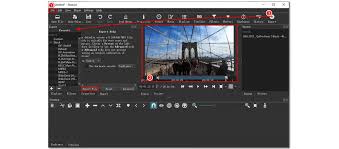
Shotcut: The Ultimate Video Editing Software
Are you tired of using clunky video editing software that’s more frustrating than fun? Look no further than Shotcut, the free and open-source video editor that’s taking the world by storm!
In this comprehensive guide, we’ll show you how to use Shotcut like a pro, from downloading and installing the software to creating, editing, and exporting your videos. Whether you’re a seasoned filmmaker or a curious newbie, Shotcut has got you covered.
What is Shotcut?
Shotcut is a powerful video editor that’s available for Windows, macOS, and Linux operating systems. It’s designed to be user-friendly, yet feature-rich, making it the perfect choice for both beginners and experienced editors.
With Shotcut, you can:
- Import and edit multiple video and audio files
- Apply filters and effects to enhance your visuals
- Add transitions between clips
- Export your final project in various formats
Downloading And Installing Shotcut
Before we dive into the nitty-gritty of using Shotcut, let’s get the software up and running. Here’s a step-by-step guide:
- Download Shotcut: Head to the official Shotcut website and click on the download button for your operating system (Windows, macOS, or Linux).
- Check System Requirements: Make sure your computer meets the minimum requirements for Shotcut, which include a decent processor, RAM, and storage.
- Choose Your Version: Select the correct version of Shotcut for your operating system and click on the download link.
- Run The Installer: If you’re using Windows or macOS, run the installer file to install Shotcut. On Linux, extract the contents of the ZIP file.
Getting Started With Shotcut
Now that you have Shotcut installed, let’s explore its interface and create a new project!
- Launch Shotcut: Double-click on the Shotcut icon to launch the software.
- Create a New Project: Click on “New” > “File” to create a new project. Assign a title to your project and choose the default folder for your files.
- Organize Your Media: Import your video and audio files into Shotcut by dragging them into the media panel.
Editing Your Video With Shotcut
Time to get creative! Here’s how to edit your video using Shotcut:
- Add Clips to The Timeline: Drag your imported media into the timeline, where you can arrange them in a logical order.
- Trim And Split Clips: Use the split button to divide clips or trim unwanted footage from the beginning or end of a clip.
- Apply Filters And Effects: Access Shotcut’s vast library of filters and effects by clicking on the “Filters” button. Experiment with different options to enhance your visuals.
Exporting Your Final Project
You’ve edited your video – now it’s time to export it in your desired format!
- Choose an Export Format: Select the desired output format from Shotcut’s extensive list of options.
- Configure Export Settings: Adjust the export settings as needed, including resolution, frame rate, and audio quality.
- Export Your Project: Click on the “Export” button to render your final project.
Tips And Tricks
To get the most out of Shotcut, here are some additional tips:
- Use The Timeline: The timeline is where you’ll spend most of your editing time. Use it to organize your clips and create a cohesive narrative.
- Experiment With Filters: Shotcut’s filters can add an extra layer of creativity to your project. Don’t be afraid to try out different effects!
- Take Advantage of Keyboard Shortcuts: Familiarize yourself with Shotcut’s keyboard shortcuts to streamline your editing process.
Conclusion
Shotcut is a powerful video editing software that’s perfect for both beginners and experienced editors. With its user-friendly interface, extensive feature set, and compatibility across multiple operating systems, Shotcut is an ideal choice for anyone looking to create stunning videos.
In this article, we’ve covered the basics of using Shotcut, from downloading and installing the software to creating, editing, and exporting your final project. We hope you found these tips helpful and will give Shotcut a try!
Frequently Asked Questions (FAQs)
- What is Shotcut?
Shotcut is a free and open-source video editor available for Windows, macOS, and Linux operating systems. - Can I Use Shotcut on Multiple Operating Systems?
Yes! Shotcut supports Windows, macOS, and Linux. - Is Shotcut Easy to Use?
Absolutely! Shotcut’s interface is user-friendly, making it perfect for beginners and experienced editors alike. - What Kind of Formats Can I Export my Video In?
Shotcut supports a wide range of export formats, including MP4, MPEG, AVI, and more. - Can I Add Text to my Video Using Shotcut?
Yes! Shotcut allows you to add text overlays to your video using its built-in text editor. - How do I Trim or Split Clips in Shotcut?
Use the split button to divide clips or trim unwanted footage from the beginning or end of a clip. - Can I Use Shotcut For Color Correction And Grading?
Yes! Shotcut’s filter library includes various color correction and grading tools to enhance your visuals.
I hope you found this article informative and helpful in getting started with Shotcut. Happy editing!


