
How to Access Instagram Without Password: A Step-by-step Guide
Are you tired of entering your password every time you want to access your Instagram account? Look no further! In this article, we will guide you through the process of accessing Instagram without a password, using various methods.
Table 1: Methods to Access Instagram Without Password
| Method | Description |
|---|---|
| Facebook Login | Use your Facebook login credentials to access your Instagram account |
| SMS Recovery | Recover your account using an SMS code sent by Instagram |
| Email Recovery | Recover your account using an email associated with your Instagram profile |
Table 2: Accessing Instagram Without Password From Smartphone or Tablet
| Device Type | Instructions |
|---|---|
| IPhone/Android Device | Open the Instagram app, tap on “Forgot Password?”, enter your phone number, and follow the instructions to receive a code via SMS. Tap on “Continue” and then follow the prompts to reset your password |
Accessing Instagram Without Password From Computer
If you’re having trouble accessing your Instagram account from a computer, don’t worry! We’ve got you covered.
- Method 1: Using Facebook Login
If your Instagram account is linked to your Facebook account, you can access your Instagram account by logging in with your Facebook credentials. Simply go to the Instagram website, click on “Log In,” and select “Use Facebook” to log in. - Method 2: Sms Recovery
If you’re unable to access your email or have forgotten your password, you can use the SMS recovery feature. Go to the Instagram website, click on “Forgot Password?”, enter your phone number, and follow the instructions to receive a code via SMS. Tap on “Continue” and then follow the prompts to reset your password. - Method 3: Email Recovery
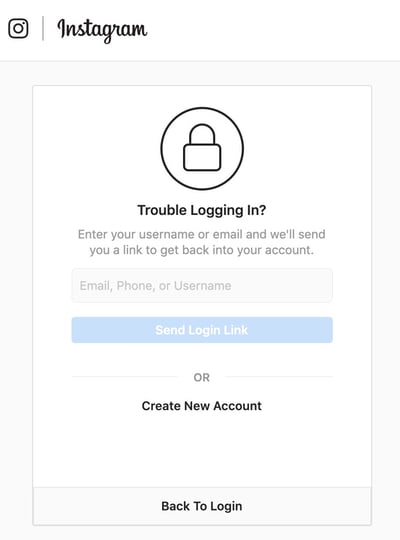
If you’re unable to access your account using the above methods, you can try recovering your account using an email associated with your Instagram profile. Go to the Instagram website, click on “Forgot Password?”, enter your email address, and follow the instructions to receive a reset link.
Using Facebook Login to Access Instagram Without Password
If your Instagram account is linked to your Facebook account, you can use Facebook login to access your Instagram account without entering a password. Simply go to the Instagram website, click on “Log In,” and select “Use Facebook” to log in.
Accessing Instagram Automatically Without Password From Smartphone or Tablet
If you want to avoid having to enter your password every time you access Instagram from your smartphone or tablet, you can set up automatic login using a third-party app. For example, you can use an app like “Instagram Saver” to save your login credentials and log in automatically.
Accessing Instagram Automatically Without Password From Computer
If you want to avoid having to enter your password every time you access Instagram from your computer, you can set up automatic login using a third-party browser extension. For example, you can use an extension like “Instagram Auto Login” to save your login credentials and log in automatically.
Conclusion
In conclusion, accessing Instagram without a password is possible using various methods. Whether you’re using a smartphone, tablet, or computer, we’ve outlined the steps you need to follow to access your account without entering a password. Remember to always use strong passwords and keep your login credentials secure!
Frequently Asked Questions (FAQs)
- Q: Can I Still Use Instagram if I Forget my Password?
A: Yes, you can try recovering your account using the SMS or email recovery methods. - Q: How do I Link my Facebook Account to my Instagram Account?
A: To link your Facebook account to your Instagram account, go to the Instagram website, click on “Log In,” and select “Use Facebook” to log in. -
Q: Can I Save my Login Credentials to Access Instagram Automatically?
A: Yes, you can use a third-party app or browser extension to save your login credentials and log in automatically. -
Q: What Happens if I Forget my Password And Don’t Have Access to my Email?
A: If you’re unable to access your email, try using the SMS recovery feature to recover your account. -
Q: How do I Prevent my Account From Being Hacked?
A: To prevent your account from being hacked, use strong passwords, keep your login credentials secure, and monitor your account for suspicious activity. -
Q: Can I Access Instagram Without a Password From my Computer?
A: Yes, you can access Instagram without a password using various methods, including Facebook login, SMS recovery, and email recovery. -
Q: How do I Save my Login Credentials to Access Instagram Automatically From my Computer?
A: You can use a third-party browser extension to save your login credentials and log in automatically. -
Q: What Should I do if I’m Having Trouble Accessing my Instagram Account?
A: If you’re experiencing trouble accessing your Instagram account, try using the recovery methods outlined above, or contact Instagram support for assistance.


