
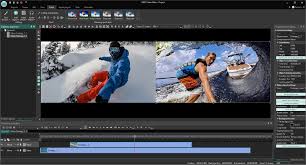
The Best Video Editor Software For You
Are you tired of using subpar video editor software that doesn’t meet your needs? Look no further! In this article, we’ll guide you through the best video editor software available for Windows, macOS, and Android devices.
Whether you’re a professional videographer or a hobbyist looking to enhance your videos, we’ve got you covered. From free to paid options, we’ll explore the top video editing software that will make your videos shine.
Free Video Editor Software
Before we dive into the paid options, let’s take a look at some excellent free video editor software:
Avidemux (Windows, Macos, Linux)
Avidemux is an open-source video editor that offers a wide range of features, including support for multiple formats and effects. Its interface may seem simple, but it’s actually quite intuitive once you get used to it.
- To download Avidemux, visit its official website and click on the link for your operating system.
- Follow the installation instructions, and you’ll be editing videos in no time!
Filmora is another excellent free video editor that’s perfect for beginners. Its user-friendly interface makes it easy to navigate, and its features include:
- A wide range of filters and effects
- Support for multiple formats
- Automatic synchronization of audio and video
To download Filmora, visit its official website and click on the link for your operating system.
Kdenlive (Windows, Macos, Linux)
Kdenlive is a free and open-source video editor that’s available for Windows, macOS, and Linux devices. Its interface may take some getting used to, but it offers a wide range of features, including support for multiple formats and effects.
- To download Kdenlive, visit its official website and click on the link for your operating system.
- Follow the installation instructions, and you’ll be editing videos in no time!
Imovie (macOS)
IMovie is a free video editor that comes pre-installed on macOS devices. Its user-friendly interface makes it easy to navigate, and its features include:
- Support for multiple formats
- Automatic synchronization of audio and video
To use iMovie, simply open the app and start editing!
Paid Video Editor Software
Now that we’ve explored some excellent free video editor software, let’s take a look at some top-notch paid options:
Adobe Premiere (Windows, Macos)
Adobe Premiere is one of the most popular video editors on the market. Its user-friendly interface makes it easy to navigate, and its features include:
- Support for multiple formats
- Automatic synchronization of audio and video
- Advanced color grading and effects
To download Adobe Premiere, visit the Adobe website and sign up for a free trial.
Magix Vegas Pro (Windows)
MAGIX VEGAS Pro is another excellent paid video editor that’s perfect for professionals. Its features include:
- Support for multiple formats
- Automatic synchronization of audio and video
- Advanced color grading and effects
To download MAGIX VEGAS Pro, visit the MAGIX website and sign up for a free trial.
Final Cut Pro X (macOS)
Final Cut Pro X is one of the most popular video editors on the market. Its user-friendly interface makes it easy to navigate, and its features include:
- Support for multiple formats
- Automatic synchronization of audio and video
- Advanced color grading and effects
To download Final Cut Pro X, visit the Apple website and sign up for a free trial.
Actiondirector Video Editor (Android)
ActionDirector is an excellent paid video editor that’s perfect for Android devices. Its features include:
- Support for multiple formats
- Automatic synchronization of audio and video
- Advanced color grading and effects
To download ActionDirector, visit the Google Play Store and sign up for a free trial.
Lumafusion (iOS)
LumaFusion is another excellent paid video editor that’s perfect for iOS devices. Its features include:
- Support for multiple formats
- Automatic synchronization of audio and video
- Advanced color grading and effects
To download LumaFusion, visit the App Store and sign up for a free trial.
Conclusion
In conclusion, finding the best video editor software can be a daunting task, but with this guide, you’ll be well on your way to creating stunning videos. Whether you’re a beginner or a professional videographer, we’ve got the perfect software for you.
So why wait? Download your chosen video editor today and start editing like a pro!
Faqs
- What is the best free video editor software?
- Avidemux, Wondershare Filmora, and Kdenlive are excellent options.
- Which paid video editor software should I use?
- Adobe Premiere, MAGIX VEGAS Pro, Final Cut Pro X, ActionDirector Video Editor, and LumaFusion are all top-notch choices.
- What features should I look for in a video editor software?
- Support for multiple formats, automatic synchronization of audio and video, advanced color grading, and effects are must-haves.
Conclusion
In conclusion, finding the best video editor software can be a daunting task, but with this guide, you’ll be well on your way to creating stunning videos. Whether you’re a beginner or a professional videographer, we’ve got the perfect software for you.


