
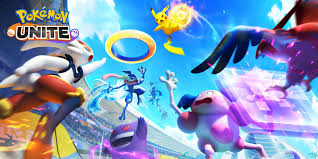
How to Download Pokémon Unite on Your Mobile Device
Are you a Pokémon fan looking to download the latest mobile game, Pokémon UNITE? Look no further! This article will guide you through the process of downloading Pokémon UNITE on your Android or iOS device.
What is Pokémon Unite?
Pokémon UNITE is a free-to-play mobile game developed by TiMi Studio Group, where you can experience the world of Pokémon in a new and exciting way. The game is a MOBA (Multiplayer Online Battle Arena) style game that allows you to team up with friends and take on other players in intense battles.
How to Download Pokémon Unite on Android
To download Pokémon UNITE on your Android device, follow these simple steps:
- Open the Google Play Store app on your device.
- Search for “Pokémon UNITE” in the search bar.
- Tap on the game icon (which features Pikachu at its center).
- Press the “Install” button to begin the download process.
That’s it! The game will automatically download and install on your device. If you have any issues or concerns, feel free to refer to our guide on downloading apps on Android.
How to Download Pokémon Unite on Ios
If you’re an iOS user, follow these steps to download Pokémon UNITE:
- Open the App Store app on your device.
- Search for “Pokémon UNITE” in the search bar.
- Tap on the game icon (which features Pikachu at its center).
- Press the “Get” button to begin the download process.
That’s it! The game will automatically download and install on your device. If you have any issues or concerns, feel free to refer to our guide on downloading apps on iOS.
How to Download Pokémon Unite on Nintendo Switch
Yes, you can also play Pokémon UNITE on the Nintendo Switch console!
To download the game, follow these steps:
- Open the Nintendo eShop app on your Switch.
- Search for “Pokémon UNITE” in the search bar.
- Select the correct profile and press the “Download” button to begin the download process.
That’s it! The game will automatically download and install on your device. If you have any issues or concerns, feel free to refer to our guide on downloading games on Nintendo Switch.
How to Download Pokémon Unite on PC
If you want to play Pokémon UNITE on your PC, follow these steps:
- Install a good Android emulator like BlueStacks or MEmu on your PC.
- Open the Google Play Store app within the emulator and search for “Pokémon UNITE”.
- Tap on the game icon (which features Pikachu at its center).
- Press the “Install” button to begin the download process.
That’s it! The game will automatically download and install on your device. If you have any issues or concerns, feel free to refer to our guide on playing Android games on PC.
Conclusion
Downloading Pokémon UNITE is a breeze, whether you’re using an Android, iOS, Nintendo Switch, or PC device. Just follow the simple steps outlined in this article, and you’ll be ready to join the battle for Pokémon supremacy in no time!
Frequently Asked Questions (FAQs)
- What is The Gameplay Like in Pokémon Unite?
Pokémon UNITE is a MOBA-style game where you team up with friends to take on other players in intense battles.
- Is Pokémon Unite Free to Play?
Yes, Pokémon UNITE is a free-to-play mobile game developed by TiMi Studio Group.
- Can I Play Pokémon Unite on my Pc?
Yes, you can play Pokémon UNITE on your PC using an Android emulator like BlueStacks or MEmu.
- What Are The System Requirements For Playing Pokémon Unite on Pc?
The system requirements for playing Pokémon UNITE on PC include a good Android emulator and a compatible device with a stable internet connection.
- How do I Report Any Issues or Concerns While Playing Pokémon Unite?
If you encounter any issues or concerns while playing Pokémon UNITE, feel free to contact the game developers directly through their official support channels.
- Can I Play Pokémon Unite With my Friends?
Yes, you can team up with your friends to take on other players in Pokémon UNITE.
- What Are The Rewards For Playing Pokémon Unite?
Rewards for playing Pokémon UNITE include in-game currency, items, and exclusive experiences.
- How do I Access The Nintendo Eshop on my Switch Console?
To access the Nintendo eShop on your Switch console, simply open the app from the home screen or search for it using the Joy-Con controls.


