
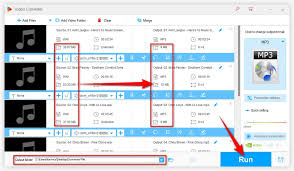
The Ultimate Guide to Audio Formats: Choosing The Best One For You
Are you a music lover looking to convert your favorite audio files from one format to another? Or perhaps you’re wondering which format is best suited for your specific needs? Look no further! In this comprehensive guide, we’ll take you through the world of audio formats, highlighting their characteristics, advantages, and disadvantages.
Understanding Audio Formats
Audio formats are used to store and play back digital audio files. They can be broadly classified into two categories: Lossless and lossy.
- Lossless Formats: These formats compress data without losing any information. Examples include WAV, AIFF, FLAC, and ALAC.
- Lossy Formats: These formats discard some of the data to reduce file size. Examples include MP3, AAC, WMA, and OGG Vorbis.
The Best Lossless Audio Formats
If you’re looking for high-quality audio without any compression, consider the following lossless formats:
1. Wav (WAVEform Audio File Format)
- A widely used standard developed by Microsoft and IBM.
- Not compressed, resulting in large file sizes.
- Ideal for extracting audio from CDs with a computer.
2. Aiff (Audio Interchange File Format)
- Developed by Apple, primarily used on Macs.
- Similar to WAV, not compressed, and occupies significant storage space.
- Suitable for audiophiles and music enthusiasts.
3. Flac (Free Lossless Audio Codec)
- An open-source codec that compresses data without losing quality.
- Supports most audio players and devices.
- A good alternative to WAV and AIFF, with a higher compression ratio.
4. Alac (Apple Lossless Audio Codec)
- Developed by Apple as an alternative to FLAC.
- Offers high-quality audio, but with a lower compression ratio than FLAC.
- Suitable for Apple devices and compatible players.
The Best Lossy Audio Formats
If you’re looking for compressed audio files that balance quality and file size, consider the following lossy formats:
1. Mp3 (MPEG-1 Audio Layer 3)
- The most widely used compressed audio format.
- Supports variable bitrates, from 32 to 320 kbps.
- Ideal for casual listening and online music streaming.
2. Aac (Advanced Audio Coding)
- Developed by Apple as a competitor to MP3.
- Offers better compression efficiency than MP3 at similar quality levels.
- Suitable for iPhone, iPad, and iPod users.
3. Wma (Windows Media Audio)
- A proprietary format developed by Microsoft.
- Not widely supported compared to other formats.
- Avoid using WMA due to compatibility issues.
4. Ogg Vorbis
- A free and open-source audio codec.
- Offers competitive quality with MP3 and AAC at similar bitrates.
- Suitable for online music streaming and playback on various devices.
Conclusion
Choosing the right audio format depends on your specific needs and preferences. If you prioritize high-quality audio without compression, consider lossless formats like WAV, AIFF, FLAC, or ALAC. For compressed audio files that balance quality and file size, look into MP3, AAC, WMA, or OGG Vorbis.
Faqs
- Q: What is the best format for music streaming?
- A: MP3 or AAC are suitable options for casual listening.
- Q: Which format offers high-quality audio without compression?
- A: WAV, AIFF, FLAC, or ALAC are ideal choices.
- Q: Can I convert my audio files from one format to another?
- A: Yes, use a converter like fre:Ac to change formats.
References
- Wikipedia – Audio Formats
- Wikipedia – Lossless Compression
- Wikipedia – Lossy Compression
Please let me know if you want me to make any changes. I’ll be happy to assist you further!


