
Finding a Phone Missed at Home: A Comprehensive Guide
Are you tired of frantically searching for your phone, only to realize it’s nowhere to be found? Losing a phone can be frustrating, especially if you’re in the middle of an important task or need it for emergency purposes. However, finding a phone missed at home is easier than you think. In this article, we’ll guide you through various methods to locate your phone, whether you use an Android or iOS device.
Why Losing a Phone Can Be Frustrating
Have you ever experienced the panic of losing your phone? It’s like searching for a needle in a haystack! You might have tried calling it, but if it’s turned off or in silent mode, that won’t help. You might have also checked all the usual places, such as the living room, bedroom, and kitchen, only to find nothing.
Finding a Phone Missed at Home: Android Solutions
If you use an Android device, there are several methods to find your phone:
Method 1: Using Google’s Find My Device Service
One of the most effective ways to locate your Android phone is by using Google’s Find My Device service. To activate this feature, follow these steps:
- Go to your phone’s Settings app.
- Scroll down and select the “Safety & privacy” option (or “Security” in some devices).
- Tap on “Find my device” and toggle it on.
Now, if you lose your phone, you can use a computer or another Android device to locate it. Here’s how:
- Sign in to the Find My Device website using your Google account.
- Click on the “Location” button to see where your phone is on the map.
- You’ll also hear a ringing sound on your phone, even if it’s in silent mode.
Method 2: Using The Find My Device App
Another way to find your Android phone is by using the Find My Device app. You can download this app from the Google Play Store and install it on another device:
- Open the Find My Device app on the other device.
- Sign in with your Google account.
- Tap on “Devices” and select the missing phone.
- The app will guide you through the process of finding your phone.
Finding a Phone Missed at Home: Ios Solutions
If you use an iOS device, there are also several methods to find your phone:
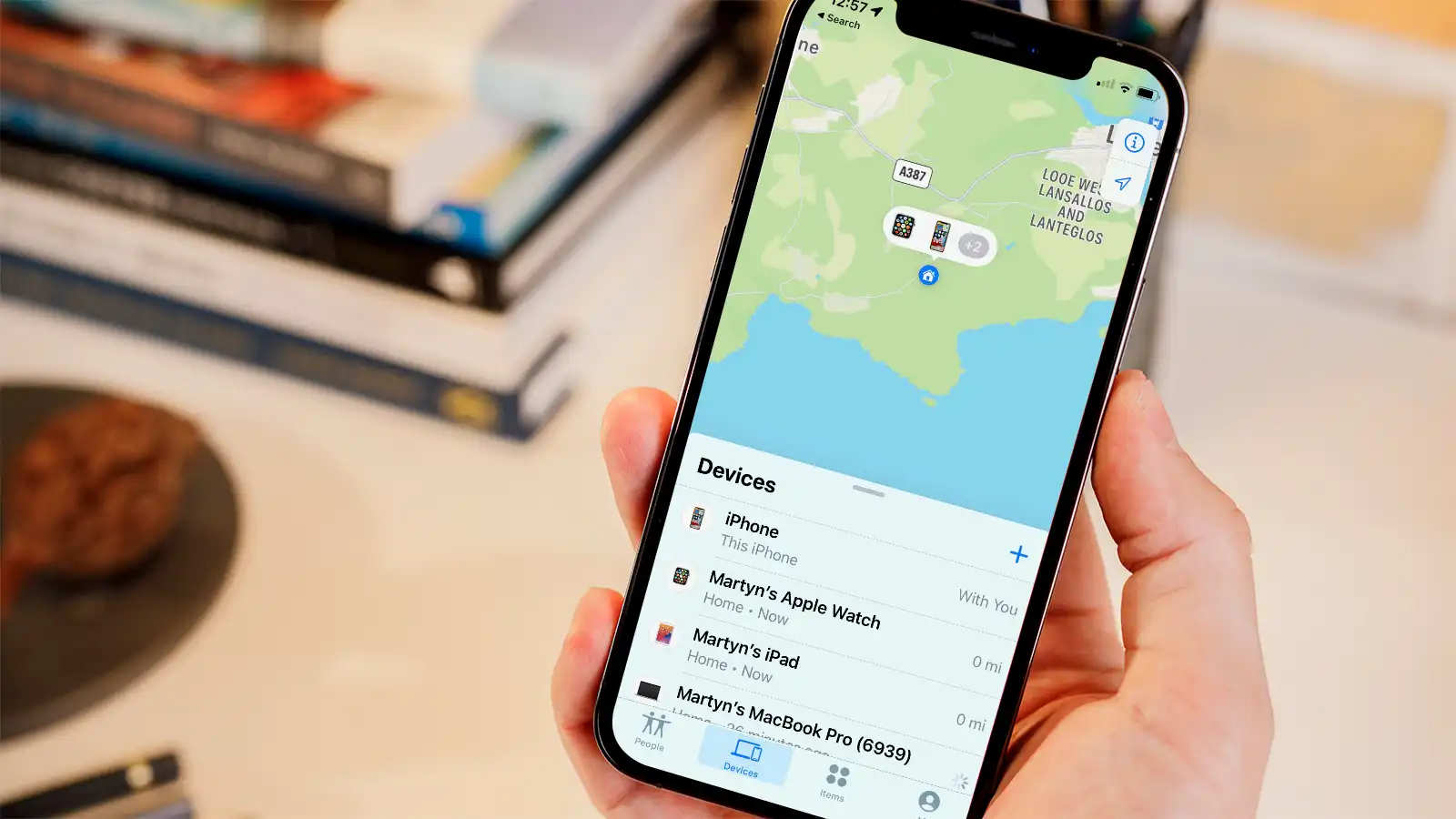
Method 1: Using Apple’s Find My Service
Apple’s Find My service is similar to Google’s Find My Device. To activate this feature on your iPhone, follow these steps:
- Go to the Settings app.
- Tap on “Find My.”
- Toggle on “Enable” and enter your Apple ID password.
Now, if you lose your phone, you can use a computer or another iOS device to locate it. Here’s how:
- Sign in to the Find My website using your Apple ID.
- Click on the “Location” button to see where your phone is on the map.
- You’ll also hear a ringing sound on your phone, even if it’s in silent mode.
Method 2: Using The Find My App
Another way to find your iOS phone is by using the Find My app. You can download this app from the App Store and install it on another device:
- Open the Find My app on the other device.
- Sign in with your Apple ID.
- Tap on “Devices” and select the missing phone.
- The app will guide you through the process of finding your phone.
Finding a Phone Missed at Home Without Sound
If your phone is turned off or in silent mode, using Find My Device or Find My won’t work. However, there are other methods to find your phone without sound:
Method 1: Using Voice Assistants
You can try calling your phone using voice assistants like Google Assistant or Siri. Here’s how:
- Say “Hey Google, find my phone” or “Hey Siri, sound my iPhone” to a connected speaker or device.
- The voice assistant will guide you through the process of finding your phone.
Method 2: Searching Thoroughly
If none of the above methods work, try searching thoroughly around your home. Check all the usual places, such as living room, bedroom, kitchen, and bathroom. You might also want to check any hidden spots or areas where your phone might have slipped into.
Conclusion
Finding a phone missed at home can be frustrating, but there are several methods to locate it. By using Google’s Find My Device service or Apple’s Find My service, you can track down your missing phone and prevent losing valuable data or time. If your phone is turned off or in silent mode, try using voice assistants or searching thoroughly around your home.
Bonus Tip
To avoid losing your phone in the future, consider taking these precautions:
- Always keep a backup of your important data.
- Use a phone case with a strap to prevent dropping it.
- Keep your phone charged and plugged into a power source when not in use.
By following these tips, you can minimize the risk of losing your phone and enjoy peace of mind.


