
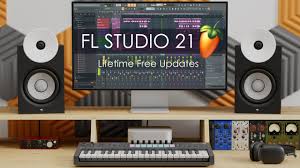
How to Download FL Studio: A Comprehensive Guide
Are you an aspiring music producer or composer looking to take your skills to the next level? Look no further than FL Studio, a powerful digital audio workstation (DAW) that has been a industry standard for years. In this article, we will guide you through the process of downloading and installing FL Studio on your computer or mobile device.
What is FL Studio?
FL Studio, formerly known as Fruity Loops, is a popular music production software that allows users to create, record, and edit audio files. It has been a favorite among producers and composers for its user-friendly interface, advanced features, and seamless integration with other software and hardware.
Minimum System Requirements
Before you begin the download process, make sure your computer meets the minimum system requirements:
- Operating System: Windows 10 or macOS El Capitan 10.11
- Memory: 4 GB RAM
- Free Disk Space: 4 GB
If your computer meets these requirements, you’re ready to proceed.
Downloading FL Studio on Your Computer
To download FL Studio on your computer, follow these steps:
- Go to the official website of FL Studio and click on the “Try for free” button.
- Select your operating system (Windows or macOS) from the dropdown menu.
- Click on the “Download” button to begin the download process.
- Once the download is complete, run the installer and follow the prompts to install FL Studio.
Installing Asio4all
After installing FL Studio, you will be prompted to install ASIO4ALL, a driver that ensures low latency during recording and playback. Follow the on-screen instructions to complete this step.
Activating Your License
If you have purchased a license for FL Studio, follow these steps to activate it:
- Launch FL Studio and click on the “Help” menu.
- Select “About” from the dropdown menu.
- Click on the “Unlock FL Studio” button and enter your activation code.
Downloading FL Studio on Your Mobile Device
If you want to use FL Studio on your smartphone or tablet, follow these steps:
- Go to the Google Play Store (for Android devices) or the App Store (for iOS devices).
- Search for FL Studio in the search bar.
- Click on the “Install” button to download and install FL Studio.
Pricing And Editions
FL Studio offers several pricing options, including:
- Fruity Edition: €99 (Dedicated to small producers who want to create melodies and loops)
- Producer Edition: €249 (Offers advanced features for creating complete songs with recording capabilities)
- Signature Bundle: €349 (Includes extra plugins to enhance the functionality of the Producer Edition)
- All Plugins Edition: €599 (The complete version of FL Studio, including all available plugins)
Conclusion
Downloading and installing FL Studio on your computer or mobile device is a straightforward process. With its user-friendly interface and advanced features, FL Studio has become an essential tool for music producers and composers around the world.
Frequently Asked Questions (FAQs)
- What Are The Minimum System Requirements For FL Studio?
- Operating System: Windows 10 or macOS El Capitan 10.11
- Memory: 4 GB RAM
- Free Disk Space: 4 GB
- How do I Download FL Studio on my Computer?
- Go to the official website of FL Studio and click on the “Try for free” button.
- What Are The Different Editions of FL Studio, And How Much do They Cost?
- Fruity Edition: €99
- Producer Edition: €249
- Signature Bundle: €349
- All Plugins Edition: €599
- How do I Activate my License For FL Studio?
- Launch FL Studio and click on the “Help” menu.
- Select “About” from the dropdown menu.
- Click on the “Unlock FL Studio” button and enter your activation code.
- Can I Use FL Studio on my Mobile Device?
- Yes, you can download FL Studio on your Android or iOS device from the Google Play Store or App Store.
- What Are The System Requirements For FL Studio Mobile?
- Operating System: Android 8.0 Or later, iOS 12.2 Or later
- Memory: 1 GB RAM
- How Much Does FL Studio Mobile Cost?
- €14.99 (Android), €14.99 (IOS)
- What Are The Features of FL Studio Mobile Compared to The Desktop Version?
- Limited functionality compared to the desktop version


