
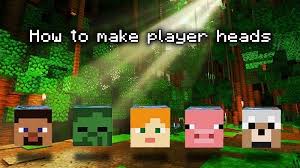
Having Heads on Minecraft: A Comprehensive Guide
As a gamer, have you ever wondered how to add that extra special touch to your Minecraft world? One way to do this is by having the heads of other players or even YouTube personalities in your game. In this guide, we will walk you through the steps on how to obtain and use these unique decorative elements.
What You Need to Know Before Getting Started
Before we dive into the nitty-gritty details, it’s essential to understand that not all Minecraft versions are created equal when it comes to obtaining player heads. The Java Edition of Minecraft is the only version where you can gain access to other players’ heads using a simple command. Unfortunately, this functionality is not available in the Bedrock Edition.
How to Get Heads on Minecraft
There are several ways to get heads on Minecraft:
- Using The
/giveCommand: This method involves using a specific command in-game to give yourself or another player’s head. - Killing Mobs With Creepers: By killing mobs like skeletons, zombies, and creepers with a creeper, you can obtain their respective heads.
- Using The Creative Mode: In creative mode, you can access all available heads directly from your inventory.
Getting Heads of Other Players
To get the head of another player, follow these steps:
- Find out the name of the player whose head you want to get.
- Make sure the player has an original copy of Minecraft; otherwise, their skin will not be displayed.
- Open the chat in-game and type the
/give @p minecraft:Player_head {SkullOwner:"PLAYER_NAME"}command.
Getting Heads of Youtubers
Yes, you can even get the heads of popular YouTubers! To do this:
- Find a video of the YouTuber whose head you want to get.
- Look for their name or username in the video’s description or comments.
- If they’ve collaborated with other players on Minecraft, try searching for those players’ names as well.
- Use the
/givecommand (as mentioned above) to obtain their head.
Getting Your Own Head
To get your own head on Minecraft:
- Open the chat in-game and type the
/give @p minecraft:Player_head {SkullOwner:"YOUR_USERNAME"}command. - Replace
YOUR_USERNAMEwith your actual username.
Using Custom Heads on Minecraft
Want to add even more personality to your world? You can use custom heads!
- Search for websites that offer custom heads; make sure they’re safe and trustworthy!
- Copy the code provided by the website and paste it into a command block in-game.
- Activate the command block, and voilà! Your custom head should now be available in your inventory.
Conclusion
Having heads on Minecraft can add a whole new level of fun and creativity to your game. With these steps, you’ll be well on your way to obtaining and using player heads, even those from popular YouTubers!
Frequently Asked Questions (FAQs)
-
Q: Which Minecraft Version Supports Player Head Customization?
A: The Java Edition of Minecraft is the only version that allows for player head customization. -
Q: How do I Get a Custom Head on Minecraft?
A: Search for websites offering custom heads, copy the code provided, and paste it into a command block in-game. -
Q: Can I Use Custom Heads in Creative Mode?
A: Yes, you can access all available heads directly from your inventory in creative mode. -
Q: How do I Get a Youtuber’s Head on Minecraft?
A: Search for the YouTuber’s name or username online and try to obtain their head using the/givecommand. -
Q: Can I Get my Own Head on Minecraft?
A: Yes, you can use the/givecommand to obtain your own head. -
Q: Are There Any Specific Requirements For Getting Player Heads?
A: Make sure you have an original copy of Minecraft and a connection to the internet to display other players’ skins correctly. -
Q: How do I Activate Custom Heads on Minecraft?
A: Place a command block, copy-paste the code provided by the website into it, and activate the block. -
Q: Are There Any Risks Involved With Getting Custom Heads From Unverified Sources?
A: Yes, be cautious when downloading custom heads from unknown websites to avoid malware.


