
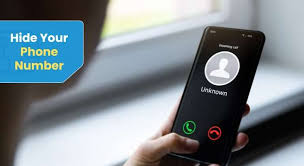
Concealing Your Phone Number: A Guide to Hiding Your Identity
Are you tired of receiving unwanted calls or messages? Do you want to maintain your anonymity when making phone calls? Look no further! In this article, we’ll explore the different ways to conceal your phone number, including using a code, modifying settings on your smartphone, and utilizing services provided by your phone operator.
Why Conceal Your Phone Number?
Before we dive into the nitty-gritty details, let’s consider why you might want to hide your phone number in the first place. Perhaps you’re concerned about receiving spam calls or messages, or maybe you simply prefer not to share your contact information with others. Whatever your reason, concealing your phone number can be a convenient and effective way to maintain your privacy.
Concealing Your Phone Number on Vodafone
If you’re a Vodafone customer, you’ll be pleased to know that hiding your phone number is a relatively straightforward process. Here are the steps you can follow:
- Using a Code: To conceal your phone number on a Vodafone mobile or landline, you can use a specific code. For example, if you want to call someone and prevent them from seeing your number, you can dial *31# followed by the person’s number.
- Modifying Settings on Your Smartphone: If you’re using an Android device, you can modify your settings to conceal your phone number when making calls. Simply go to your phone’s settings app, select “Call,” and then choose “ID caller.” From there, select “Conceal number” and confirm.
- Utilizing Vodafone Services: If you want to conceal your phone number on a landline or mobile, you can contact Vodafone directly to arrange for this service.
Concealing Your Phone Number on Other Networks
If you’re not using Vodafone, don’t worry! Many other networks and providers offer similar services. Here are some additional options:
- Using a Code: Just like with Vodafone, you can use specific codes to conceal your phone number when making calls. These codes may vary depending on the network provider.
- Modifying Settings on Your Smartphone: If you’re using an iOS device, you can modify your settings to conceal your phone number when making calls. Simply go to your phone’s settings app, select “Phone,” and then choose “Show My Caller ID.” From there, toggle the switch off.
Concealing Your Phone Number From Call Centers
If you want to conceal your phone number from call centers or telemarketers, you can use a service called the Public Record of Oppositions (RPO). This free service allows you to register your phone number and opt out of receiving calls from unwanted sources.
Frequently Asked Questions
Q: How do I conceal my phone number on Vodafone?
A: You can use a specific code (*31#) or modify settings on your smartphone.
Q: Can I conceal my phone number on other networks?
A: Yes, many network providers offer similar services and codes to conceal your phone number.
Q: Is concealing my phone number free?
A: Some services may incur additional costs; however, many providers offer this service for free.
Q: How do I register with the Public Record of Oppositions (RPO)?
A: You can register online or by calling the RPO helpline.
Conclusion
Concealing your phone number is a simple and effective way to maintain your anonymity when making phone calls. Whether you’re using Vodafone, another network provider, or modifying settings on your smartphone, there are many options available to help you protect your privacy. By following these steps and utilizing services provided by your phone operator, you can enjoy peace of mind knowing that your contact information is safe from unwanted callers.
Table 1: Concealing Your Phone Number With Vodafone
| Network Provider | Code to Use |
|---|---|
| Vodafone Mobile | *31# |
| Vodafone Landline | Apply a specific code (ask your provider for details) |
Table 2: Concealing Your Phone Number on Other Networks
| Network Provider | Method of Concealment |
|---|---|
| Vodafone Alternatives | Use specific codes or modify settings on your smartphone |
| IOS Devices | Modify settings to conceal caller ID |
Table 3: Services Provided by The Public Record of Oppositions (RPO)
| Service | Description |
|---|---|
| Registration with RPO | Register your phone number to opt out of receiving unwanted calls and messages |
| Public Record of Oppositions (RPO) | A free service provided by the Ministry of Companies and Made in Italy that allows you to register your phone number and opt out of receiving unwanted calls |
References
For further information on concealing your phone number, please refer to the following resources:
- Vodafone Customer Service
- Public Record of Oppositions (RPO) website
- Your network provider’s customer service department
Note: This article is intended for informational purposes only and may not be applicable in all situations.


