
How to Customize Your Whatsapp Keyboard on Android And Iphone
Are you tired of typing messages in a language that’s not your own? Or maybe you want to add a personal touch to your WhatsApp conversations by changing the keyboard color or theme? Look no further! In this article, we’ll show you how to customize your WhatsApp keyboard on both Android and iPhone devices.
Why Customize Your Whatsapp Keyboard?
Customizing your WhatsApp keyboard can be a game-changer for anyone who wants to improve their messaging experience. By choosing a language that’s more comfortable for you, you can type messages with ease and accuracy. Additionally, customizing the color or theme of your keyboard can add a personal touch to your conversations.
How to Customize Your Whatsapp Keyboard on Android
If you’re using an Android device, customizing your WhatsApp keyboard is relatively straightforward. Here are the steps:
- Discover How to Change Your Keyboard Language: To change the language of your WhatsApp keyboard, go to Settings > Language & input > Virtual keyboard.
- Select Your Preferred Keyboard: Tap on the “Virtual keyboard” option and select your preferred keyboard from the list. You can choose from a variety of languages, including English, Spanish, French, Italian, and more.
- Add New Languages: If you want to add new languages to your keyboard, tap on the “+” icon at the top right corner of the screen. Select the language you want to add and follow the prompts.
- Customize Keyboard Settings: To customize your keyboard settings, go to Settings > Language & input > Virtual keyboard > Keyboard settings.
How to Customize Your Whatsapp Keyboard on Iphone
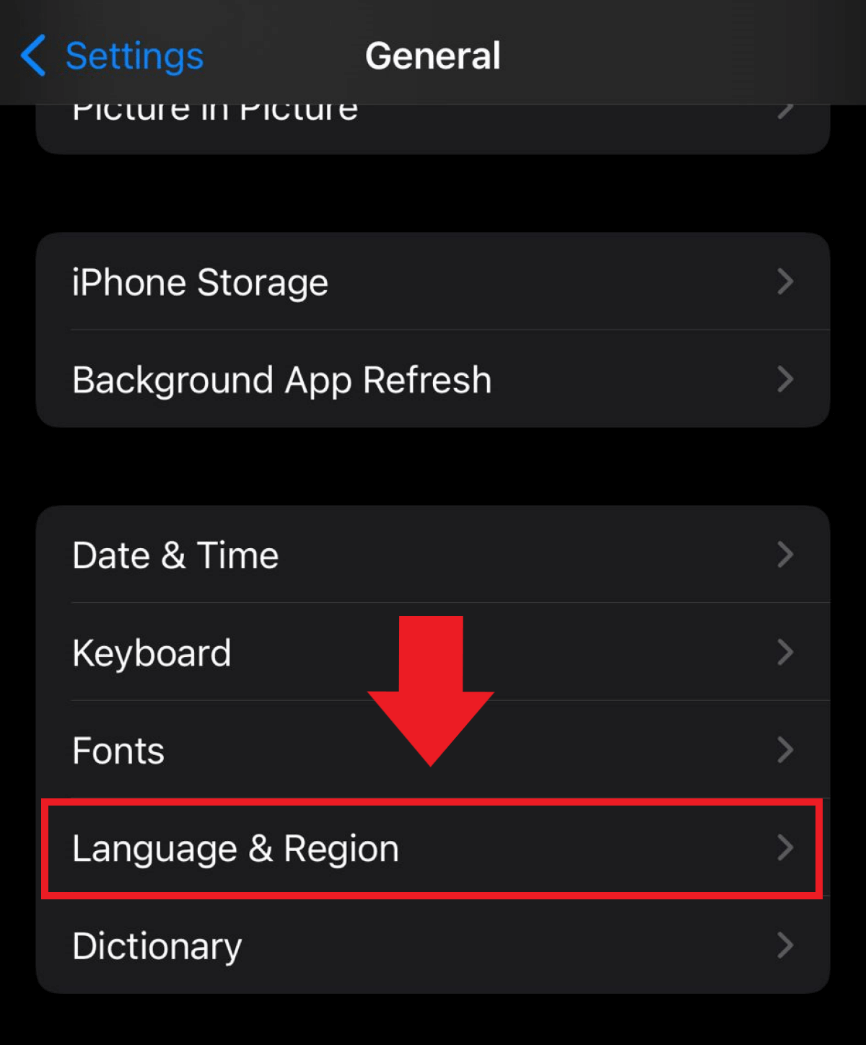
If you’re using an iPhone, customizing your WhatsApp keyboard is also relatively straightforward. Here are the steps:
- Open Settings: Tap on the “Settings” app on your home screen.
- Select General: Tap on the “General” option at the top of the screen.
- Keyboard: Scroll down and tap on the “Keyboard” option.
- Keyboards: Tap on the “+” icon at the bottom right corner of the screen to add a new keyboard.
- Choose Your Preferred Keyboard: Select your preferred keyboard from the list.
How to Customize Whatsapp Keyboard Color or Theme
If you want to change the color or theme of your WhatsApp keyboard, you can use third-party keyboards available on both Android and iPhone devices. Here are some popular options:
- Gboard (Android): Gboard is a popular keyboard app that offers a range of customization options, including keyboard color and theme.
- Swiftkey (iOS): SwiftKey is another popular keyboard app that allows you to change the color or theme of your keyboard.
Tips And Precautions
Before customizing your WhatsApp keyboard, keep in mind the following tips and precautions:
- Make sure to choose a reputable third-party keyboard to avoid any potential security risks.
- Be aware of any additional permissions required by the keyboard app.
- Understand that customizing your keyboard may affect other apps on your device.
Conclusion
Customizing your WhatsApp keyboard can be a great way to improve your messaging experience. By following these simple steps, you can change the language or theme of your keyboard on both Android and iPhone devices. Remember to choose reputable third-party keyboards and follow any necessary precautions to ensure a smooth and secure experience.
Faqs
Q: Can I customize my WhatsApp keyboard on multiple devices?
A: Yes, you can customize your WhatsApp keyboard on multiple devices by following the same steps.
Q: How do I change the language of my WhatsApp keyboard?
A: To change the language of your WhatsApp keyboard, go to Settings > Language & input > Virtual keyboard and select your preferred language.
Q: Can I use a third-party keyboard with WhatsApp?
A: Yes, you can use a third-party keyboard with WhatsApp by installing the app and selecting it as your preferred keyboard.
Q: How do I change the color or theme of my WhatsApp keyboard?
A: To change the color or theme of your WhatsApp keyboard, use a third-party keyboard app that offers customization options.
Q: Are there any risks associated with using third-party keyboards?
A: Yes, there are potential security risks associated with using third-party keyboards. Make sure to choose reputable apps and follow necessary precautions.
Q: Can I customize my WhatsApp keyboard without rooting or jailbreaking my device?
A: Yes, you can customize your WhatsApp keyboard without rooting or jailbreaking your device.
Q: How do I reset my WhatsApp keyboard settings?
A: To reset your WhatsApp keyboard settings, go to Settings > Language & input > Virtual keyboard and select the “Reset” option.


