
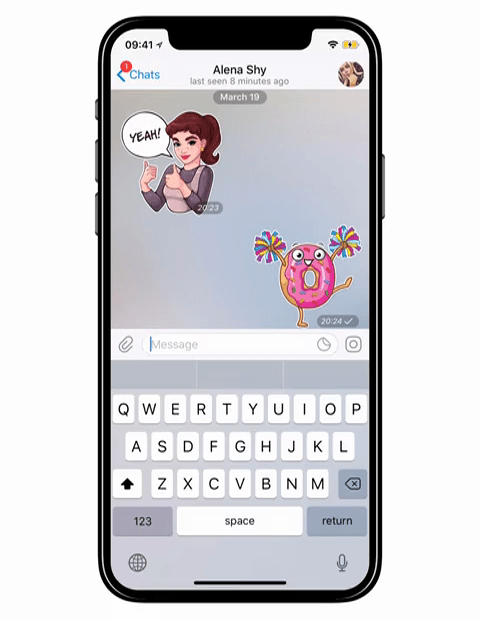
How to Create Personalized Stickers on Telegram
Are you looking for a fun way to personalize your conversations on Telegram? Look no further! In this article, we will guide you through the process of creating personalized stickers on Telegram using both mobile devices and desktop computers.
Prerequisites And Required Images
Before we begin, let’s cover some essential information and requirements. To create stickers on Telegram, you’ll need to have a Telegram account and download the official Telegram app on your smartphone or tablet.
Additionally, to transform an image into a sticker, it must meet certain requirements:
- The image should be 512 pixels in width.
- The image can also be 512 pixels or less in height.
- The file format must be PNG or WEBP.
- The image should have a transparent background and a white border with a black shadow to make the sticker stand out.
Creating Stickers on Mobile Devices
To create stickers on mobile devices, follow these steps:
- Open the Telegram app and select an existing chat or create a new one.
- Tap on the sticker icon in the bottom bar and choose the “Create a sticker” option.
- Select the image you want to transform into a sticker from your gallery.
- Use the trimming tool to select the area of the image that you want to use as the sticker.
- Add a contour to the sticker if desired.
- Customize the sticker by adjusting its size, contrast, and brightness.
- Save the sticker and add it to a chat or share it with friends.
Creating Stickers on Desktop Computers
If you prefer using your desktop computer, you can use software like GIMP or Adobe Photoshop to create stickers. Here’s how:
- Download and install GIMP or Adobe Photoshop on your computer.
- Create a new project in the desired resolution (512×512 pixels).
- Import the image you want to transform into a sticker.
- Use the trimming tool to select the area of the image that you want to use as the sticker.
- Add a transparent background and adjust the image settings as needed.
- Save the sticker as a PNG file.
Publishing Stickers on Telegram
To publish your created stickers on Telegram, follow these steps:
- Open the Telegram app and select an existing chat or create a new one.
- Tap on the sticker icon in the bottom bar and choose the “Create a sticker” option.
- Select the image file you saved earlier.
- Add an emoji to the sticker if desired.
- Publish the sticker by sending it to the bot’s chat.
Other Apps For Creating Stickers
If you’re looking for alternative apps to create stickers, there are several options available:
- Stickify: A popular app for creating custom stickers on Android devices.
- Sticker Maker: An iOS app that allows users to create personalized stickers using various templates and effects.
- PhotoSticker: An online tool that lets you create custom stickers from your photos.
Tips And Variations
Remember, the possibilities are endless when it comes to creating stickers on Telegram! Here are some additional tips and variations:
- Use different shapes and sizes for unique sticker designs.
- Experiment with various fonts, colors, and effects to make your stickers stand out.
- Create sets of stickers with similar themes or styles.
- Share your creations with friends and family.
Frequently Asked Questions
Q: What is the minimum image size required for creating stickers on Telegram?
A: The minimum image size should be 512 pixels in width.
Q: Can I use any file format to create stickers on Telegram?
A: Yes, PNG and WEBP formats are supported.
Q: How do I add a contour to my sticker?
A: Use the “Add contour” tool when creating your sticker.
Q: Can I create animated stickers on Telegram?
A: Unfortunately, animated stickers are not currently supported on Telegram.
Q: How do I share my created stickers with friends and family?
A: Send the stickers in a chat or share them via the “Share” option.
Q: What if I’m not satisfied with my created sticker design?
A: Don’t worry! You can always edit or recreate your sticker as needed.
Conclusion
Creating personalized stickers on Telegram is an exciting way to enhance your conversations and express yourself creatively. By following these steps and using various tools, you can create unique stickers that reflect your personality. Happy sticker-making!


