
Suggest Friends on Facebook: A Comprehensive Guide
As we navigate the digital world, social media platforms like Facebook have become an integral part of our lives. With over 2.7 Billion monthly active users, Facebook remains one of the most widely used social networking sites globally. However, with its vast user base comes a significant challenge – managing friendships and connections.
In this article, we’ll delve into the world of suggesting friends on Facebook, exploring the various methods to do so across different devices and platforms. Whether you’re looking to reconnect with old friends or expand your network, our comprehensive guide will walk you through each step, ensuring a seamless experience.
Understanding Facebook’s Suggest Feature
Historically, Facebook offered a “Suggest Friends” feature that allowed users to forward suggestions of friendship to other users in a simple and convenient manner. However, this feature has been disabled, necessitating alternative solutions. In this guide, we’ll explore the current methods available for suggesting friends on Facebook.
Suggesting Friends on Facebook Using Smartphone or Tablet
To suggest friends on Facebook using your smartphone or tablet:
- Launch The Facebook App: Open the Facebook app for Android or iOS/iPadOS.
- Access Your Account: Log in to your account (if necessary).
- Find The User’s Profile: Search for the person you want to suggest as a friend using the search bar or by searching through their posts in the news feed.
- Copy The Link: Tap on the three dots ((…)) Below their name, and then tap “Copy link” to copy the user’s profile link.
- Share Via Messenger: Open Messenger (or another instant messaging service) and start a conversation with the person you want to suggest as a friend. Share the copied link in the chat.
Suggesting Friends on Facebook Using Computer
To suggest friends on Facebook using your computer:
- Open Facebook: Log in to your account and navigate to the Facebook home page.
- Search For The User: Use the search bar at the top of the page to find the person you want to suggest as a friend, or browse through their posts in the news feed.
- Copy The Profile Link: Right-click on the user’s profile link and select “Copy” (or use the keyboard shortcut Ctrl+C on Windows or Command+C on macOS).
- Share Via Messenger: Open Facebook Messenger and start a conversation with the person you want to suggest as a friend. Share the copied link in the chat.
Visualizing Friendship Suggestions on Facebook
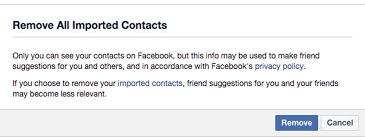
Facebook uses various factors, such as your existing friendships, shared locations, and other data provided by users, to provide friendship suggestions. To access these suggestions:
- Smartphone or Tablet: Open the Facebook app and navigate to the “Suggest Friends” section.
- Computer: Click on the menu icon (three horizontal lines) at the top right corner of the page and select “Suggest Friends.”
Suggesting Pages And Clusters on Facebook
In addition to suggesting individual friends, you can also suggest pages and clusters on Facebook:
- Smartphone or Tablet: Navigate to the Facebook app’s menu and select “Suggest Pages.”
- Computer: Click on the menu icon (three horizontal lines) at the top right corner of the page and select “Suggest Pages.”
Conclusion
In conclusion, suggesting friends on Facebook can be a straightforward process across various devices and platforms. By following the steps outlined in this guide, you’ll be able to manage your friendships and connections with ease.
Here are some frequently asked questions (FAQs) related to suggesting friends on Facebook:
Frequently Asked Questions (FAQs)
- Q: Can I Suggest Friends on Facebook Using my Smartphone or Tablet?
A: Yes, you can suggest friends on Facebook using your smartphone or tablet by following the steps outlined in this guide. - Q: How do I Copy a Link to Someone’s Profile on Facebook?
A: To copy a link to someone’s profile on Facebook, tap on the three dots ((…)) Below their name and select “Copy link” on your smartphone or tablet, or right-click on the user’s profile link and select “Copy” on your computer. - Q: Can I Suggest Friends on Facebook Using my Computer?
A: Yes, you can suggest friends on Facebook using your computer by following the steps outlined in this guide. - Q: How do I Access Friendship Suggestions on Facebook?
A: To access friendship suggestions on Facebook, navigate to the “Suggest Friends” section of the app or click on the menu icon (three horizontal lines) at the top right corner of the page and select “Suggest Friends.” - Q: Can I Suggest Pages And Clusters on Facebook?
A: Yes, you can suggest pages and clusters on Facebook by navigating to the “Suggest Pages” section of the app or clicking on the menu icon (three horizontal lines) at the top right corner of the page and selecting “Suggest Pages.”


