
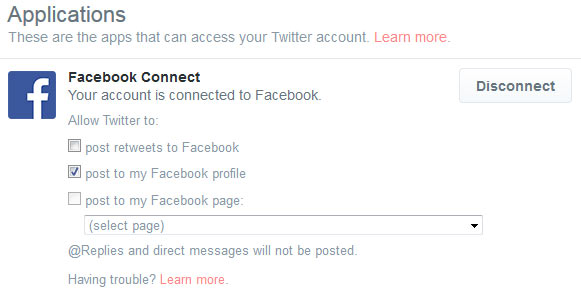
Connecting Twitter And Facebook: A Step-by-step Guide
Are you tired of manually posting updates on both Twitter and Facebook? Do you wish there was a way to share your tweets with your Facebook friends and vice versa without having to do it separately? Look no further! In this article, we’ll show you how to connect Twitter and Facebook using the Hootsuite platform.
Why Connect Twitter And Facebook?
Connecting Twitter and Facebook can be beneficial for several reasons:
- You can share your tweets with your Facebook friends and vice versa, without having to manually post them on each platform.
- You can manage all your social media accounts from one place, using Hootsuite’s dashboard.
- You can save time and effort by automating the process of posting updates on both platforms.
How to Connect Twitter And Facebook With Hootsuite
To connect Twitter and Facebook with Hootsuite, follow these steps:
- Sign up For a Free Hootsuite Account: Go to the Hootsuite website and sign up for a free account. You can use your email address or connect through Facebook or Twitter.
- Connect Your Twitter Account: Click on the “Connect” button next to Twitter and follow the instructions to authenticate your account.
- Connect Your Facebook Account: Click on the “Connect” button next to Facebook and follow the instructions to authenticate your account.
- Configure Your Profiles: Once you’ve connected both accounts, configure your profiles by adding your name, email address, and password.
- Choose Which Posts to Share: Select which tweets you want to share with your Facebook friends and vice versa.
Benefits of Using Hootsuite
Using Hootsuite has several benefits:
- You can manage all your social media accounts from one place.
- You can automate the process of posting updates on both platforms.
- You can save time and effort by using Hootsuite’s dashboard.
Alternatives to Hootsuite
If you don’t want to use Hootsuite, there are other alternatives:
- Ifttt (If This Then That): IFTTT is a free online service that allows you to automate tasks based on specific conditions. You can use it to connect Twitter and Facebook and share updates between the two platforms.
- Other Social Media Management Tools: There are several other social media management tools available, such as Buffer and Sprout Social.
Conclusion
Connecting Twitter and Facebook using Hootsuite is a simple and effective way to manage your social media presence. With just a few clicks, you can share your tweets with your Facebook friends and vice versa, without having to manually post them on each platform. Try it out today!
Faqs
- What is Hootsuite?
- Hootsuite is a social media management tool that allows you to manage all your social media accounts from one place.
- How do I Connect Twitter And Facebook With Hootsuite?
- To connect Twitter and Facebook with Hootsuite, sign up for a free account on the Hootsuite website, connect both accounts, configure your profiles, and choose which posts to share.
- What Are The Benefits of Using Hootsuite?
- Using Hootsuite has several benefits, including managing all your social media accounts from one place, automating the process of posting updates on both platforms, and saving time and effort.
Additional Tips And Resources
- Use Hootsuite’s Dashboard: Take advantage of Hootsuite’s dashboard to manage all your social media accounts in one place.
- Automate Tasks With Ifttt: Use IFTTT to automate tasks based on specific conditions, such as connecting Twitter and Facebook.
- Explore Other Social Media Management Tools: Check out other social media management tools like Buffer and Sprout Social for alternative solutions.
I hope this guide has been helpful in showing you how to connect Twitter and Facebook using Hootsuite. If you have any further questions or need additional help, feel free to ask!


