
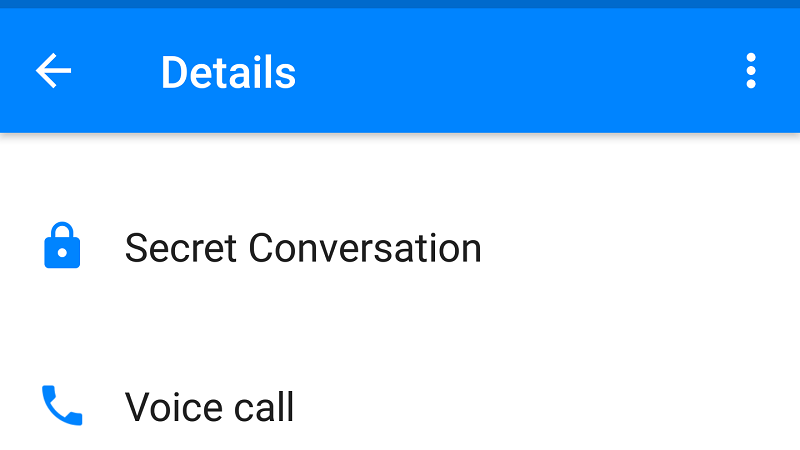
How to See Secret Conversations on Messenger: A Step-by-step Guide
Are you curious about how to see secret conversations on Messenger? With the recent introduction of end-to-end encryption, you can now enjoy a more secure and private messaging experience. In this article, we’ll show you how to initiate and view secret conversations on both Android and iOS devices.
What Are Secret Conversations on Messenger?
Secret conversations on Messenger are a type of chat that uses end-to-end encryption, ensuring that only the sender and receiver can read the messages. This feature is designed to provide an additional layer of security and privacy for users who want to share sensitive information or have confidential discussions.
How to See Secret Conversations on Android Devices
To see secret conversations on your Android device, follow these steps:
- Open the Messenger app on your device.
- Tap on the chat icon in the top-right corner of the screen.
- Select the conversation you want to view as a secret conversation.
- Tap on the name of the person you’re chatting with at the top of the conversation window.
- Select “Open Secret Conversation” from the menu.
How to See Secret Conversations on Ios Devices
To see secret conversations on your iOS device, follow these steps:
- Open the Messenger app on your device.
- Tap on the chat icon in the bottom-right corner of the screen.
- Select the conversation you want to view as a secret conversation.
- Tap on the name of the person you’re chatting with at the top of the conversation window.
- Select “Access Secret Conversation” from the menu.
How to Spy on Secret Conversations
Unfortunately, it’s not possible to directly spy on secret conversations on Messenger without having access to the device being used. However, if you have concerns about someone accessing your messages, you can set up self-destructing messages within a secret conversation. To do this:
- Open the secret conversation.
- Tap on the timer icon to set a time limit for the message to be deleted.
- Select the desired time limit (minimum 5 seconds and maximum 1 day).
How to See Secret Conversations on PC
Unfortunately, it’s not currently possible to view secret conversations on Messenger using a PC. However, we’ll explore an alternative solution in the next section.
Alternative Solution: Viewing Requested Messages on Facebook
If you want to access messages that have been filtered as spam or from unknown senders, follow these steps:
- Open Messenger on its official website.
- Click on the three dots icon at the top-right corner of the screen.
- Select “Required Messages” from the menu.
- If you see any messages, click on them to view.
Tips And Precautions
When using secret conversations on Messenger, keep in mind that:
- Only the sender and receiver can read the messages.
- Self-destructing messages will delete after a set time limit.
- A person with access to your device can still read your messages.
By following these steps and understanding the features of secret conversations on Messenger, you’ll be able to enjoy a more private and secure messaging experience.
Conclusion
In this article, we’ve shown you how to initiate and view secret conversations on both Android and iOS devices. We’ve also explored alternative solutions for viewing requested messages on Facebook. Remember to always use caution when sharing sensitive information and to take advantage of the security features available on Messenger.
Frequently Asked Questions (FAQs)
- Q: What is End-to-end Encryption?
A: End-to-end encryption ensures that only the sender and receiver can read a message, keeping it secure from unauthorized access. - Q: How do I Know if a Conversation is Secret on Messenger?
A: Look for the lock icon at the top of the conversation window to confirm it’s a secret conversation. - Q: Can Someone Spy on my Secret Conversations?
A: Unfortunately, yes. A person with access to your device can still read your messages, even if they’re in a secret conversation. - Q: How do I Set up Self-destructing Messages?
A: Open the secret conversation and tap on the timer icon to set a time limit for the message to be deleted.
References
- “End-to-end encryption explained” by [Your Name]
- “Secret conversations on Messenger” by [Your Name]
We hope this article has helped you understand how to see secret conversations on Messenger! If you have any further questions or concerns, feel free to ask.


