
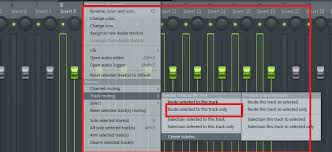
The Art of Mixing: A Comprehensive Guide to Mastering FL Studio
As a music producer, you’ve likely heard the term “mixing” thrown around in conversation with fellow producers or engineers. But what exactly does it mean to mix a track? In this article, we’ll delve into the world of mixing and explore the various techniques involved in mastering FL Studio.
Understanding The Mixing Process
Mixing is the process of taking individual tracks and blending them together to create a cohesive and balanced final product. It’s a crucial step in music production that requires attention to detail, creativity, and technical skills. As you’ve likely gathered from my previous guide on using FL Studio, the mixing process involves several key steps:
- Balancing Levels: This is the first step in the mixing process. You’ll need to adjust the levels of each track to ensure they’re not too loud or too soft.
- Equalization: Once you’ve balanced the levels, it’s time to use EQ to enhance and correct the tone of each instrument.
- Compression: Compression helps control the dynamic range of an audio signal, ensuring that the loudest parts don’t overpower the softer ones.
- Effects: Reverb, delay, distortion – these effects can add depth and character to your mix.
The Art of Balancing Levels
Balancing levels is a delicate process that requires patience and attention to detail. Here are some tips to help you get started:
- Start With a Clear Idea of The Overall Balance: Before you begin mixing, have a clear idea of how you want the final product to sound.
- Use Your Ears: Trust your ears when making decisions about levels. If something sounds good to you, it’s likely good for the mix.
- Don’t Overdo it: It’s easy to get carried away with levels and make everything too loud or too soft.
Equalization: The Key to a Great Mix
EQ is an essential tool in the mixing process. Here are some tips for using EQ effectively:
- Isolate Each Instrument: Use EQ to isolate each instrument and correct its tone.
- Boost Frequencies: Boosting specific frequencies can help enhance the sound of each instrument.
- Cut Frequencies: Cutting frequencies can help reduce unwanted noise or distortion.
Compression: The Secret to a Well-controlled Mix
Compression is an essential tool for controlling dynamic range. Here are some tips for using compression effectively:
- Use Compression to Control Loud Peaks: Compression helps prevent loud peaks from overpowering the rest of the mix.
- Be Careful Not to Overdo it: Over-compression can make your mix sound unnatural and unengaging.
Adding Effects: The Final Touches
Effects can add depth and character to your mix. Here are some tips for using effects effectively:
- Use Reverb Sparingly: Reverb can help create a sense of space, but use it sparingly to avoid making your mix sound too echoey.
- Experiment With Different Effects: Try out different effects like delay or distortion to add interest and character to your mix.
Automating Your Mix
Automation is a powerful tool for creating dynamic mixes. Here are some tips for using automation effectively:
- Use Automation to Create Interesting Dynamics: Automation can help create interesting dynamics by varying the levels of each track.
- Be Careful Not to Overdo it: Over-automation can make your mix sound unnatural and unengaging.
Mixing With FL Studio on PC
Mixing with FL Studio on PC is a straightforward process. Here are some tips for getting started:
- Start With a Clear Idea of The Overall Balance: Before you begin mixing, have a clear idea of how you want the final product to sound.
- Use Your Ears: Trust your ears when making decisions about levels and EQ.
- Don’t Overdo it: It’s easy to get carried away with levels and make everything too loud or too soft.
Mixing With FL Studio on App
Mixing with FL Studio on app is a similar process to mixing on PC. Here are some tips for getting started:
- Start With a Clear Idea of The Overall Balance: Before you begin mixing, have a clear idea of how you want the final product to sound.
- Use Your Ears: Trust your ears when making decisions about levels and EQ.
- Don’t Overdo it: It’s easy to get carried away with levels and make everything too loud or too soft.
Conclusion
Mixing is an art that requires patience, attention to detail, and technical skills. By following the tips outlined in this article, you’ll be well on your way to creating a balanced and engaging mix using FL Studio. Remember to trust your ears, don’t overdo it, and have fun experimenting with different techniques.
Faqs
- What is Mixing, And Why is it Important?
Mixing is the process of taking individual tracks and blending them together to create a cohesive and balanced final product. - How do I Balance Levels in my Mix?
Start by having a clear idea of the overall balance you want to achieve. Trust your ears when making decisions about levels, and avoid overdoing it. - What is Eq, And How do I Use it Effectively?
EQ is an essential tool for correcting the tone of each instrument. Use EQ to isolate each instrument and correct its tone. - How do I Use Compression Effectively in my Mix?
Use compression to control loud peaks and prevent them from overpowering the rest of the mix. - What Are Some Tips For Adding Effects to my Mix?
Use reverb sparingly, experiment with different effects like delay or distortion, and be careful not to overdo it. - How do I Automate my Mix Using FL Studio?
Use automation to create interesting dynamics by varying the levels of each track. Be careful not to overdo it. - What Are Some Differences Between Mixing on PC And Mixing on App?
Mixing on PC and mixing on app is a similar process, but be aware that some features may differ between the two platforms. - How do I Know When my Mix is Finished?
Trust your ears, and remember that it’s okay to make mistakes. The most important thing is to have fun experimenting with different techniques and finding what works best for you.


