
How to Track Your Iphone If It’s Stolen: A Step-by-step Guide
Are you concerned about the security of your iPhone? Unfortunately, iPhones have become a target for thieves due to their popularity and value. However, there are ways to prevent and even remedy stolen iPhones using Apple’s built-in features. In this article, we’ll guide you through the process of tracking and recovering your lost or stolen iPhone.
What Can I Do If My Iphone is Stolen?
If your iPhone is stolen, it can be a stressful experience. However, with the right knowledge and tools, you can increase the chances of recovering your device. Apple provides several features that allow you to track and locate your iPhone, even if it’s turned off or offline.
Using Find My Iphone: The Ultimate Solution
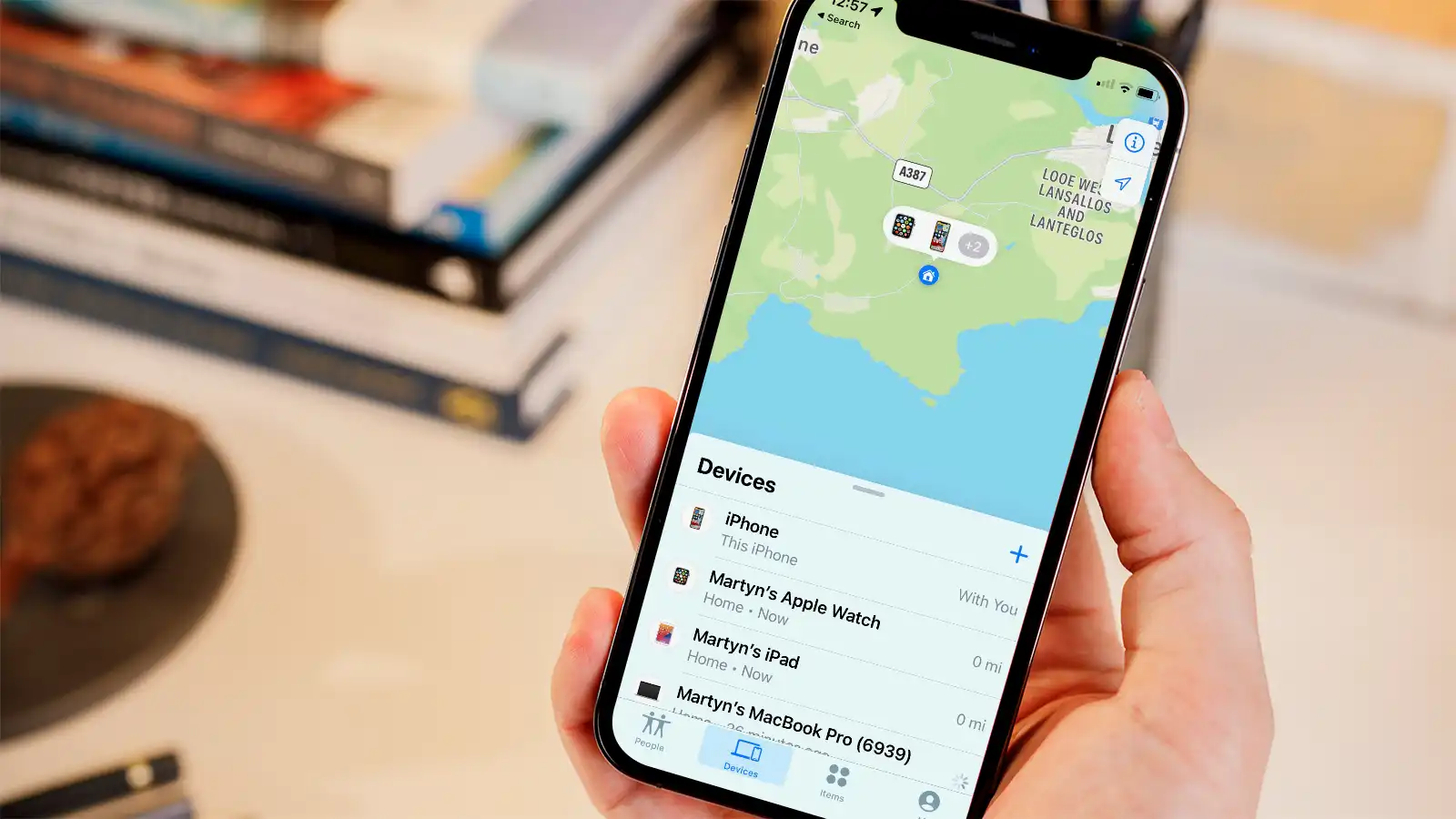
Find My iPhone is an essential feature that allows you to locate your iPhone on a map, lock it remotely, and even erase its data. To use this feature, follow these steps:
- Ensure Your Iphone is Equipped With Ios 15 or Later: Make sure your iPhone is running the latest version of iOS.
- Activate Location Services: Go to Settings > [Your Name] > Location Services and toggle it on.
- Enable Find My Iphone: Open the Find My app, tap on the “Devices” tab, and toggle on “Find My iPhone.”
- Sign in With Your Apple ID: Use your Apple ID to access your account and locate your device.
How to Locate Your Stolen Iphone
To locate your stolen iPhone, follow these steps:
- Open Find My Iphone on Another Device: If you have another iOS device or a Mac, open the Find My app and sign in with your Apple ID.
- Tap on “Devices”: Tap on the “Devices” tab and select your stolen iPhone from the list.
- View Location on Map: View your iPhone’s location on the map. If it’s turned off, you’ll see its last known location.
What Happens When My Iphone is Offline?
If your iPhone is offline or turned off, Find My iPhone will not be able to locate it immediately. However, if your iPhone has an AirTag attached to it, you can use the “Find My” app to locate it even when it’s offline.
Using The Airtag to Locate Your Iphone
AirTags are small Bluetooth devices that attach to your iPhone or other items. When paired with the Find My app, they allow you to track your iPhone’s location even when it’s turned off or offline.
Blocking a Stolen Iphone With Imei
If your iPhone is stolen and you can’t recover it, you can block its SIM card using its IMEI (International Mobile Equipment Identity) number. This will prevent others from using your phone’s SIM card to make calls or access data.
Steps to Block Your Iphone With Imei:
- Contact Your Carrier: Reach out to your carrier and provide them with your iPhone’s IMEI number.
- Report The Theft: File a police report to document the theft.
- Get a Blocking Order: Request a blocking order from your carrier, which will prevent others from using your phone’s SIM card.
Conclusion
Losing an iPhone can be stressful, but knowing how to track and recover it can give you peace of mind. By following these steps and utilizing Apple’s built-in features, you can increase the chances of recovering your stolen iPhone.
Frequently Asked Questions:
Q: Can I still use Find My iPhone if my iPhone is turned off?
A: Yes, you can still locate your iPhone on a map, even when it’s turned off or offline.
Q: How do I block a stolen iPhone with IMEI?
A: Contact your carrier and provide them with your iPhone’s IMEI number. They’ll assist you in blocking the SIM card to prevent others from using it.
Related Posts:


