
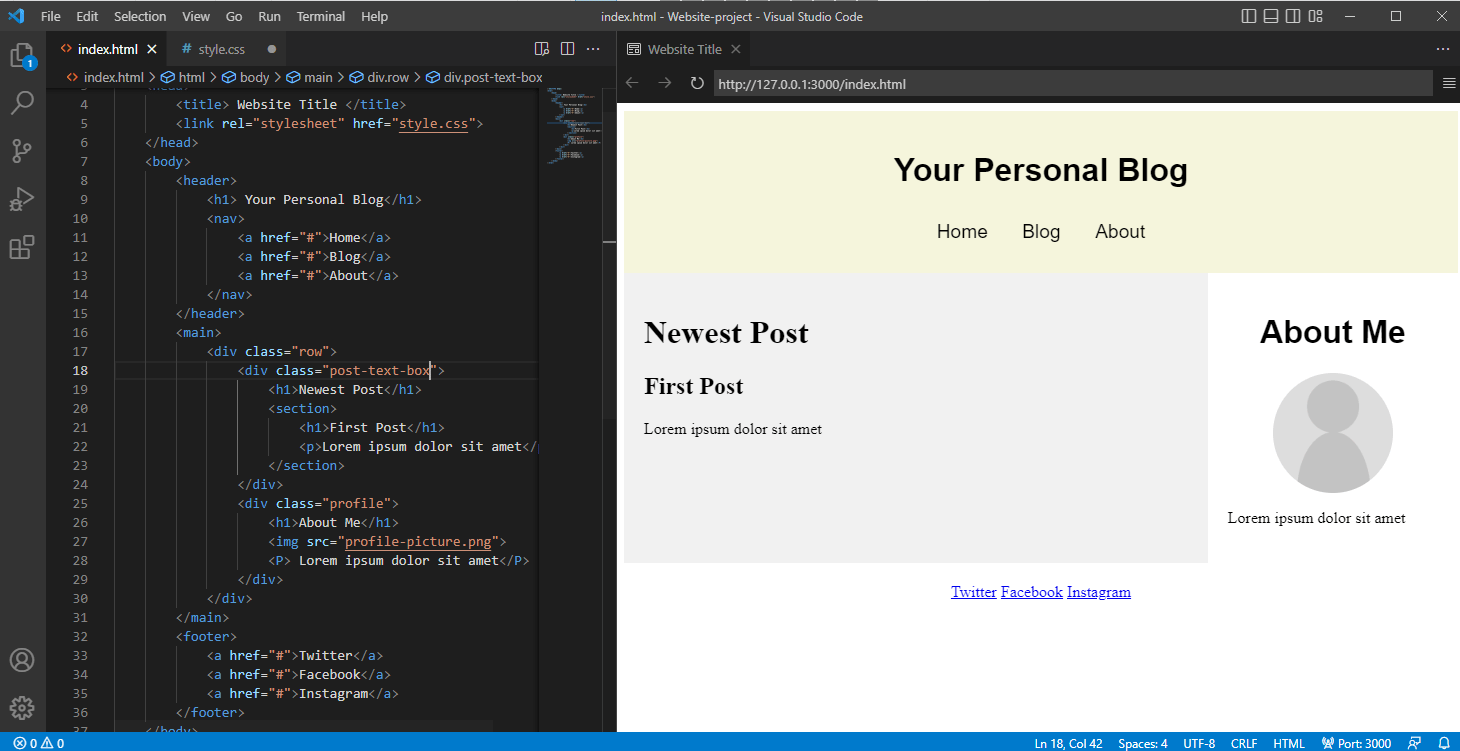
Creating a Web Page: A Guide to Html
Are you interested in creating a web page but don’t know where to start? Look no further! In this guide, we will take you through the basics of creating a web page using HTML (HyperText Markup Language).
What is Html?
HTML is a markup language used to create web pages. It’s not a programming language, but rather a way to structure and format text and other elements on a web page.
Basic Understanding of Html
To start creating a web page with HTML, you need to understand the basic concepts of HTML. Here are some key points to get you started:
- Html Tags: HTML tags are used to define the different elements of a web page, such as headings, paragraphs, images, and links.
- Browser Interpretation: The browser interprets the HTML code and displays it on the screen.
- Page Structure: A typical web page consists of a header (or head), a body, and a footer.
Parts of an Html Page
Now that you have a basic understanding of HTML, let’s break down the different parts of an HTML page:
- Doctype Declaration: The first line of code in any HTML document should be
<!DOCTYPE html>. - Html Tag: The
<html>tag wraps around all other HTML tags and is typically placed at the beginning of a web page. - Head Tag: The
<head>tag contains metadata about the document, such as its title, keywords, and author information. - Body Tag: The
<body>tag contains the content of the web page.
Basic Tags in Html
Here are some basic tags you should know when creating a web page with HTML:
- Headings: Use
<h1>,<h2>,<h3>, etc., To define headings. - Paragraphs: Use
<p>to create paragraphs of text. - Images: Use
<img src="image_url" alt="alt_text">to add images to a web page. - Links: Use
<a href="link_url">Link Text</a>to add links to a web page.
Creating an Html Page
Now that you have learned about the basic tags in HTML, let’s create a simple web page:
- Open a text editor (such as Notepad or TextEdit) and type
<!DOCTYPE html>. - Type
<html>, followed by<head>and then<title>Page Title</title></head>. - Type
<body>and add your content, such as headings, paragraphs, images, and links. - Close the body tag with
</body>. - Close the HTML tag with
</html>.
Working With Css
CSS (Cascading Style Sheets) is used to style and layout web pages. Here’s how you can incorporate CSS into your HTML page:
- Add a
<link rel="stylesheet" type="text/css" href="css_file.Css">line within the<head>tag. - Create a CSS file with styles (such as colors, fonts, and spacing).
- Link the CSS file to your HTML page.
Conclusion
Creating a web page with HTML is not difficult once you understand the basic concepts of HTML tags, browser interpretation, and page structure. With practice and patience, you can create simple web pages using just HTML. Don’t forget to explore other topics in HTML, such as working with CSS and JavaScript, which are essential for creating dynamic and interactive web pages.
Frequently Asked Questions
- What is The Difference Between Html And Css?
- HTML (HyperText Markup Language) is used to structure content on a web page.
- CSS (Cascading Style Sheets) is used to style and layout that content.
- Can I Create a Web Page Using Just Html?
- Yes, but you may want to consider adding CSS styles for visual appearance.
- How do I Add Images or Links to my Web Page?
- Use the
<img>tag for images and the<a href="link_url">Link Text</a>tag for links.
- Use the
- What is The Purpose of The
<head>Tag?- The
<head>tag contains metadata about the document, such as its title, keywords, and author information.
- The
References
- W3Schools: HTML Tutorial
- Mozilla Developer Network: HTML Guide
- HTML5 Doctor: Beginner’s Guide to HTML


